
Cyber threats keep evolving. A modern antivirus software does more than scan for viruses — it blocks web attacks, stops ransomware, protects passwords and identity, and even includes VPNs or backups. Below are the best antivirus products today, short—sharp reviews, and a clear comparison table so you can choose fast in 2026.
⚡ Quick Answer: Best overall is Bitdefender. Best all-in-one family suite is Norton 360. Best free option is Microsoft Defender.

Jump to a section
What is an antivirus software?
An antivirus software is a type of software designed to detect, block, and remove malicious programs (like viruses, worms, trojans, spyware, ransomware, and other malware) before they can damage your computer, steal your data, or compromise your privacy.
Here’s how it works in simple terms:
- Scanning: It checks files, programs, and downloads for known malware signatures and suspicious behavior.
- Real-time protection: Monitors your device constantly, blocking threats the moment they try to run.
- Removal & quarantine: If it finds something harmful, it moves it to a secure area (quarantine) or deletes it entirely.
- Extra features: Many modern antivirus tools also include firewalls, phishing protection, VPNs, password managers, and identity theft monitoring.
Think of it like a digital security guard — always on patrol, checking every visitor (file or program) before letting them in, and keeping intruders out.
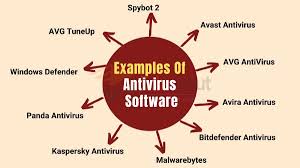
Quick headline picks:
- Bitdefender — Best overall balance of protection, features, and low impact.
- Norton 360 — Best all-in-one suite (identity tools + unlimited VPN on some plans).
- Kaspersky — Excellent detection and privacy tools (strong lab results outside the US).
- McAfee — Great family/multi-device coverage and identity features.
- Microsoft Defender — Built-in, free, and now consistently competitive in lab tests.
- ESET — Lightweight, highly configurable, great for power users.
Why these matter (short)
Independent lab testing from AV-TEST and AV-Comparatives shows these products repeatedly blocking the vast majority of real-world threats while keeping false positives and system slowdowns low — the exact mix you want in 2026.
Detailed reviews (concise)
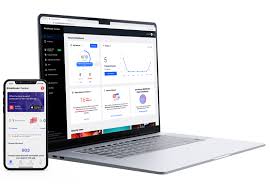
1. Bitdefender Total Security — Best overall

Bitdefender Total Security is widely regarded as one of the most reliable and feature-rich antivirus solutions available today. It offers top-tier protection against malware, ransomware, phishing, and other cyber threats, making it a favorite among both everyday users and security experts.
Key Features:
- Advanced multi-layer ransomware protection
- Real-time threat detection with minimal system impact
- Secure VPN (limited data on standard plans)
- Safe browsing and anti-phishing tools
- Multi-platform support: Windows, macOS, Android, and iOS
- Parental controls and anti-theft features
Performance:
Bitdefender consistently ranks at the top in independent lab tests for malware detection and blocking. Despite its powerful scanning and protection capabilities, it runs efficiently without slowing down your system noticeably.
User Experience:
The interface is clean, intuitive, and easy to navigate, catering to both beginners and advanced users. Setup is straightforward, and automated features ensure continuous protection without constant user intervention.
✅ Pros:
- Excellent detection rates and proactive defense
- Comprehensive security suite beyond basic antivirus
- Lightweight on system resources
- Includes useful extras like VPN and parental controls
❌ Cons:
- VPN data is limited unless you upgrade to a higher-tier plan
- Some features may overwhelm casual users at first
Verdict:
Bitdefender Total Security is a top choice for anyone seeking robust, all-around protection without sacrificing system speed. It’s ideal for users who want a seamless, powerful defense that works quietly in the background, plus helpful extras that enhance digital safety.
🛒 Buy Bitdefender Total Security
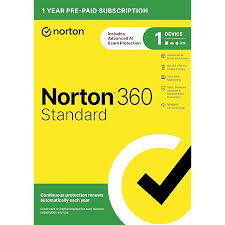
2. Norton 360 Deluxe / Premium — Best all-round suite.
Norton 360 Deluxe is a premium cybersecurity suite that delivers more than just antivirus protection—it’s an all-in-one solution for safeguarding your devices, identity, and online privacy. Known for its consistent performance, Norton offers advanced threat detection and a wide range of extras that make it one of the most comprehensive security packages available today.

Key Features:
- Real-time protection against viruses, malware, ransomware, and spyware
- Secure VPN with unlimited data for anonymous browsing
- Dark Web Monitoring to alert you if personal info is compromised
- PC cloud backup (50 GB storage) for ransomware protection
- Parental control tools to keep kids safe online
- Works across Windows, macOS, Android, and iOS
Performance:
Norton’s threat detection is among the best in the industry, quickly identifying and neutralizing both known and emerging threats. It runs efficiently, though initial scans can take a bit longer. The built-in VPN offers good speeds and reliable encryption for everyday browsing.
User Experience:
The interface is clean, modern, and easy to navigate. Most tasks—like scanning, enabling the VPN, or checking security status—can be done in a few clicks. Notifications are helpful without being intrusive, keeping you informed but not annoyed.

✅ Pros:
- Excellent malware detection and removal rates
- VPN with unlimited data included
- Dark Web Monitoring for proactive security
- Multi-device coverage for up to 5 devices
❌ Cons:
- Slightly higher price compared to basic antivirus solutions
- Some features (like cloud backup) are PC-only
Verdict:
Norton 360 Deluxe is ideal for users who want more than just antivirus protection. With its combination of robust security, privacy features, and family-friendly tools, it offers strong value for households or individuals serious about comprehensive digital safety.
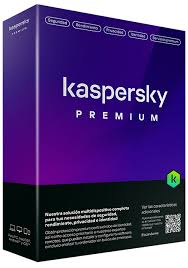
3. Kaspersky Premium — Best detection & privacy tools.
Kaspersky Antivirus is a trusted, performance-driven security solution that focuses on delivering powerful core protection against all types of malware. Known for its accuracy and light system impact, it’s a great choice for users who want straightforward, high-quality security without unnecessary extras.
A note on availability: Kaspersky was banned from sale to US customers by the US Department of Commerce in September 2024 over national-security concerns, and existing US installs stopped receiving updates. Outside the US — including the UK and EU — Kaspersky remains fully legal to buy and continues to receive updates and strong independent lab scores, though a few governments restrict it on official/government devices only.
Key Features:
- Real-time protection against viruses, trojans, ransomware, spyware, and rootkits
- Advanced AI-based threat detection to catch emerging threats
- Cloud-assisted scanning for faster and more accurate malware identification
- Self-defense mechanisms to prevent malicious tampering with the software
- Gaming Mode to minimize interruptions during full-screen use
- Lightweight design that runs smoothly in the background

Performance:
Kaspersky consistently ranks among the top in independent lab tests, with near-perfect detection rates for both known and zero-day threats. It’s fast at scanning, and its cloud-based intelligence ensures that updates are quick and always current.
User Experience:
The interface is clean, intuitive, and designed for both beginners and advanced users. Essential tools like quick scan, full scan, and settings are easy to access, and security reports are detailed yet easy to understand.
✅ Pros:
- Excellent malware detection and removal rates
- Minimal system performance impact
- Simple, user-friendly interface
- Affordable for the level of protection offered
❌ Cons:
- Not available for purchase or updates in the US
- Lacks advanced extras like a built-in VPN or identity theft protection in the base version
Verdict:
Kaspersky Antivirus is a top-tier choice for those seeking reliable, fast, and effective protection without overwhelming features — for readers outside the US, it remains one of the most secure antivirus engines available.
4. McAfee+ / McAfee Total Protection — Best for multi-device households.
McAfee has long been a familiar name in the cybersecurity space, offering a well-rounded antivirus and internet security solution that caters to both casual users and families. With its latest updates, McAfee has modernized its interface, improved its malware detection rates, and added a suite of extra security tools that make it more than just a virus scanner.

Key Features:
- Real-time protection against viruses, ransomware, spyware, and phishing attacks
- Built-in firewall for network intrusion prevention
- Identity theft monitoring and protection tools (in higher-tier plans)
- Secure VPN for safe browsing on public Wi-Fi
- Password manager for secure credential storage
- Multi-device coverage (PC, Mac, smartphones, and tablets)
Performance:
McAfee’s detection rates have significantly improved in recent independent lab tests, with strong performance against both known and zero-day threats. While full scans can take longer than some competitors, background scans are efficient and don’t noticeably slow down most systems.
User Experience:
The dashboard is clean, colorful, and easy to navigate. Features are grouped logically, making it simple to access the VPN, identity protection, and device optimization tools. McAfee also offers a web extension for safer browsing and phishing site blocking.
✅ Pros:
- Solid malware detection with strong web protection
- Comes with useful extras like a VPN and password manager
- Protects multiple devices under one subscription
- Modern, user-friendly interface
❌ Cons:
- Full scans can be slower than competitors
- VPN has data limits unless you opt for the premium plan
Verdict:
McAfee is a versatile antivirus solution that offers more than just malware protection. With its combination of security, privacy, and identity protection tools, it’s a good choice for individuals or families who want an all-in-one package. While not the absolute fastest, its feature set and multi-device coverage make it worth considering.

5. Microsoft Defender — Best free built-in option.
Microsoft Defender, formerly known as Windows Defender, has evolved from a basic built-in antivirus to a robust, full-fledged security suite integrated directly into Windows 10 and Windows 11. Once considered a minimal safety net, it now stands as a genuine competitor to many paid antivirus products.
Key Features:
- Real-time protection against viruses, ransomware, spyware, and phishing attempts
- Cloud-delivered protection for faster detection of emerging threats
- Firewall and network protection to block suspicious activity
- Controlled folder access for ransomware defense
- Integration with Microsoft Account for device tracking and recovery
- Parental controls via Microsoft Family Safety
- Automatic updates through Windows Update

Performance:
Independent lab tests in recent years show Microsoft Defender scoring impressively in malware detection—often matching or surpassing several paid solutions. Its tight integration with Windows ensures minimal system impact, and it automatically updates in the background without user intervention.
User Experience:
Because it’s built into Windows, Microsoft Defender requires no installation or separate subscription. The dashboard is accessible through the Windows Security app, which is straightforward and easy to navigate. Settings for virus scans, firewall rules, and ransomware protection are clearly laid out, though advanced customization is somewhat limited compared to standalone antivirus suites.

✅ Pros:
- Completely free and pre-installed on Windows devices
- Strong malware detection performance
- Minimal system slowdown
- Automatic updates and seamless integration
- Includes parental controls and basic ransomware protection
❌ Cons:
- Lacks some advanced privacy tools like VPNs or password managers
- Limited features for cross-platform (Mac, Android, iOS) protection
Verdict:
Microsoft Defender has matured into a reliable, effective antivirus solution that’s more than capable of protecting most Windows users without any extra cost. While heavy internet users or those needing advanced extras may prefer premium security suites, for everyday protection, Microsoft Defender is one of the best free options available today.
6. ESET Smart Security Premium — Best for power users.
ESET Smart Security is a premium antivirus and internet security suite designed to provide comprehensive protection against modern cyber threats. Known for its lightweight performance and powerful detection capabilities, ESET has built a reputation among both home users and businesses as a reliable and non-intrusive security solution.

Key Features:
- Advanced malware and ransomware protection with proactive threat detection
- Antispyware & phishing protection to safeguard online activities
- Firewall to block unauthorized network access
- Banking & payment protection for secure financial transactions
- Parental control to monitor and restrict children’s online usage
- Anti-theft tools to locate and lock lost devices
- Device control to block unauthorized USB drives or external devices
- Minimal system impact for smooth performance during scans
Performance:
ESET Smart Security consistently earns high marks in independent lab tests for detecting viruses, ransomware, and zero-day threats. Its scanning engine is fast and accurate, using heuristic and cloud-based technology to stop threats before they can do damage. The software runs quietly in the background, making it ideal for users who want strong protection without system slowdowns.
User Experience:
The interface is clean, modern, and user-friendly. Features are neatly organized, making it easy to run scans, configure the firewall, or set parental controls. ESET also provides clear security status notifications without overwhelming users with unnecessary pop-ups.
✅ Pros:
- Excellent malware detection rates
- Light on system resources
- Strong protection for online banking and payments
- Comprehensive parental control features
- Includes anti-theft tools for laptops and mobile devices
❌ Cons:
- No built-in VPN service
- Slightly higher price than some competitors for multi-device coverage
Verdict:
ESET Smart Security is an outstanding choice for users who want top-tier protection with minimal impact on system performance. Its balance of security, speed, and user-friendliness makes it a strong contender against big-name antivirus brands. While it doesn’t include extras like a VPN, its core protection is among the best in the industry, making it a worthwhile investment for anyone serious about online safety.
Comparison — labs + quick feature snapshot
| Product | Real-World Protection (lab) | Performance Impact (lab) | Key Extras | Best for |
|---|---|---|---|---|
| Bitdefender | Top scorer in AV-TEST / AV-Comparatives. | Low impact in many tests. | Ransomware layers, secure browser, VPN (tiered). | Users who want top protection with extras |
| Norton 360 | Top-tier protection, excellent false-positive control. | Very good — efficient scanning. | Unlimited VPN (higher tier), cloud backup, ID monitoring | Families / privacy seekers |
| Kaspersky | Consistently high detection rates (outside the US). | Moderate — well optimized. | Secure browser, data-leak checks | Detection-first users outside the US |
| McAfee | Strong protection (ADVANCED+ in tests). | Often ranks high for low impact. | Identity monitoring, unlimited devices | Multi-device households |
| Microsoft Defender | Now reaches top marks in real-world tests. | Built into OS; impact improving. | Integrated Windows protections | Users who want a reliable free option |
| ESET | ADVANCED+ real-world protection. | Very low system impact. | Granular controls, device tools | Tech-savvy users / pros |
Tips: how to choose
- If you want zero fuss + top detection, pick Bitdefender.
- If you want family features + identity tools, pick Norton or McAfee.
- If you want free, solid baseline protection, use Microsoft Defender and harden other behaviors (updates, browser hygiene).
Frequently Asked Questions About Antivirus Software
Do I still need antivirus software if I use Windows 11?
Windows 11 comes with Microsoft Defender built in and enabled by default, so you’re never unprotected out of the box. A paid suite adds extras like VPN, identity monitoring, or password management, but Defender alone now scores competitively against paid antivirus in independent lab tests.
Can I use two antivirus programs at once?
Running two full real-time antivirus engines together usually causes conflicts, false alarms, and slowdowns. Installing a third-party suite normally disables Microsoft Defender’s real-time scanning automatically to prevent this.
Is Kaspersky safe to use in 2026?
Kaspersky remains legal to buy and fully updated in the UK, EU, and most of the world, with strong independent lab scores. It was banned from sale and updates to US customers in September 2024 over national-security concerns, so US-based readers should choose an alternative like Bitdefender or Microsoft Defender.
Does antivirus software slow down my computer?
Modern top-tier antivirus products are built to run with minimal background impact, and independent labs test this specifically. Some slowdown during a full system scan is normal, but day-to-day real-time protection shouldn’t be noticeable on a reasonably modern PC.
Do Mac and mobile devices need antivirus too?
Macs and phones are less frequently targeted than Windows PCs but aren’t immune to phishing, malicious apps, or scam links. Most of the suites above include Mac, Android, and iOS apps focused on safe browsing, app scanning, and anti-theft rather than traditional virus scanning.
See Also VPN Services: Unlock the Internet with Speed and Security.
📥 Get Our Free 2026 Digital Tools Stack
A free guide to the best hosting, VPN, cybersecurity and AI tools for 2026 — delivered straight to your inbox.
You Might Also Like
 <span class="mrx-read-time-wrap mrx-read-time-before"><span class="mrx-read-time-badge">6 min read</span></span> Pyramyd Air Review 2026: Is This the Best Online Airgun & Archery Retailer?
Pyramyd Air's airgun, archery, and optics catalog reviewed — a specialist retailer since 1996 with a strong 4.3/5 Trustpilot record. What it sells, who it's for, and what to check before buying.
View Details <span class="mrx-read-time-wrap mrx-read-time-before"><span class="mrx-read-time-badge">7 min read</span></span> Rewarx Studio AI Review 2026: Is This the Best AI Product Photography Tool for E-Commerce?
Rewarx Studio AI turns basic product photos into 4K, studio-quality e-commerce images using AI — here's what it actually does, who it's built for, and how it compares to PhotoRoom, Canva, and Flair AI.
View Details <span class="mrx-read-time-wrap mrx-read-time-before"><span class="mrx-read-time-badge">10 min read</span></span> Doba Review 2026: Is This AI-Powered Dropshipping Platform Worth It?
Doba pairs a 2M+ product catalog with a new AI assistant, Doba Pilot, and one-click listing to Walmart and TikTok Shop. We look past the homepage claims at what independent reviews and customer complaints actually say — plus how it stacks up against Spocket, Zendrop, SaleHoo, and AutoDS.
View Details <span class="mrx-read-time-wrap mrx-read-time-before"><span class="mrx-read-time-badge">8 min read</span></span> Lightsaber.com Review 2026: Is This Custom Saber Store Legit?
Lightsaber.com sells RGB and Neopixel dueling-grade sabers with app-based customization and a 1-year warranty. We look at what's verifiable versus self-reported before you buy — including why an old domain doesn't automatically mean a proven track record — and how it compares to established names like Ultrasabers, Sabertrio, and Vader's Vault.
View Details



[…] Learn Also About Antivirus […]