The AI Tool Declutter Guide: keep the AI tools that earn their place, cut the rest
The AI Tool Declutter Guide is a short, practical PDF for anyone paying for more AI tools than they use. It gives you a four-question test to decide whether to keep or cancel any tool, a table of the main AI tool categories to check your stack against, a six-step declutter process, example lean stacks, warning signs and red flags, and a worksheet to record your own audit. It is a read-and-do guide, not a software product.
What this guide is
Free trials, new tools and "just in case" subscriptions pile up. Soon you are paying for several AI tools that do much the same job, and nobody has ever added up the cost. This guide helps you stop and sort it out in one sitting.
It does not tell you which brand to buy. It gives you a way to judge your own tools: ask four plain questions of each one, group them by what they do, keep one strong tool for each job and cancel the others. Then do it again every 90 days.
Who it is for
- Freelancers, creators, small business owners, students and marketers who pay for several AI tools.
- Anyone who suspects they have forgotten subscriptions and wants a simple method to find them.
- People who prefer a short checklist-style guide to a long book.
Who it is not for
- Anyone looking for reviews or rankings of particular AI products: the guide works at the level of categories and does not name specific tools to buy.
- People who want software that tracks subscriptions for them: this is a PDF and a worksheet to fill in yourself.
- Readers who want a deep technical guide to using AI: it is about choosing and trimming your tools.
How the declutter works
The method is built around a short test and a repeatable process.
List everything
Check two months of bank or card statements and your phone and browser for every AI tool you pay for or have installed.
Group by category
Use the guide's table of tool categories (general assistant, image generation, video and voice, notes and productivity, research, automation) to see where you have overlap.
Run the four-question test
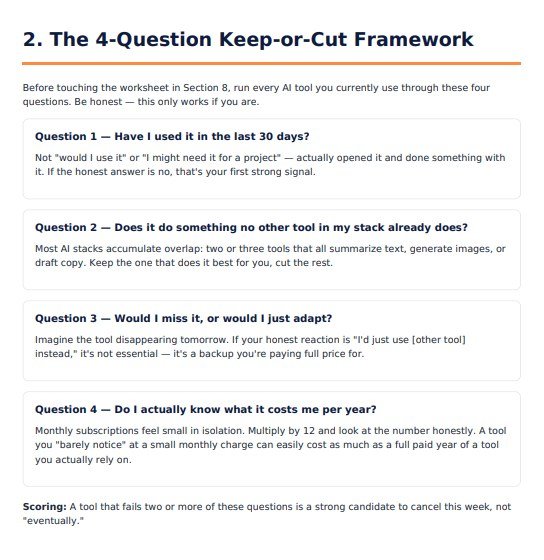
For each tool: Have I used it in the last 30 days? Does it do something no other tool of mine does? Would I miss it, or would I just adapt? Do I know what it costs me per year? A tool that fails two or more is a strong candidate to cancel.
Pick a champion and cancel the rest
Keep one tool per category, using privacy terms or likelihood of use as the tiebreaker. Cancel the others this week, and set a reminder to repeat the audit in 90 days.
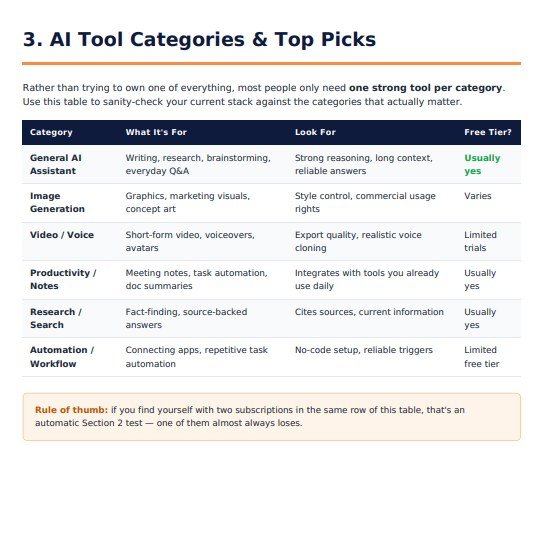
The guide's own rule of thumb: two subscriptions in the same row of the category table almost always means one of them should go.
Features
This is what the guide contains, in the order of its eight sections. Nothing here is a roadmap item.
Why AI tool overload is a real problem
A short opening section on how overlap and forgotten subscriptions build up.
The four-question keep-or-cut framework
Four questions to ask of every tool, with a simple scoring rule.
A category table
Six categories of AI tool, what each is for, what to look for and whether free tiers are usually available, to check your stack against.
A six-step declutter process
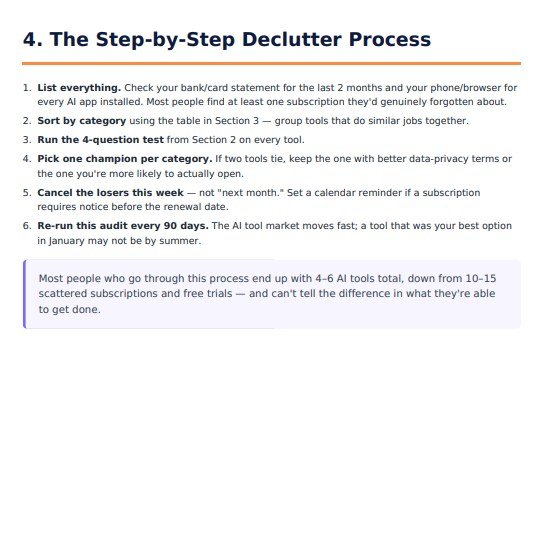
List, sort, test, pick a champion, cancel this week, and repeat every 90 days.
Lean stacks by use case
Short examples for a solo creator or blogger, a small business owner, a student and a marketer or content team.
Ten signs you have too many AI tools
A checklist you can tick through in a couple of minutes.
Red flags before you add a tool
Privacy red flags and subscription red flags, with a simple rule for trials.
A personal audit worksheet
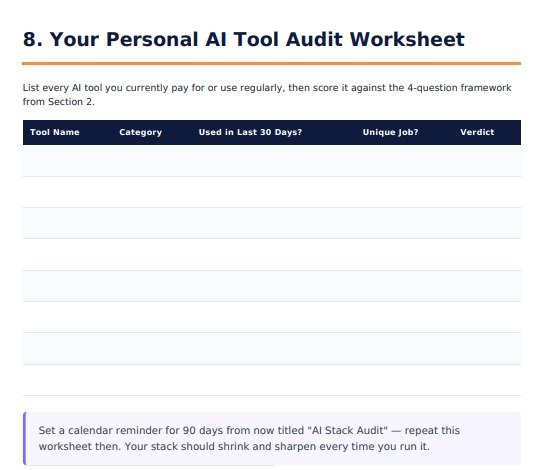
A table to list each tool with its category, whether you used it in the last 30 days, whether it has a unique job and your verdict. Print it and write on it, or annotate it in a PDF app.
Sample pages from inside the guide
These are real pages from the PDF you receive, so you can see the style and depth before you buy.
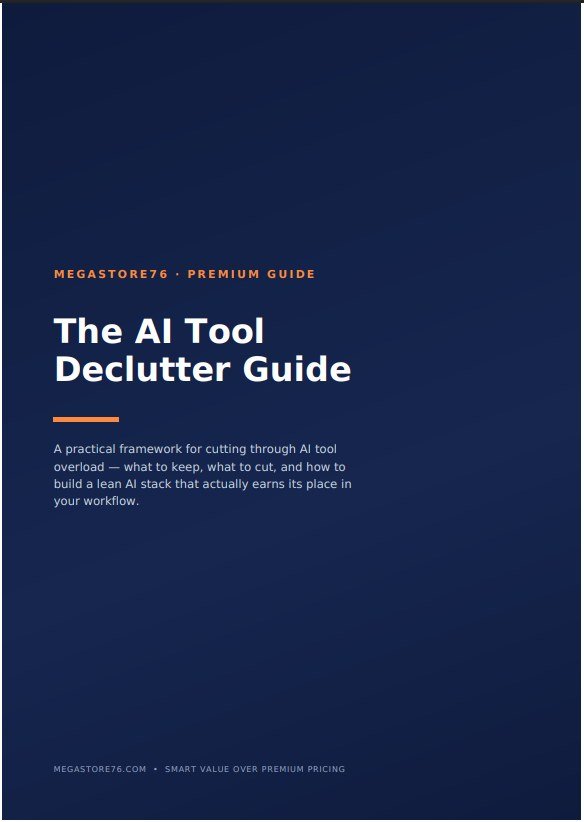
1The cover
A clean, dark cover with the title and what the guide covers.
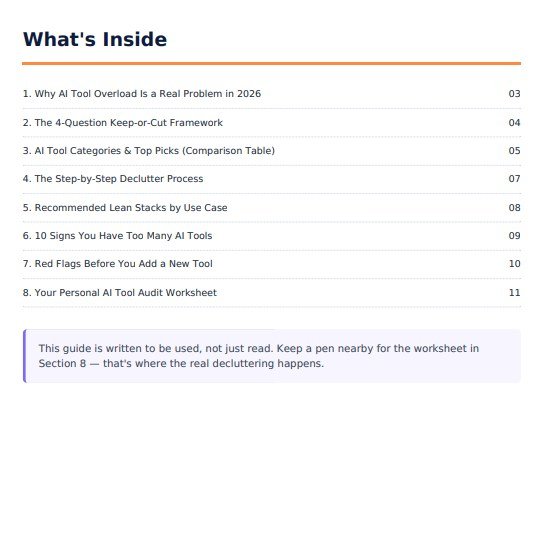
2What is inside
A contents page lists the eight sections with their page numbers.
3The four-question framework
Four plain questions, each with a short explanation and a scoring rule at the bottom.
4The category table
A table of six tool categories to check your stack against, with a rule of thumb underneath.
5The declutter process
Six numbered steps you can follow in one sitting.
6The audit worksheet
A blank table for your own tools, with a reminder to repeat the audit in 90 days.
These are unedited pages from the PDF. The rest of the guide is in the same style.
How to use it
There is nothing to install. You read the PDF and fill in the worksheet.
What you need
- Any device or app that opens PDF files
- Your recent bank or card statements, and a few minutes to check your phone and browser
- A pen and a printer if you want to fill in the worksheet on paper, or a PDF app if you prefer to annotate on screen
To get the most from it
- Do the audit in one sitting, so that the list is complete
- Cancel the tools that fail the test this week, not later
- Set a calendar reminder to repeat the audit in 90 days
Download the PDF
After you buy it on Selar, you receive the PDF as a download.
Read sections 1 to 3
A few minutes to understand the framework and the categories.
Run the process
Use section 4 to list, group and test your tools, filling in the worksheet in section 8 as you go.
Repeat every 90 days
Put a reminder in your calendar and run the worksheet again.
What you receive after buying
You receive the guide as a PDF download from Selar, straight after payment.
In the download
- The guide as a PDF, ready to read on a phone, tablet or computer
- The personal audit worksheet, on the last pages of the PDF
Not included
- Software, a spreadsheet or an app to track your tools: the worksheet is a table in the PDF
- Reviews or rankings of specific AI products
- Updates are not promised. You get the current edition
Limits and honest notes
Better you know before you buy. These come from reading the guide itself.
- It works at the level of categories, not brands. It does not name or compare individual AI products.
- The worksheet is a printed-style table. The PDF has no form fields to type into. Print it, or write on it with a PDF annotation tool.
- It is a short guide. It is meant to be read and acted on in one sitting, not to be a complete manual.
- It does not know what you pay. The savings depend on your own subscriptions and what you decide to cancel.
- No links inside the PDF. References to the Megastore76 website are plain text.
- The guide mentions affiliate links on megastore76.com. The closing page says some links on the website are affiliate links. The guide itself does not sell you anything else.
- The market changes. The guide suggests repeating the audit every 90 days for that reason.
Questions
Does it recommend specific AI tools?
No. It helps you judge the tools you already have, using categories and four questions. It does not name products to buy.
Is the worksheet fillable on screen?
It is a table in the PDF with no form fields. You can print it and write on it, or use a PDF app to type or draw on top of it.
How long does it take to use?
The guide is short and made to be read and acted on in one sitting. The audit itself depends on how many tools you have.
Will it save me money?
It helps you find and cancel tools you do not use. How much you save depends on what you are paying for now.
Do I need technical knowledge?
No. It is written in plain language for anyone who uses AI tools.
What format is it?
A PDF that opens on phones, tablets and computers.
Can I share it with others?
It says it is for personal use. Share the link to buy it, not the file.
Cut the clutter. Keep what works.
A short PDF, a clear test and a worksheet to do it in one sitting.
Buy The AI Tool Declutter Guide · £6.99All our tools are listed on the tools catalogue. Free browser tools are in the tools hub.