Product Finder: get a best-value pick in seconds
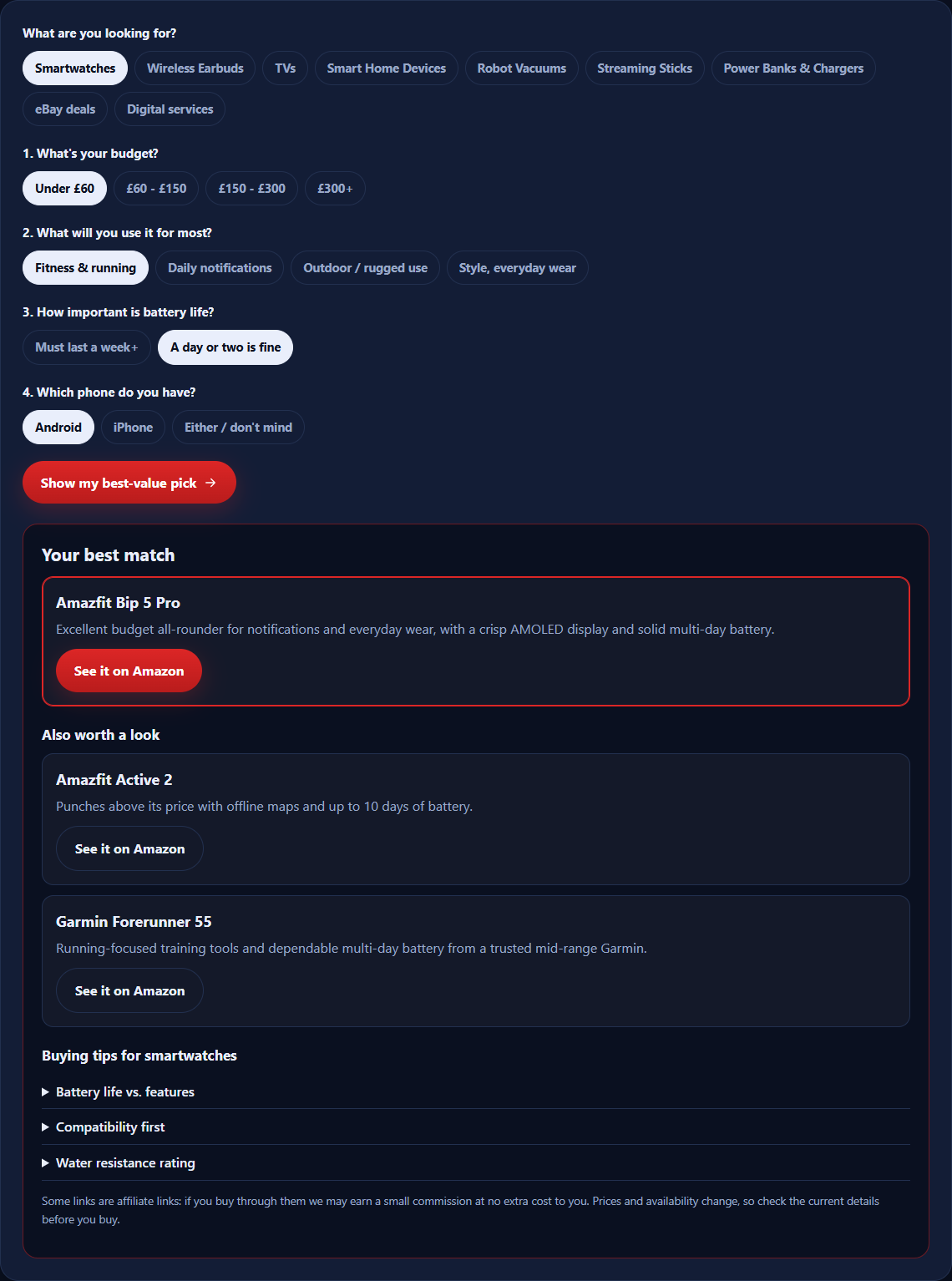
Choose a product type, answer a few quick questions about your budget and how you will use it, and get a best-value pick with the reason it fits, plus the buying tips that matter.
- Takes 30 seconds
- Nothing saved or sent
- Budget-aware
Product Finder quiz
Like free tools that just work?
The Product Finder is one of several free Megastore76 tools. The pro catalogue has WordPress plugins, apps and guides: pay once, own forever.
How to use the Product Finder
- Pick the type of product you want to buy.
- Answer the one to four questions: budget, how you will use it, and anything that must be right.
- Press Show my best-value pick to see your best match and up to two alternatives.
- Read the buying tips underneath, then check the current price and reviews before you buy.
Why a short quiz beats endless comparison tabs
Most buying mistakes come from comparing the wrong things: paying for a feature you will never use, or missing the one that matters, such as battery life on a watch or noise cancelling on earbuds. The finder asks only the questions that change the answer, then gives you one clear pick and the reason.
What the finder is, and is not
It is a hand-built shortlist matched to your answers. It is not a lab test and it does not scan every product on sale. For deeper comparisons, read our smart device buying guides.
Looking for something that is not on the list?
We also build free tools and Android apps, and write faith and family articles from the books of Pastor Mega Philip Mega. See the free tools and the apps page.
Frequently asked questions
What is the Product Finder?
A free quiz that matches you to a best-value pick in one product type: smartwatches, wireless earbuds, TVs, smart home devices, robot vacuums, streaming sticks, power banks, eBay deals, or our own digital services. You choose a type, answer one to four quick questions, and get a recommendation with the reason behind it.
How are the recommendations chosen?
Each product on the shortlist is tagged with the budget, use and features it suits best. Your answers are matched against those tags, and the best fit comes first, with up to two close alternatives. It is a shortlist built by hand, not a lab test, and not every product on the market is on it.
Are the links affiliate links?
Many of them are. If you buy through an Amazon or eBay link we may earn a small commission at no extra cost to you. It never changes your price, and the picks are made from the answers you give.
Are the prices up to date?
The finder does not show prices, because they change daily. It uses price bands, such as under £60, to match you, and the shop page shows the current price when you click through. Always check the price and reviews before you buy.
Can I install the Product Finder as an app?
Yes. On Android and on Windows, Chrome and Edge, press “Install the app” above, or use the install icon in the address bar. On iPhone, tap Share, then Add to Home Screen. It opens like an app, with no app store needed. A Microsoft Store version is planned.
Is my information saved?
No. The quiz runs in your browser, and your answers are not stored or sent anywhere.
Why is there no exact match for my answers?
The shortlist is small on purpose. When nothing fits all your answers, the finder shows the closest product and says so, so you can use it as a starting point.
What are the digital services?
Megastore76 builds and maintains WordPress websites, SEO, speed, content and Pinterest marketing. Choosing “Digital services” matches your needs to one of them and takes you to a free quote form.