Megastore76 Devotional Bible: a teaching Bible you own, on your phone and your computer
Megastore76 Devotional Bible is a Bible reading app that teaches as you read. It has seven public-domain translations you can switch between, a devotional for every day of the year with reflection questions and a prayer, an introduction to every book of the Bible, teaching notes on major chapters, verse highlighting, notes and bookmarks, search, and read-aloud that carries on from chapter to chapter. You buy it once and receive an Android app, a Windows program and the web version to host on your own site. You can try the same app free on this website first.
What Megastore76 Devotional Bible does
Many Bible apps give you the text and little else, or hide the useful parts behind a subscription. This one puts teaching alongside the text. When you open a book you meet an introduction to it. When you open a major chapter there is a teaching note. And each day there is a short devotional built around a passage, with questions to reflect on and a prayer.
You own it. There is no account, nothing to subscribe to and no advertising. Your highlights, notes and bookmarks stay on your own device. A church or ministry can put the web version on its own website.
Who it is for
- Christians who want a daily devotional and a Bible reader in one calm, uncluttered app.
- Pastors and churches who want to give their people a Bible app on the church's own website, or edit the devotional text for their own congregation.
- People who want a Bible that works without an internet connection.
Who it is not for
- Anyone who needs modern copyrighted translations such as NIV, ESV, NLT or NKJV: this app uses public-domain translations only.
- People who want a social or sync-everywhere app with accounts: your notes and highlights stay on one device, with no cloud sync.
- Anyone who wants to resell or redistribute the app or its text: the licence does not allow it.
How it works
One app, built around reading with understanding.
Start with Today
The Today page shows the day's devotional, with buttons to read the passage or the full devotional, and quick routes into the Bible, the devotionals and the search.
Read with teaching beside you
On the first chapter of every book there is a short introduction to that book. Major chapters show a teaching note you can open for more.
Mark what matters
Tap any verse to highlight it in one of four colours, add a note, bookmark it or copy it with its reference. Everything appears on the Saved page.
Listen if you prefer
The speaker button reads the chapter aloud and keeps going into the next chapter until you press it again.
Everything works offline once it is installed. A translation other than the King James Version is loaded once in the web version and then stored for offline use.
Features
This is the complete list of what the app does. Nothing here is a roadmap item.
Seven public-domain translations
King James, American King James, World English Bible, New Heart English Bible, American Standard Version, Bible in Basic English and Young's Literal Translation. Switch between them while you read.
A devotional for every day of the year
Each has a scripture passage, a short teaching, reflection questions and a prayer, with a theme for the day. You can mark each as read and see your progress for the year.
An introduction to every book
For each of the 66 books: author, date, genre and chapter count, a summary, an outline, a key verse and how the book points to Christ.
Teaching notes on major chapters
A short note appears above the chapter with a link to read the full teaching.
Verse tools
Highlight in four colours, add your own note, bookmark and copy a verse with its reference.
Search
Search the whole text of the chosen translation and see every matching verse with the word highlighted. You can also look up a reference such as John 3:16.
Read aloud that keeps going
Reads a chapter aloud and continues into the next. You choose the voice and the speed.
Your reading, your way
Light, dark or automatic appearance, adjustable text size and line spacing.
A Saved page
Your bookmarks, highlights and notes in one place.
A books page
A page for the author's own books, with links to buy them.
Works offline and installs like an app
In the web version you can install it to your phone or computer from the browser. The Android app and Windows program need no connection.
Your data stays with you
Highlights, notes and progress are stored on your device. You can export, import or reset them in Settings.
Walkthrough: from today's devotional to a highlighted verse
These are real screenshots of the app. It is the same app you receive, and you can try it for yourself for free on this website.
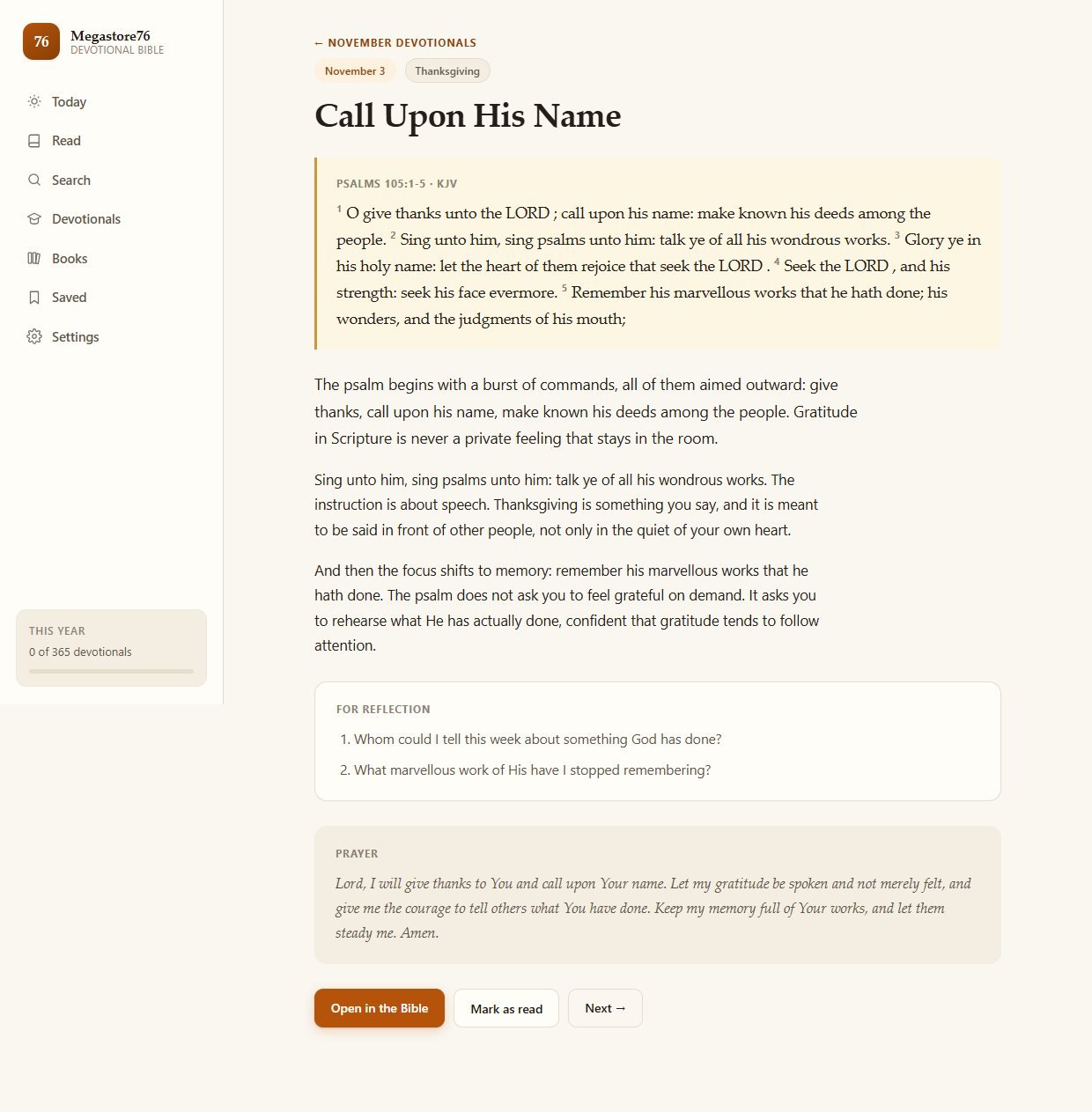
1Today
The day's devotional, with a short quote from the passage and buttons to read the passage or the full devotional. Below are routes into the Bible, the devotionals, the search and your saved verses.
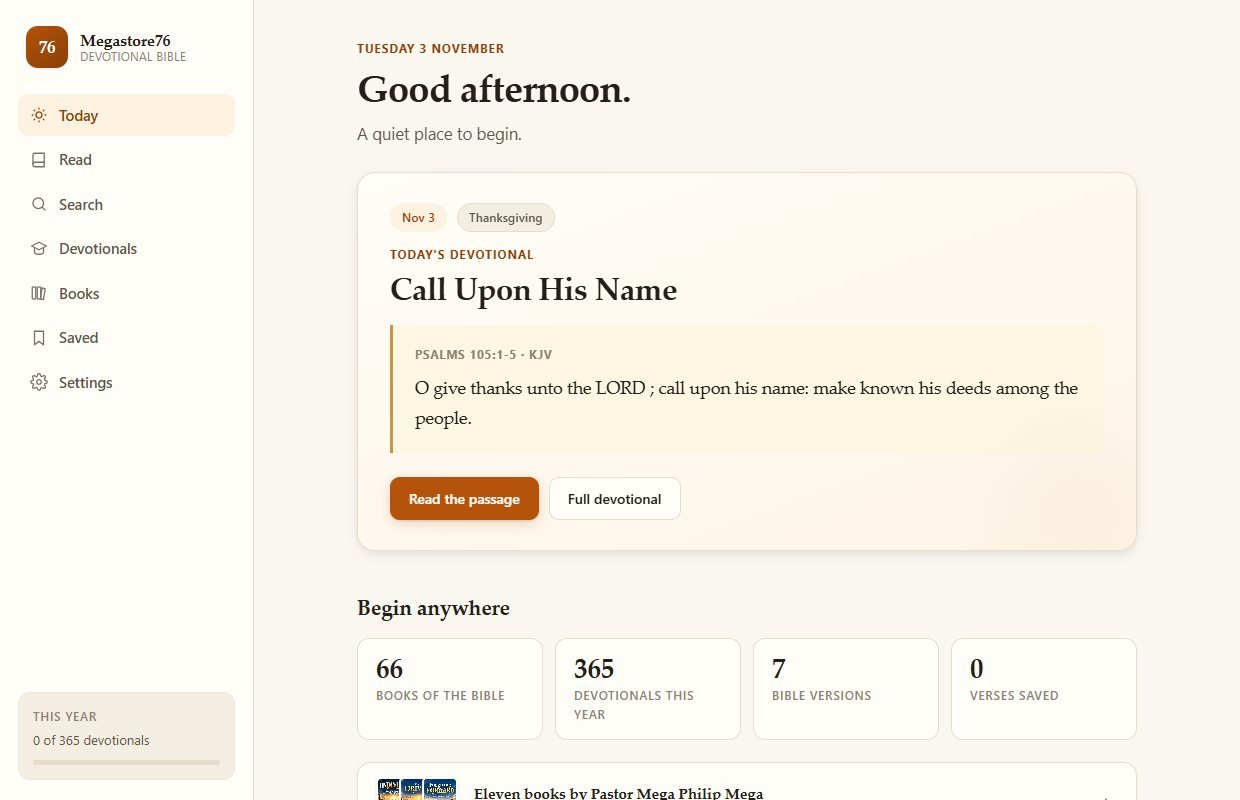
2The full devotional
The scripture passage, a teaching in plain language, two questions for reflection and a prayer. You can open the passage in the Bible, mark the devotional as read or go to the next.
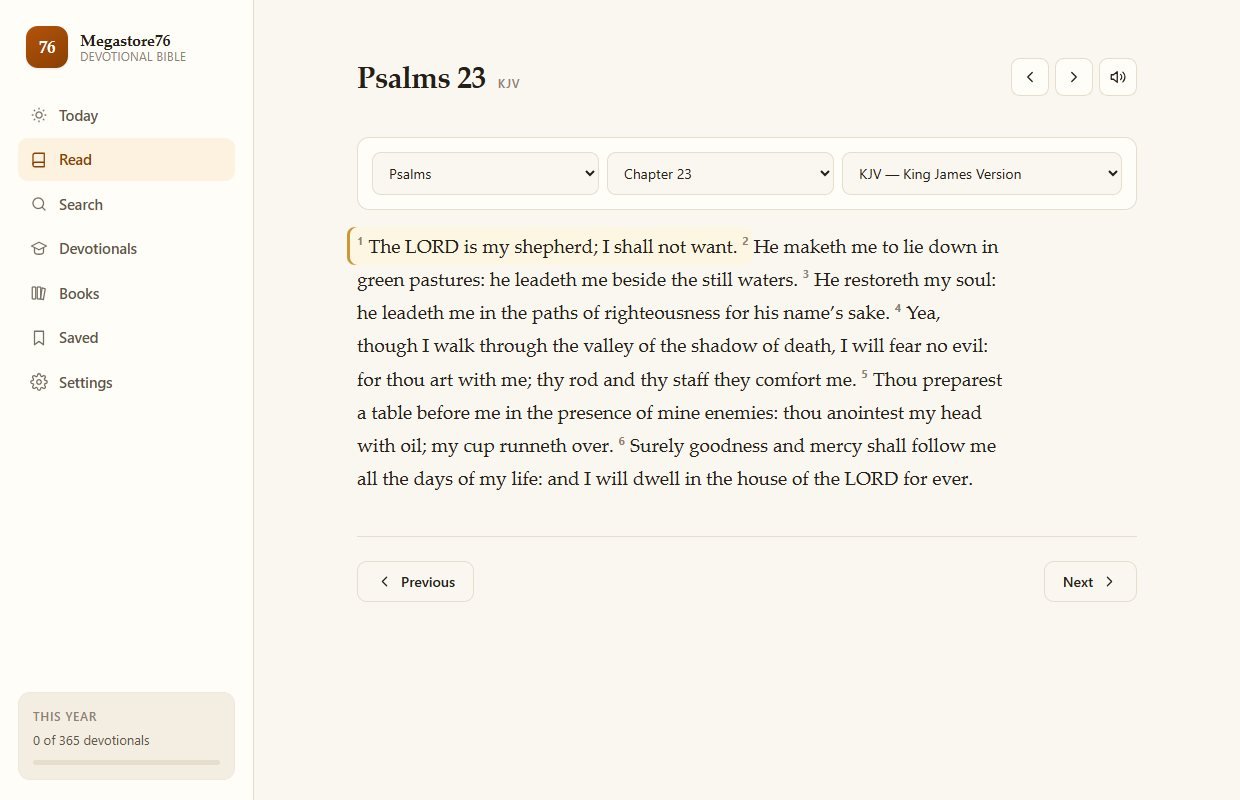
3Read, in the translation you choose
Choose the book, chapter and translation. Here Psalm 23 in the King James Version. Previous and next buttons move through the Bible.
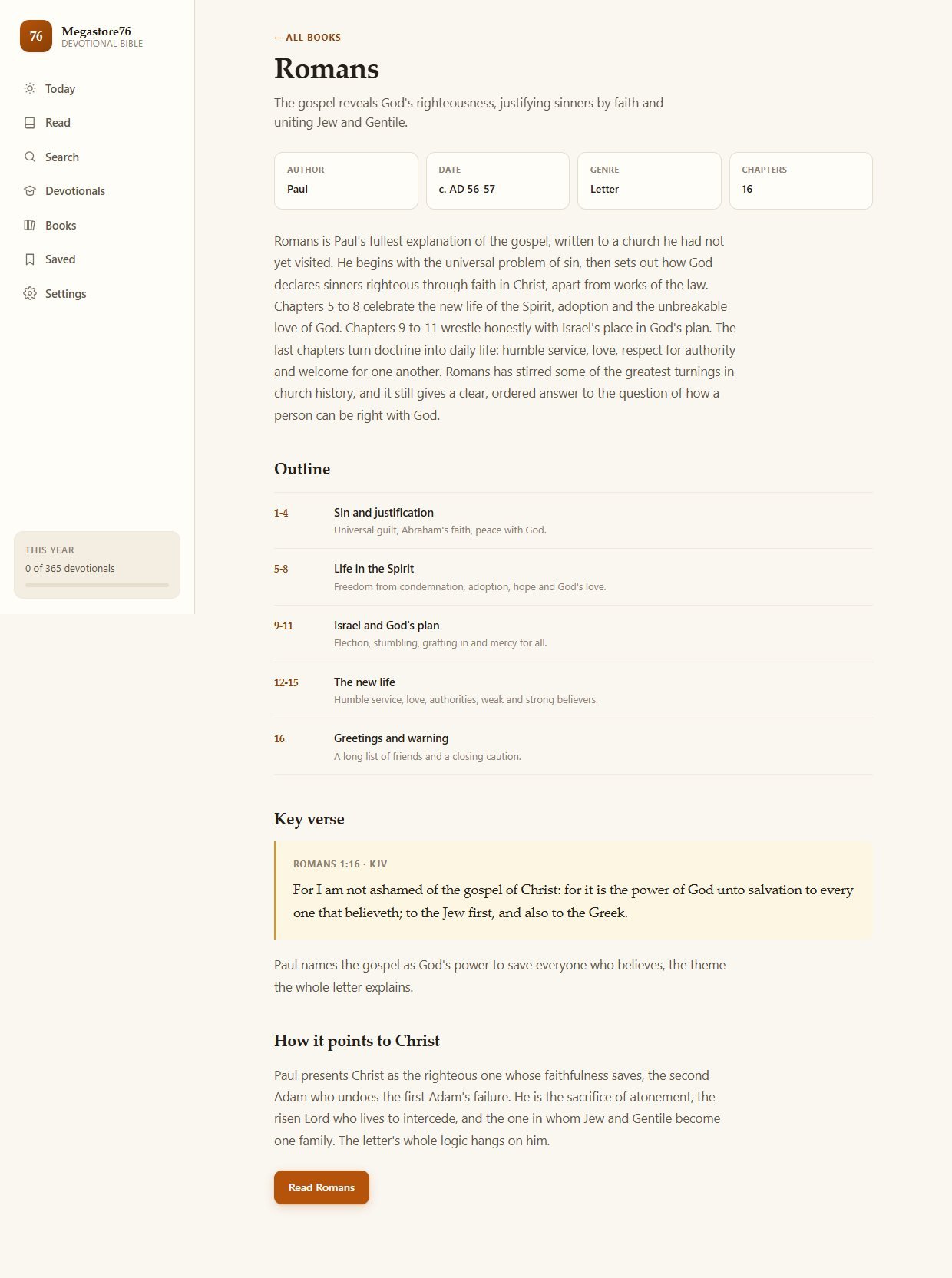
4A book introduction before you begin
On the first chapter of each book a banner invites you to read its introduction. This one is for Romans: author, date, genre, summary, outline, key verse and how it points to Christ.
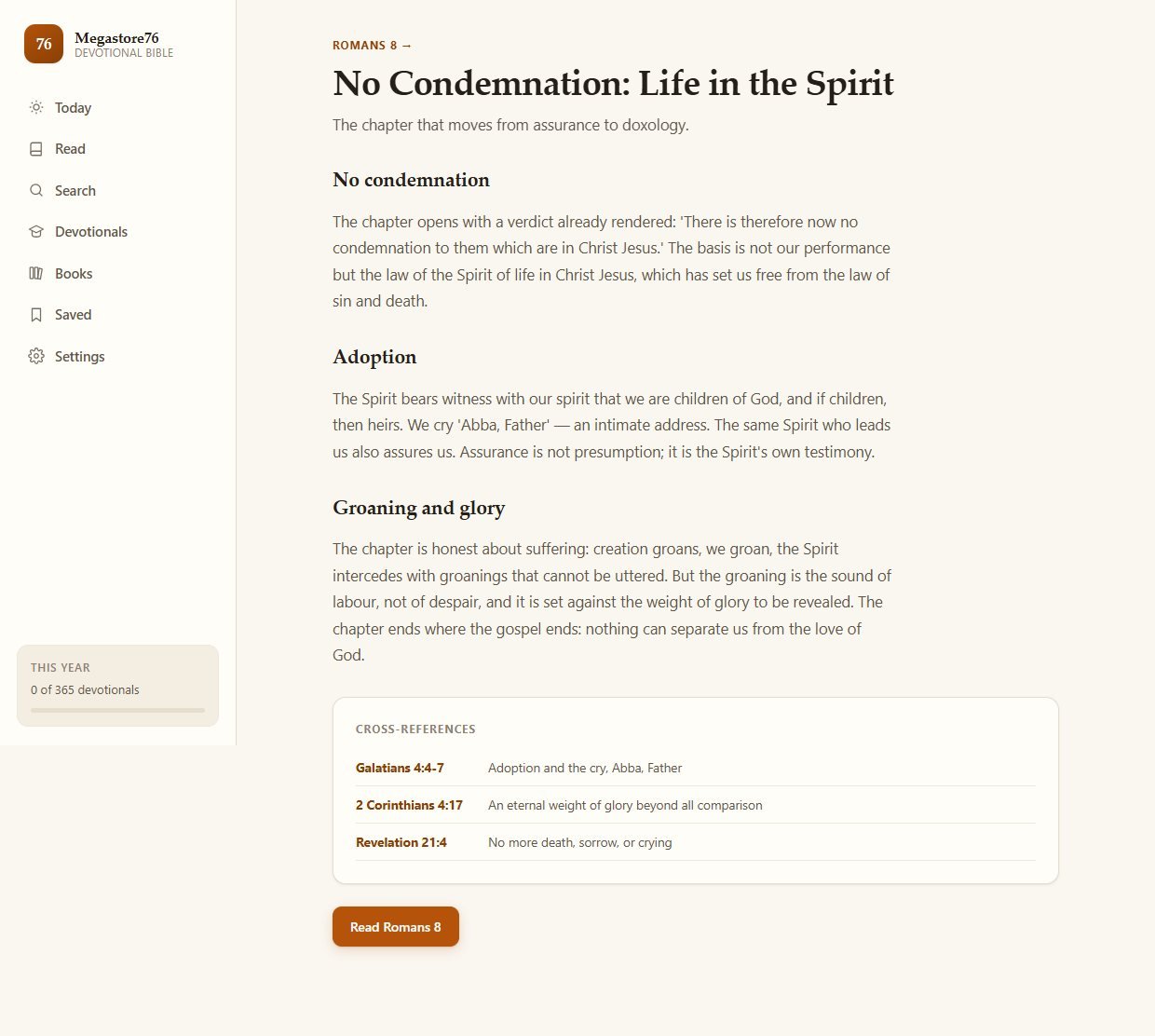
5A teaching note on major chapters
In a chapter such as Romans 8, a note sits above the text with a link to read the teaching in full.
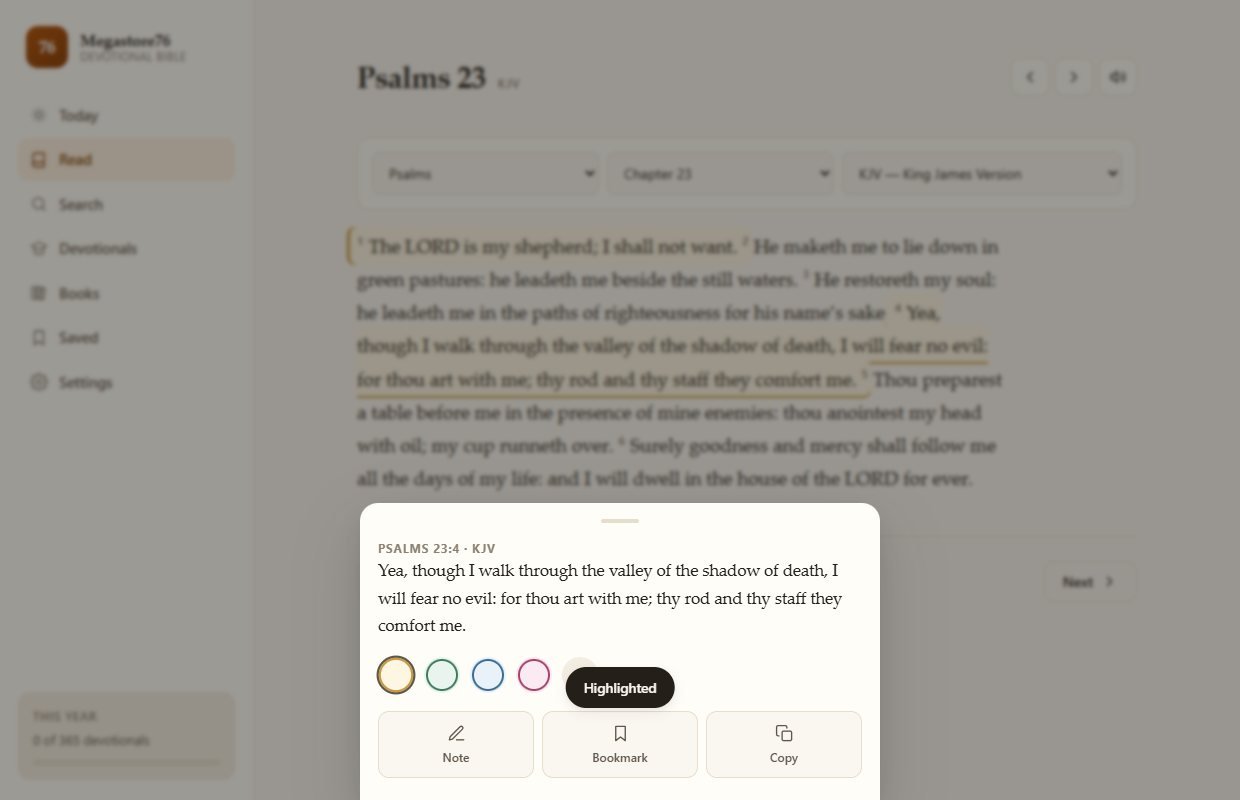
6Mark a verse
Tap a verse to highlight it in a colour, add a note, bookmark it or copy it. The highlighted verse stays marked in the reader.
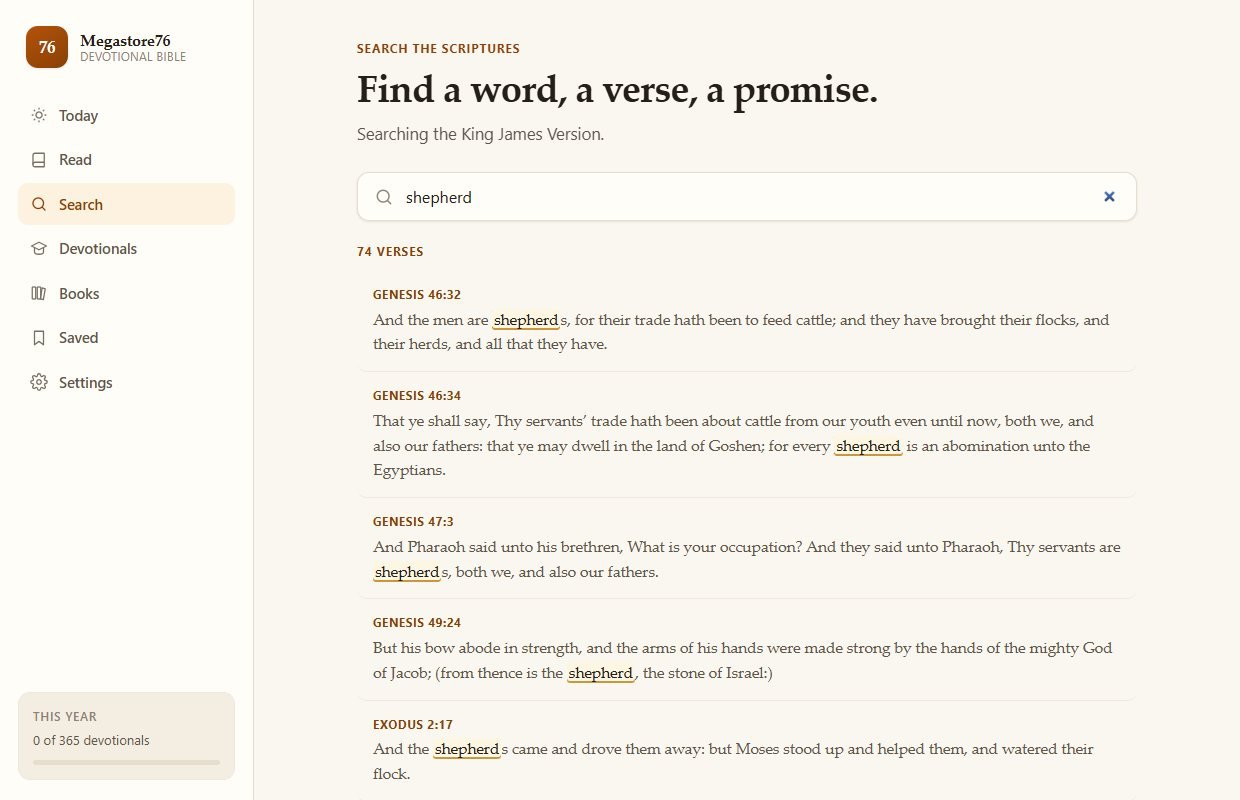
7Search the Scriptures
Type a word and see every verse that contains it, with the word marked.
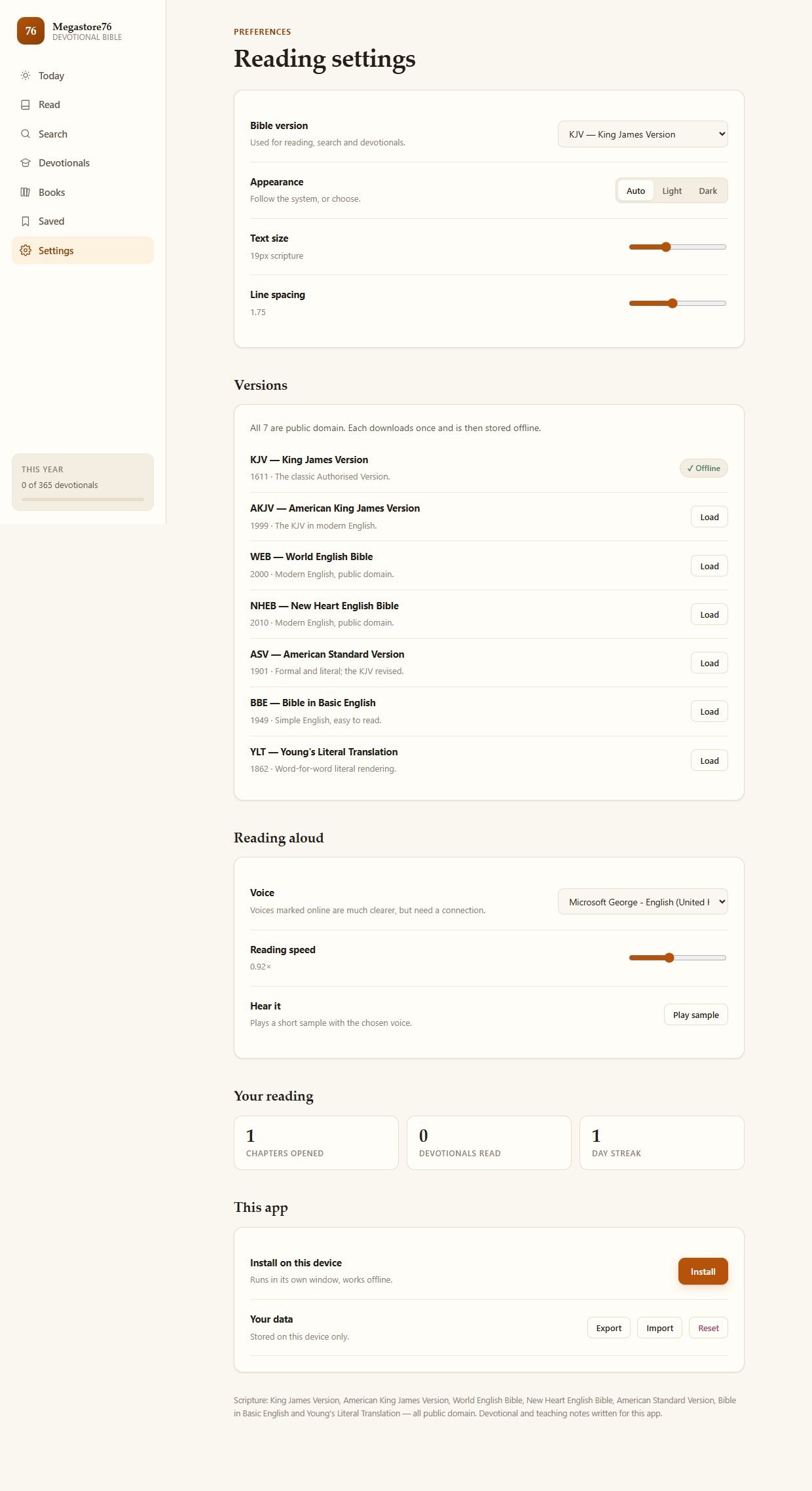
8Settings that suit you
Choose the translation, light or dark appearance, text size and line spacing, set the read-aloud voice and speed, install the app, and export or reset your data.
9On a phone
The same app on a phone, with a bottom menu.
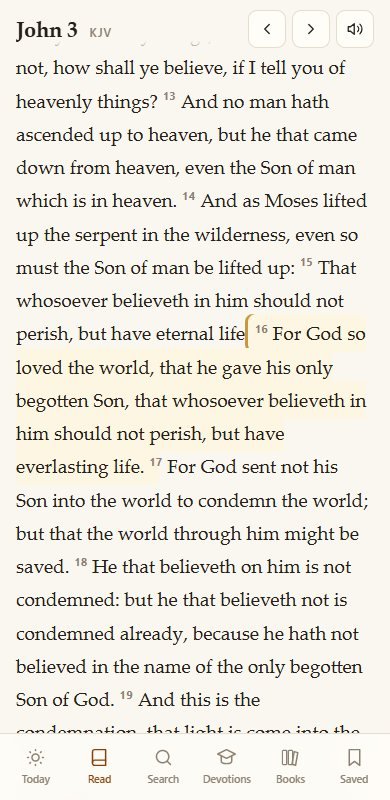
These screenshots are of the web version of the same app. The Android app and the Windows program are the same app in a wrapper that works offline.
Install and set up
The download contains three versions. Use whichever suits you. Nothing needs to be built or configured.
What you need
- For Android: a phone or tablet, and permission to install an app from a file
- For Windows: a Windows computer. The program is not code-signed, so Windows may show a warning that you can accept
- For the web version: a web host, or Node.js to run it on your own computer
- Nothing else: there is no account, database or build step
To put it on a church website
- Upload everything in the Web-App folder to your host (you can leave out the start and serve files)
- Serve it over https so that the install and offline features work
- You can edit the devotional text for your own congregation
Unzip the download
It contains Desktop-App, Web-App and Android folders and a short guide.
Android
Copy the APK file to your phone, tap it and allow installation from that source, then open Megastore76 Devotional Bible. It works with no internet connection.
Windows
Open the Desktop-App folder and double-click the program. Nothing to install.
On a website or in a browser
Upload the Web-App folder to your host. Or install Node.js and double-click the start file to run it on your own computer.
If you installed an earlier version of the Android app before, uninstall it first.
What you receive after buying
You receive one zip download from Selar, straight after payment.
In the download
- An Android app (APK file) that works with no internet connection
- A Windows program that runs the app in its own window
- The web version of the app, ready to put on your own website or run on your computer
- A short guide with installation steps and the licence
Not included
- A hosted copy to sign in to: there are no accounts
- Web hosting or a domain name
- Installation service
- Modern copyrighted translations such as NIV, ESV, NLT or NKJV
- Updates are not promised. You get the current version
Limits and honest notes
Better you know now than discover it after you install. These come from the app itself and its guide.
- Public-domain translations only. The seven included are all out of copyright. Modern versions such as the NIV, ESV, NLT and NKJV are not included, because they need a licence from their publishers.
- The devotionals and teaching notes were written for this app, in plain language. They are not a commentary by a named theologian, and you may wish to read and adapt them for your own congregation. The licence lets you edit them for your own use.
- Your notes and highlights stay on one device. There is no account and no cloud sync between devices. You can export and import your data by hand.
- The Windows program is not code-signed. Windows SmartScreen may show a warning you will need to accept. The app inside is the same as the web version.
- Installing the Android app needs permission to install from a file. It is not installed from an app store.
- The web version needs either a web host or Node.js. It cannot simply be opened by double-clicking its page, because the browser blocks it from loading the Bible text that way.
- Read-aloud quality depends on your device's voices. Voices marked online are much clearer but need a connection.
- A licence for personal or ministry use. You may host it, use it in your church and edit the devotional text. You may not resell, redistribute or republish the app or its text as your own.
- English only. The interface and the included translations are in English.
Questions
Can I try it before I buy?
Yes. The same app runs free on this website. The paid download gives you the Android app, the Windows program and the files to host it yourself.
Which translations are included?
King James, American King James, World English Bible, New Heart English Bible, American Standard Version, Bible in Basic English and Young's Literal Translation. All are public domain.
Can I add the NIV or ESV?
Not with this licence. Those translations are copyrighted and need permission from their publishers. The app is built so that another version can be added if you hold a licence.
Does it work without internet?
Yes. The Android app and the Windows program do not need a connection. The web version stores what it needs for offline use after it has loaded.
Can my church put it on our website?
Yes. The licence allows personal or ministry use, including hosting it for your congregation. You may not resell it.
Can I change the devotionals?
Yes. You may edit the devotional text for your own use.
Is there a monthly fee or an account?
No. It is a one-time purchase, with no account, subscription or advertising.
Will my highlights sync between my phone and my computer?
No. They are stored on each device. You can export them from one and import them into another.
A Bible that teaches as you read. Yours to keep.
One payment: an Android app, a Windows program and the web version for your own site.
Buy Megastore76 Devotional Bible · £19All our tools are listed on the tools catalogue. Free browser tools are in the tools hub.