LinkForge: your own link-in-bio page, with real click counts
LinkForge is a self-hosted web app that gives you one tidy page to put in your Instagram or TikTok bio. The page lists all your important links as big buttons, and every click goes through your own server so you can see which links people actually use. You buy the source code once and host it yourself: no subscription and no per-click fee.
What LinkForge does
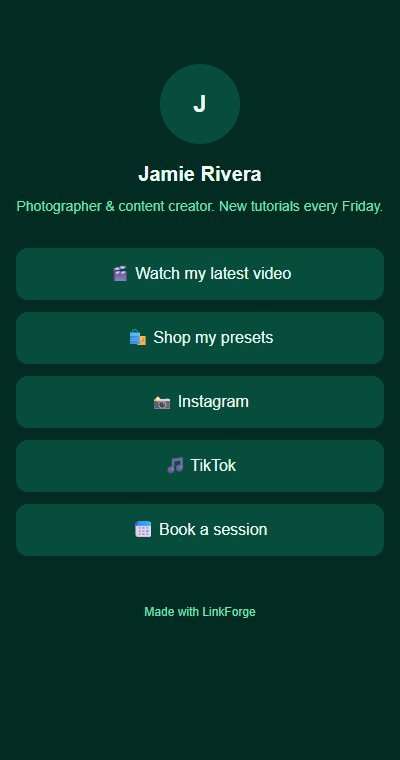
Social apps only let you put one link in your profile. A link-in-bio page solves that: your single link opens a simple mobile page with your photo, a short bio and a stack of buttons (your latest video, your shop, your booking page, your other profiles).
LinkForge is that page, running on your own website at an address like yourdomain.com/yourname. Each button points at a short tracked address on your server. When someone taps it, your server counts the click and sends them on to the real destination. You can change a destination, reorder the buttons or switch one off at any time, and the page updates straight away.
Who it is for
- Creators, photographers, coaches, small shops and local businesses who want a link-in-bio page on their own domain.
- Anyone paying a monthly fee for a link-in-bio service who would rather own the page and the numbers.
- Agencies and freelancers who set up a page for one client and host it on the client's domain.
Who it is not for
- People who want a ready-made website to sign up to: this is software you install and host yourself.
- Teams that need many separate users or one install serving many customers: it has one account and one page.
- Anyone who needs custom colours, a custom button design, drag-and-drop ordering, location analytics or a hidden "Made with LinkForge" line without touching code: those are not built in.
How it works
Two parts do the work: a public page that anyone can open, and a private dashboard where you manage it.
You set up your page
Choose a username, a display name, a short bio, an optional photo address and one of five colour themes. Your public page appears at your-domain/username.
You add your links
Each link has an emoji icon, a label and a destination. You can reorder links, switch them off and on, edit them or delete them.
People tap a button
Every button on the public page points at your-domain/l/<link id>. Your server logs the click (time, device type and referrer) and redirects the visitor to the destination.
You read the numbers
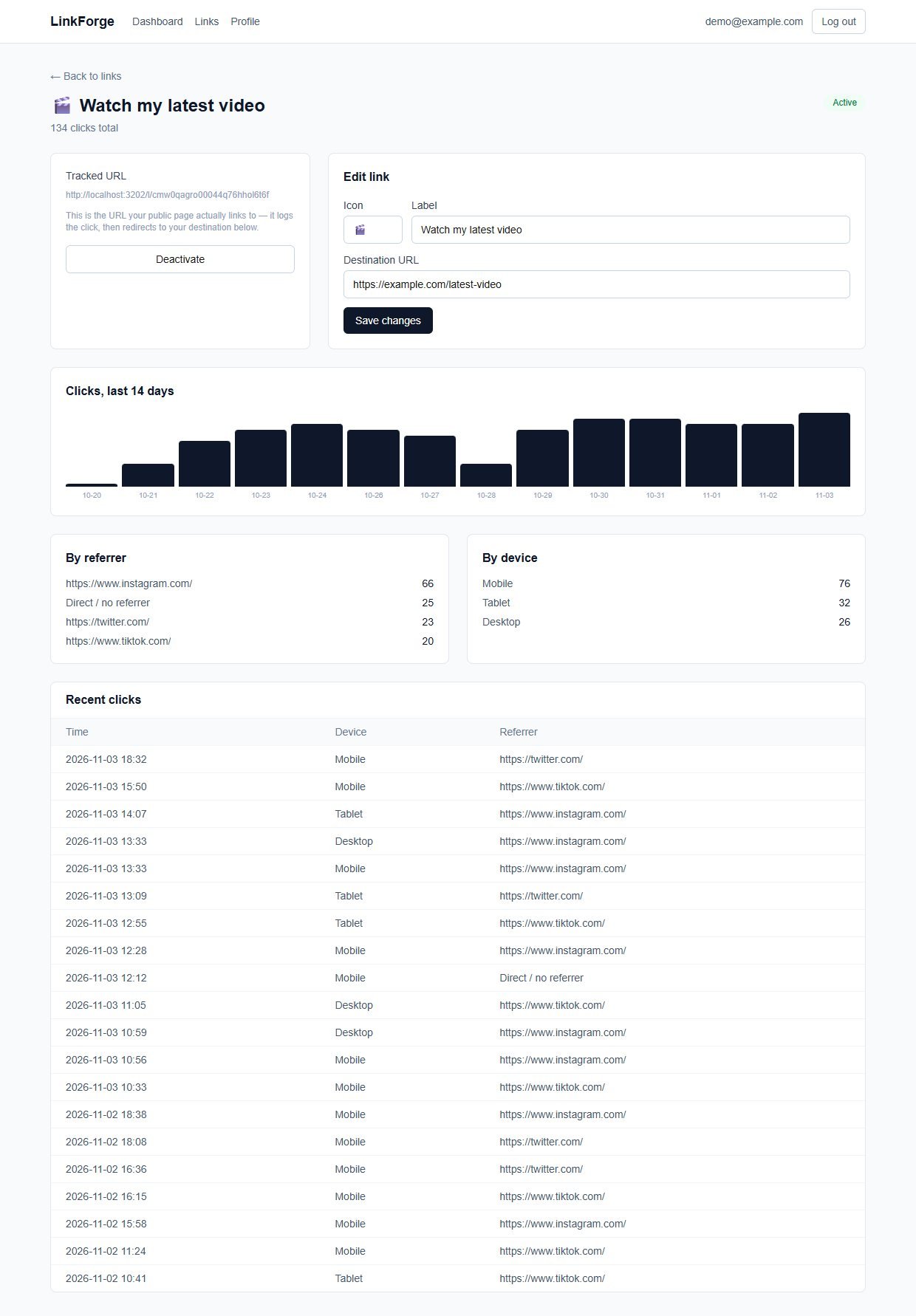
The dashboard shows total clicks and your top links. Each link has its own page with a 14-day chart, referrer and device breakdowns and the latest clicks.
Because every button goes through your own server, your server has to stay online for the buttons to work.
Click analytics: see which links people use
Every click is logged by your own server and shown in the dashboard and on each link's page. It is deliberately simple and privacy-friendly: enough to tell which links work, without tracking individuals.
What you can see
- Total clicks across all links, and the average per link
- Your top five links on the dashboard
- For each link: total clicks and a bar chart of clicks per day for the last 14 days
- A breakdown by device type: Mobile, Tablet, Desktop, Bot or Unknown
- A breakdown by referrer, which is whatever the visitor's app sent. Many apps send none, so expect some "Direct / no referrer"
- The 20 most recent clicks, with time, device and referrer
What it does not record
- No IP addresses are stored
- No city, country or other location
- No names, emails or cookies for your visitors
- No fingerprinting: device type comes only from the browser's User-Agent text
- Crawlers and link-preview bots that follow a link are counted too, in their own "Bot" group, so totals can include some non-human visits
Features
This is the complete list of what version 1.0.1 does. Nothing here is a roadmap item.
Public link-in-bio page
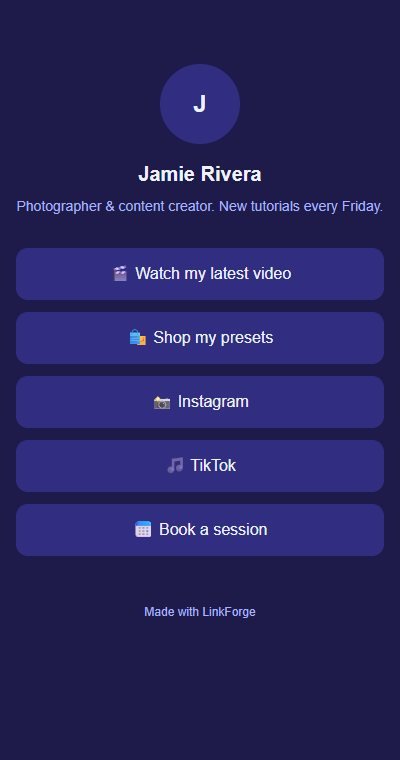
A fast, server-rendered, mobile-friendly page at your-domain/username with your photo (or an initial), name, bio and link buttons. It needs no login to view.
Five colour themes
Slate, Rose, Emerald, Indigo and Sand. Pick one in the Profile page and the public page changes immediately.
Add, edit and delete links
Each link has an emoji icon, a label and a destination. If you leave off https:// it is added for you.
Reorder with arrows
Move a link up or down the list with the arrow buttons. The public page follows the same order.
Switch links on and off
Deactivate a link and it disappears from the public page. Anyone who still has the old tracked address sees a clear "No longer active" page. A deleted link shows "Link not found".
Click analytics
Dashboard totals, top links, and a page for each link with a 14-day chart, device and referrer breakdowns and recent clicks.
Your own domain
The page runs wherever you deploy it, so it can live on your own domain or subdomain. Set BASE_URL so the dashboard shows the right address to copy.
Copy-and-open buttons
The dashboard shows your public page address with a Copy button and a link to open it.
Login-protected dashboard
Email and password login (passwords stored hashed with bcrypt, session in a signed httpOnly cookie). The public page and the click redirect are public on purpose.
Full source code
Next.js, React, TypeScript, Tailwind and Prisma with SQLite by default. The code is small and readable.
Walkthrough: set up a page, add a link, read the clicks
These are real screenshots from LinkForge running with the sample data it ships with (a fictional photographer called Jamie Rivera). The address shown is localhost because this copy ran on my own computer; on your site it will be your domain.
1Start from the dashboard
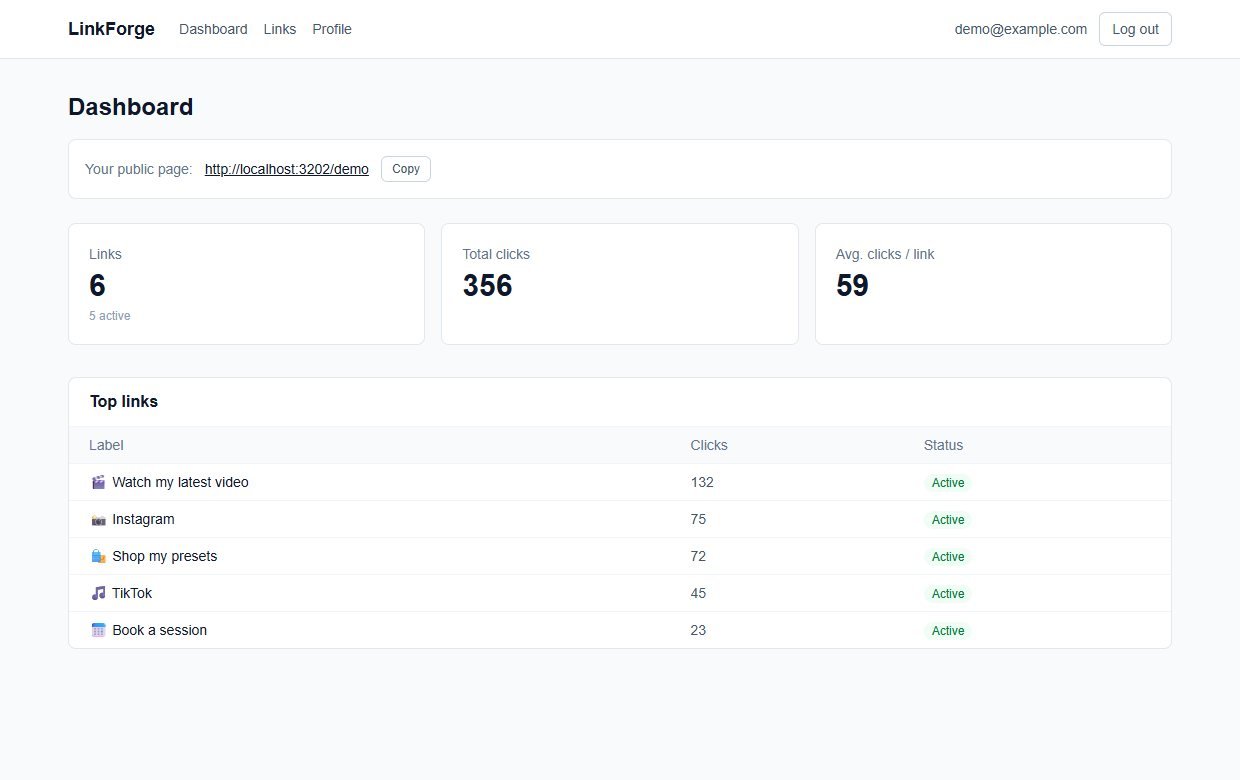
You see your public page address with a Copy button, total clicks, the average per link and your top links.
2Set up your profile
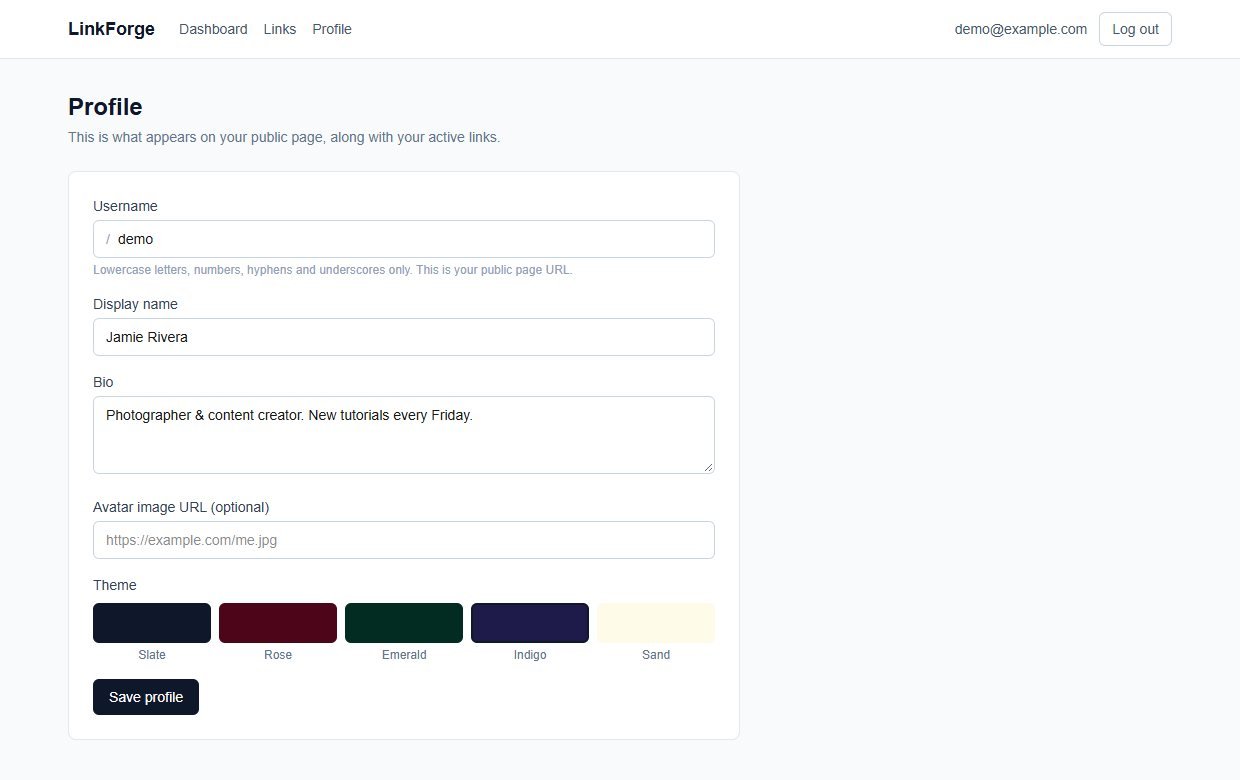
Choose your username, display name, bio, an optional photo address and a colour theme. Save, and your public page is updated.
3Share the page
This is what your visitors see on a phone: your photo or initial, your name and bio, and your active links as buttons.
4Change the look in one click
Pick another theme and save. Here the same page in Emerald.
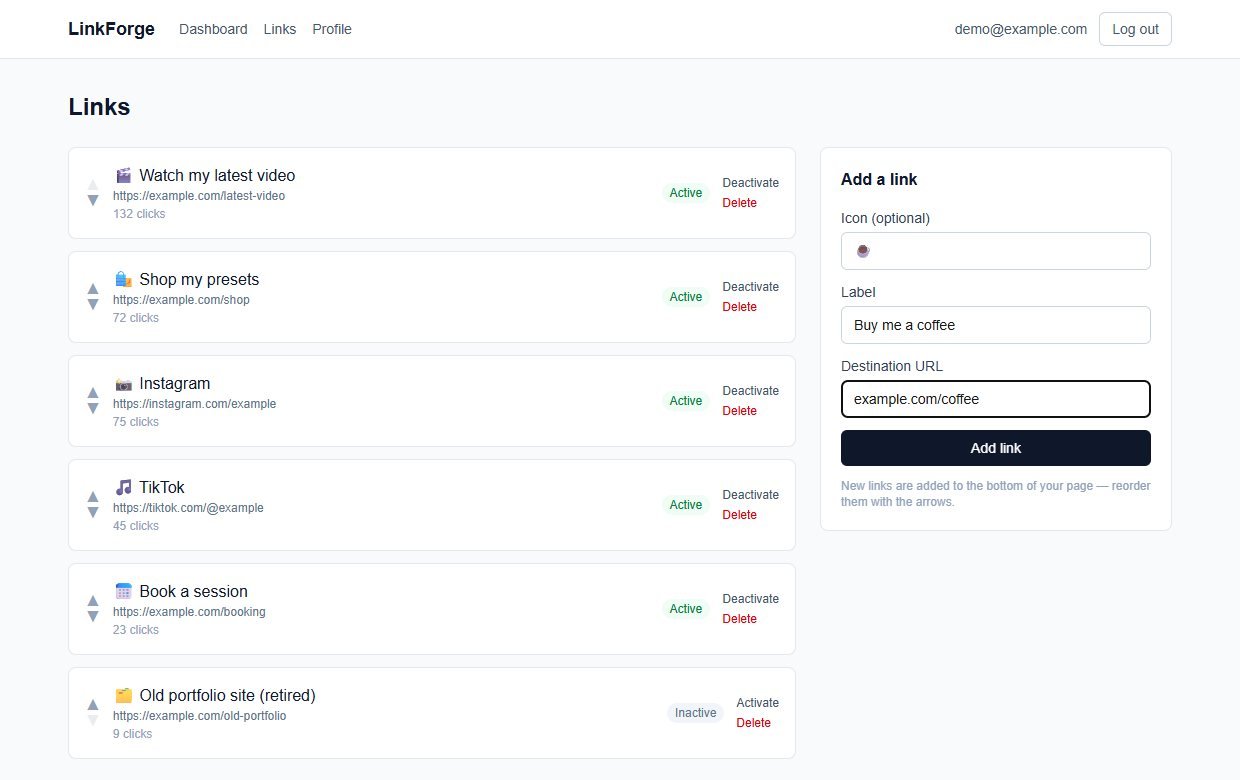
5Add a link
Type an emoji, a label and the destination. You can leave off https://.
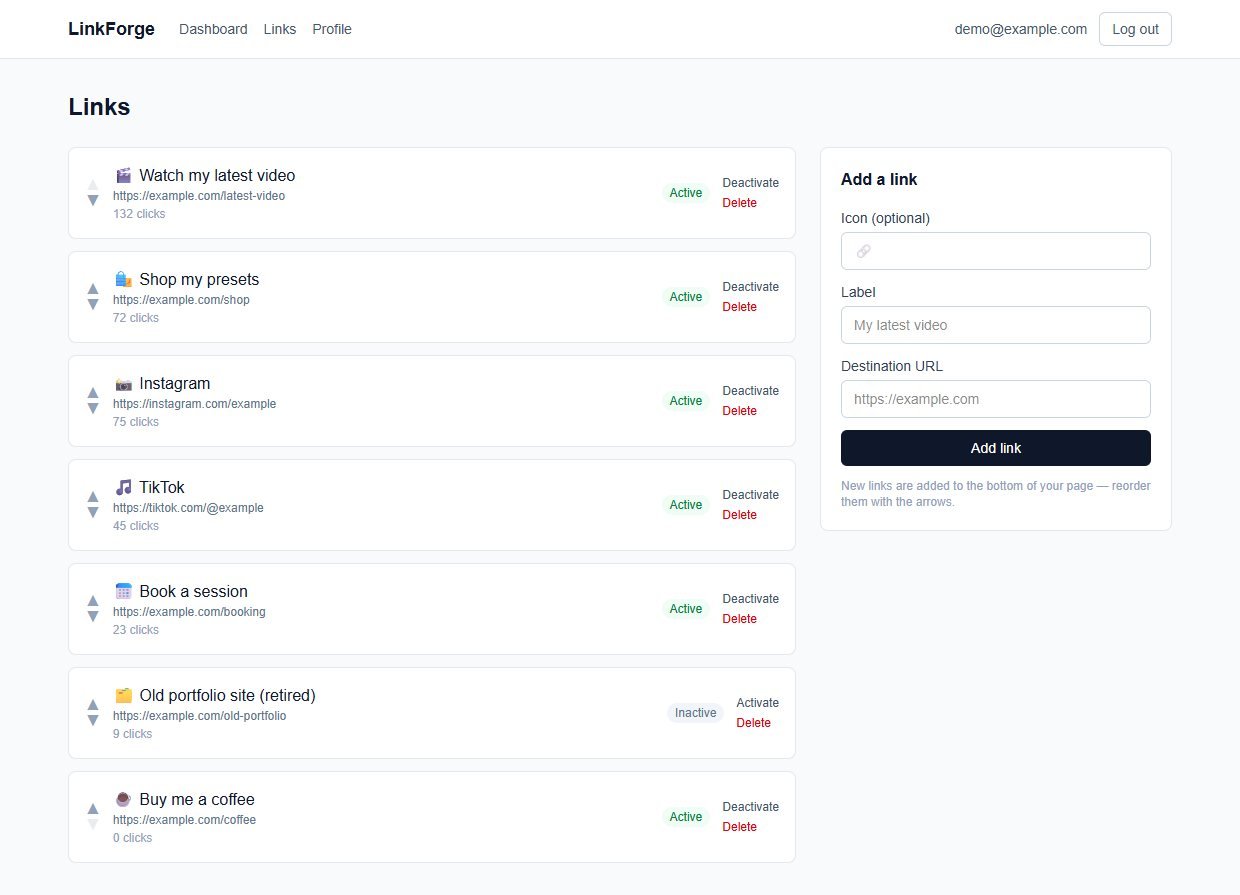
6Manage your links
The new link joins the list. Use the arrows to reorder, Deactivate to hide a link without losing its numbers, or Delete to remove it.
7Open a link to see its numbers
Each link has its own page: the tracked address, an edit form, a 14-day chart, referrer and device breakdowns and the latest clicks.
These steps use only features that are in the product.
Install and set up
LinkForge is a standard Next.js project. If you have deployed a Node.js site before, this will feel familiar. If you have not, ask a developer or hosting support to do the install once: after that, using it needs no technical skill.
What you need
- Node.js 20.9 or newer (the project was built and tested on Node 24) and npm
- A place to run a Node.js web app, with a domain or subdomain that you control
- A terminal to run a handful of commands
- A long random text string for the session secret
Running it on a real website
- Set
BASE_URLto your real public address before you share the page, so the dashboard shows the right address - Run
npm run buildandnpm run starton a normal Node server, with the SQLite file kept on a disk that survives restarts - On serverless hosts such as Vercel there is no permanent disk, so switch the Prisma database to Postgres as the README describes
- Serve it over HTTPS
Unzip and install
Unzip the download, open a terminal in the folder and install the packages.
Set your settings
Copy the example settings file, then set BASE_URL to your domain and SESSION_SECRET to a long random string.
Create the database
Apply the schema.
Create your account
There is no sign-up page. The seed script creates the account, a sample profile, six sample links and about two weeks of sample clicks. Edit the email, password, username and links in prisma/seed.ts first, then run it.
Start it
Run it locally to try it, or build and start it on your server.
Before you go live: the seed creates a demo account (demo@example.com) with a sample password, and sample clicks. The sign-in form is not pre-filled, but anyone who reads this page could try the sample password, so change the seeded account in prisma/seed.ts before you run the seed.
What you receive after buying
You receive the complete source code as a single zip download from Selar, straight after payment.
In the download
- The full LinkForge source code (Next.js, React, TypeScript, Tailwind)
- The Prisma database schema, the first migration and a seed script with sample data
- A README with setup steps, the project structure and the known limits
- An example settings file (
.env.example) and the package list - No node_modules folder: you install the packages yourself with npm
Not included
- Web hosting, a domain name or an installation service
- A hosted copy to sign in to: you run your own
- Updates or new features are not promised. You get the current version, 1.0.1
- A single-buyer licence file (LICENSE.txt) is included: you may run and modify the code for your own business or hosted clients, but not resell or share the source
Limits and honest notes
Better you know now than discover it after you start. These come from the project's own README and code.
- One account, one page. There is no sign-up and no multiple users. The account comes from the seed script and there is no password-change screen.
- Five fixed themes. No colour picker, fonts or custom buttons. The themes live in one small file (
src/lib/themes.ts) that a developer can extend. - Your photo is a web address, not an upload. The profile takes the address of an image that is already online. If you leave it empty, your initial is shown in a circle.
- The public page says "Made with LinkForge". It is plain text in the page's source code that you can edit or remove if you are comfortable changing code.
- Buttons only. No social-icon rows, embedded videos, forms or email sign-ups on the page. Links have an emoji, not a picture.
- Arrow reordering, not drag-and-drop. Fine for the handful of links a bio page has.
- No location analytics, by design. It does not store IP addresses, so it cannot show cities or countries.
- Bots are counted. Anything that follows a link, including link-preview crawlers, is logged as a click (grouped as "Bot").
- Your server must stay online. If it is down or the domain lapses, the page and every button stop working.
- SQLite by default. Fine for one page on a normal server. Switch to Postgres for serverless hosting, as the README describes.
Questions
Do I need to be a programmer?
You need to be comfortable installing a Node.js project and running a few terminal commands once. After it is installed, everything is point-and-click in the dashboard.
Can I use my own domain?
Yes. Deploy it on your domain or a subdomain and set BASE_URL. Your page is then at your-domain/username. Pointing the domain at the server is a hosting step, not a code change.
Does it store my visitors' IP addresses?
No. Each click records only the time, a coarse device category from the browser's User-Agent text, and the referrer if the app sent one.
Can I change the colours or add my logo?
You can pick one of five themes and set a photo from a web address. Custom colours and fonts are not built in, but the theme file is small and a developer can add more.
Can I remove the "Made with LinkForge" line?
It is a line of text in the public page's source code. If you are comfortable editing code, or have a developer, it can be changed or removed.
Can I have more than one page?
No. One install has one account and one public page. Run another copy for another person or brand.
Is there a limit on links or clicks?
LinkForge does not count or limit them and there are no per-click fees. Capacity depends on the server you run it on.
What happens to a link I turn off?
It disappears from your public page. If someone still has its tracked address, they see a clear "No longer active" message instead of an error, and the click is not counted.
One link in your bio. All of them on your page.
One payment, full source code, and the page and its numbers live on your own domain.
Buy LinkForge · £29All our tools are listed on the tools catalogue. Free browser tools are in the tools hub.