Newsletter Capture: an email popup that waits for a reason, and keeps the leads on your own site
Newsletter Capture is a WordPress plugin that shows a sign-up popup at the right moment, after a visitor has scrolled part-way, is about to leave, or has been on the page for a set time, rather than the instant the page loads. Every address is saved in your own WordPress database, you can download them as a CSV file, and you can optionally pass each one to a webhook to feed your email service. It does not send email itself.
What Newsletter Capture does
A popup that appears the moment a page opens annoys people. This one waits until the visitor has shown some interest: they have scrolled to a depth you choose, are moving to leave, or have stayed for a number of seconds. Then it asks once, and remembers if they said no.
When someone signs up, their email address is written to a table in your own WordPress database straight away. You can see counts on a dashboard and download the full list as a CSV file at any time. If you use an email service, you can set a webhook address and the plugin will send each new address there, so your list grows in both places.
Who it is for
- Blogs, shops and small businesses that want to collect email addresses and own the list.
- Site owners who already use (or plan to use) an email service that can accept a webhook.
- Anyone who wants a popup without a subscription or a third-party script on every page.
Who it is not for
- People who want the plugin to send newsletters or welcome emails: it has no email-sending code at all.
- Anyone who needs A/B testing, several popups, different popups for different pages or a form builder: there is one popup.
- Anyone who needs a secure, members-only download: the optional free file is a normal public file.
How it works
You choose when the popup appears and what it says. The plugin does the rest.
A trigger fires
Choose one: the visitor scrolls to a depth you set (10% to 90%), their pointer heads for the top of the window as if to leave (desktop), or a number of seconds pass. On phones, the exit trigger falls back to a time delay, because there is no pointer to leave with.
The popup asks once
It appears as a centred box or a corner slide-in, with your headline, text and button. If the visitor closes it, it stays away for the number of days you set (14 by default).
The address is stored
On sign-up the address goes into your database first, with the page it came from and the date. A repeat sign-up refreshes the existing row instead of adding a duplicate.
Optionally, it is passed on
If you entered a webhook address, the plugin sends it the email and the page as JSON, so a connected email service can add the person to your list.
To actually email your subscribers, connect the webhook to your email platform, or export the CSV and import it there. The plugin itself does not send email.
Features
This is the complete list of what version 1.1 does. Nothing here is a roadmap item.
Three triggers
Scroll depth (10 to 90%), exit intent on desktop, or a time delay. Exit intent uses a separate shorter delay on touch devices.
Your own database
Every address is stored on your site first, before anything else happens.
Dashboard
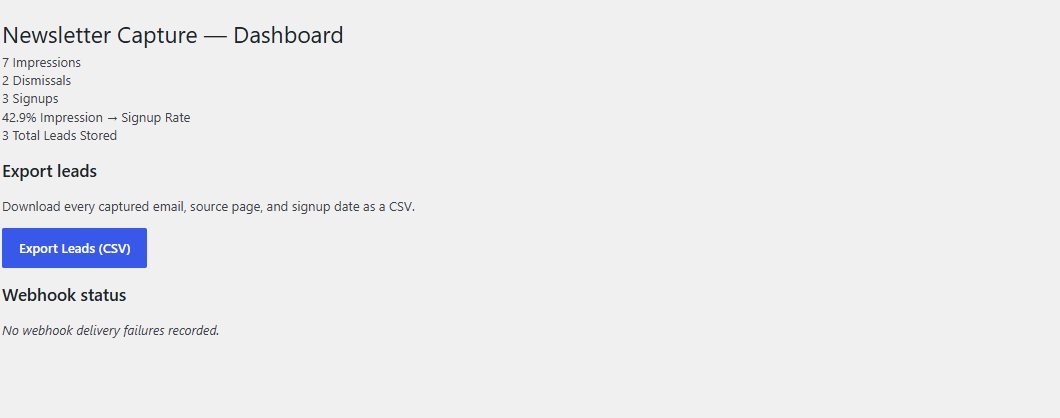
Impressions, dismissals, signups, the signup rate and the total number of leads stored.
CSV export
Download every address with the page it came from and the sign-up date.
Optional webhook
Each sign-up is sent as JSON (email and source_url) to the address you set. A failed webhook does not lose the lead, and failures are listed on the dashboard.
Optional free file
Choose a file from your media library and a download button appears in the thank-you message.
Modal or corner slide-in
Choose the style and the main colour.
Your own wording
Headline, sub-heading, button text and the small tag line are all editable.
Chooses the pages
Show it on the post types you pick, for example posts only.
Spam trap without a CAPTCHA
A hidden field catches simple bots without making visitors solve puzzles.
Works with page caching
Whether a visitor has already dismissed or signed up is remembered in their own browser, so full-page caching is not broken.
No cookies, no IP addresses
Counts are kept per day. It stores no IP address, user agent or visitor ID.
Walkthrough: from the popup to the dashboard
These are real screenshots of the plugin running on a test WordPress site. The sign-ups were made with example addresses.
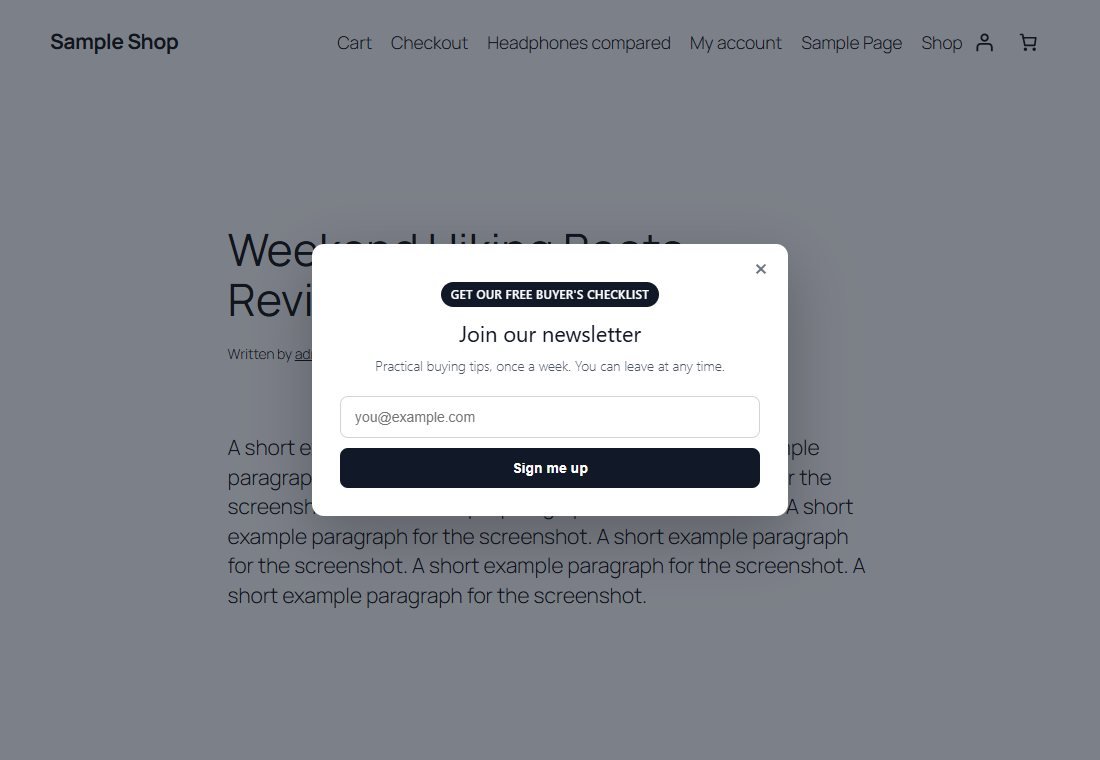
1The popup appears
Here the trigger is a short time delay. The visitor sees your headline, text, a small tag line and a field.
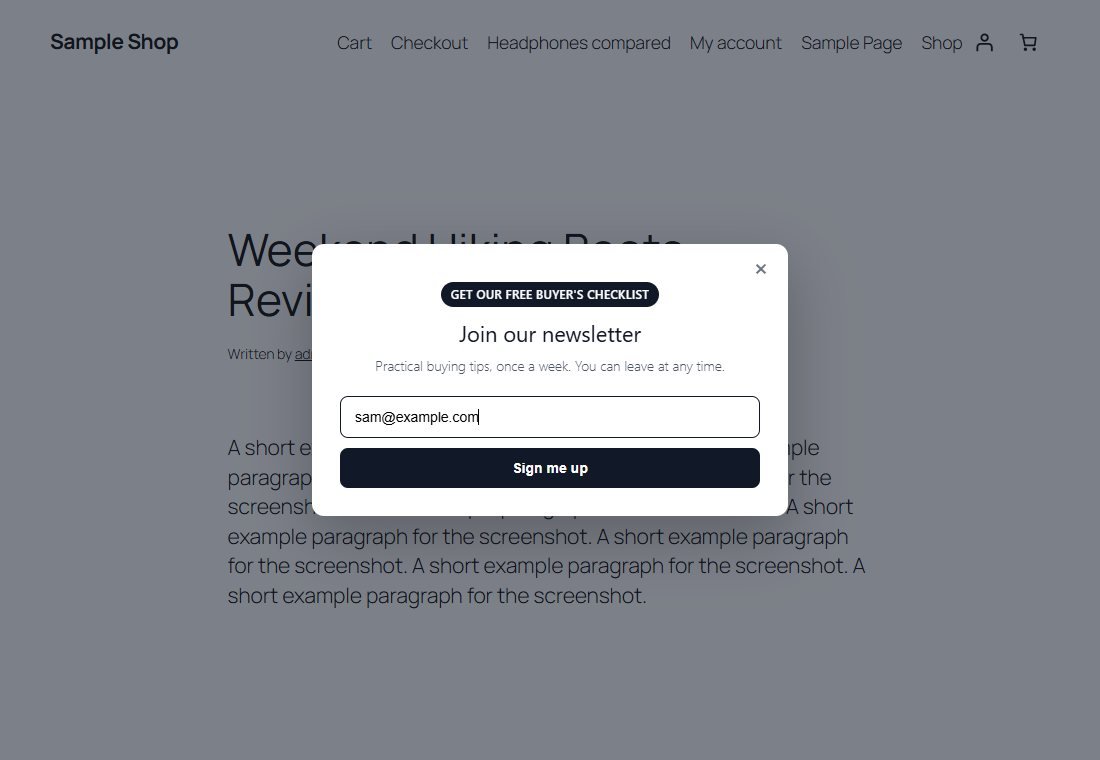
2They sign up
They type their email and press the button.
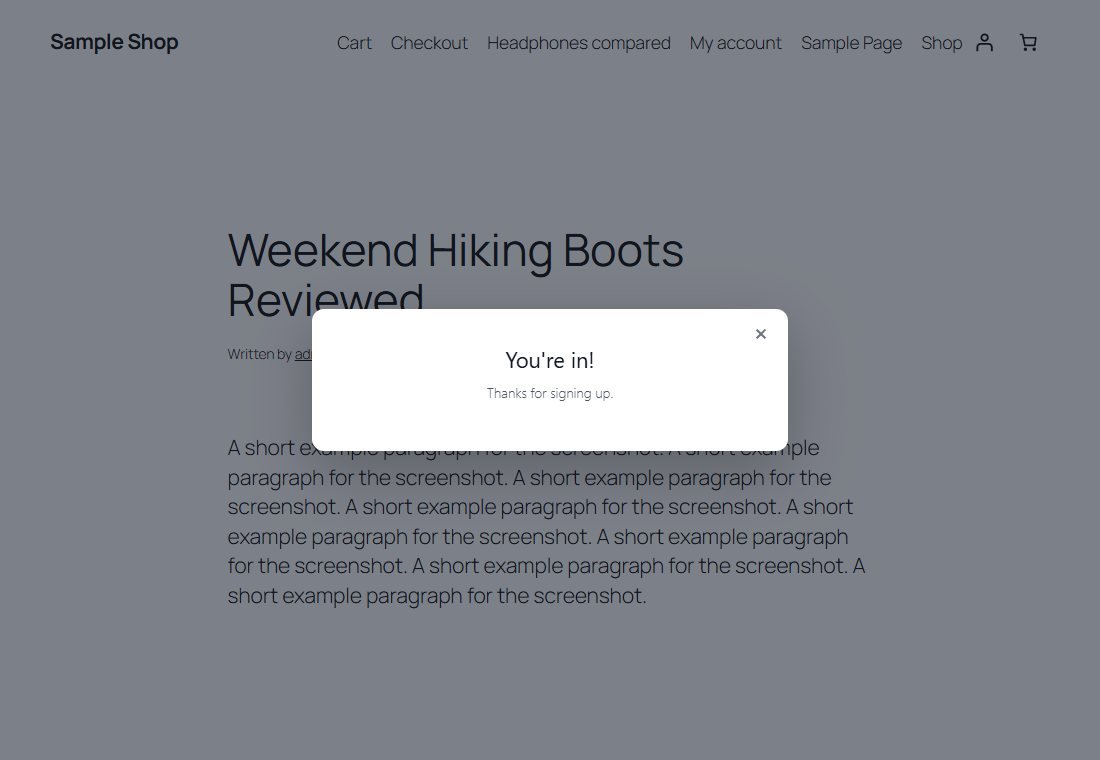
3A thank-you message
The address is already in your database. If you attach a free file, a download button appears here too.
4Choose the trigger and the wording
In Settings, Newsletter Capture you pick the trigger, the delay or depth, how long a dismissal lasts, the text, the colour, the style, the pages, the optional file and the optional webhook.
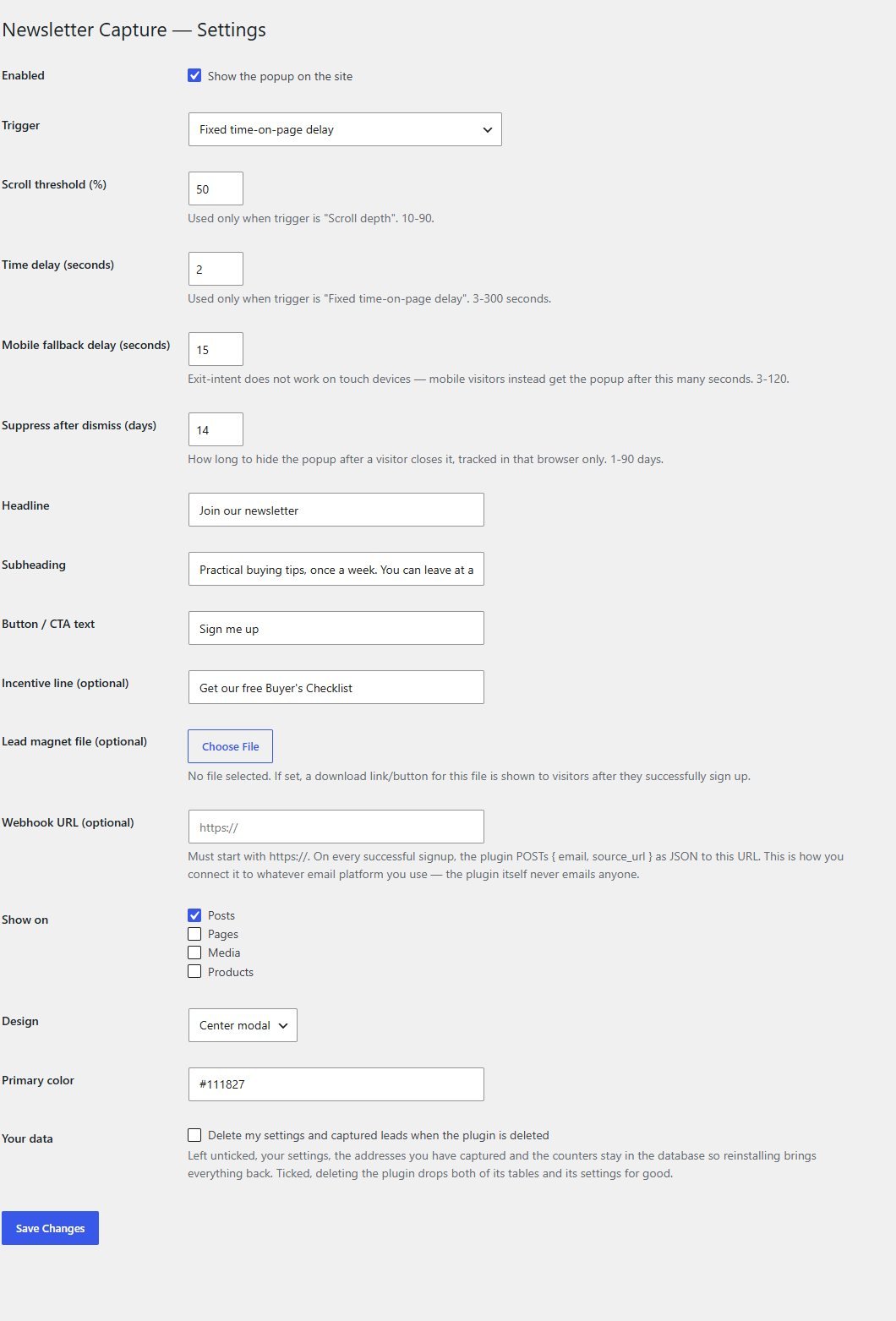
5See how it is doing
The Newsletter Dashboard shows impressions, dismissals, sign-ups and the sign-up rate, and has the CSV export button. These numbers come from a handful of test visits.
These steps use only features that are in the plugin.
Install and set up
Installing it is the same as any WordPress plugin: upload a zip in the WordPress admin. The popup is on by default once activated.
What you need
- A self-hosted WordPress site (WordPress.org software) running version 6.0 or newer
- PHP 7.4 or newer
- Permission to install plugins on your site
- Optional: an email service that accepts a webhook, or the ability to import a CSV file
Running it on a real website
- Change the default wording before going live: the example headline in the settings offers "10% off", which the plugin does not deliver
- Test your webhook with a sign-up of your own before relying on it
- Read your local privacy and marketing-email rules: you are collecting email addresses, and you need a way to honour unsubscribe requests in whatever you use to email them
Upload and activate
In WordPress go to Plugins, Add New, Upload Plugin, choose the zip, install it and press Activate. It creates two small tables.
Set the trigger and wording
Open Settings, Newsletter Capture. Choose the trigger, write your headline and text, and pick the colour and style.
Optional: add a webhook or a free file
Paste a webhook address to send each sign-up to your email service. Choose a file from the media library to offer as a thank-you download.
Visit your site
Open a post as a normal visitor (not logged in, in a fresh window) and wait for the trigger.
What you receive after buying
You receive the plugin as a single zip download from Selar, straight after payment.
In the download
- The plugin, ready to upload to WordPress
- A readme describing the settings, the webhook and the known limits
- A licence file (the terms are attached separately at the point of sale)
Not included
- Hosting or a WordPress site
- An email-sending service or any mailing list: you connect your own
- Installation or setup service
- Updates or new features are not promised
Limits and honest notes
Better you know now than discover it after you install. These come from the plugin's own readme and code.
- It does not send any email. There is no welcome email, no newsletter and no confirmation (double opt-in) email. What emails your subscribers is whatever you connect to the webhook or import the CSV into.
- No unsubscribe handling. The plugin stores addresses. Managing removals is up to you and your email service.
- One popup. No A/B tests, no separate popups for different pages or different offers.
- The default wording makes an offer. The example headline mentions a discount that the plugin does not provide. Change it to something true for you.
- "Already dismissed" and "already signed up" are per browser. Someone who clears their browsing data or uses another device is asked again. The same address is never stored twice.
- A webhook is a single try. If your endpoint is down, the failure is shown on the dashboard and nothing is retried. The address is still saved.
- Exit intent is a best guess. It watches the pointer leaving the top of the window on desktop. It is not used on touch devices.
- The free file is not protected. It is a normal public file in your media library. Anyone who gets or guesses its address can open it.
- Counters grow by one row a day. They are tiny, but there is no retention setting or clean-up tool.
- English only out of the box, though every text can be translated.
Questions
Does it send my subscribers emails?
No. It collects addresses. To email them, connect the webhook to your email service or export the CSV and import it there.
Where are the addresses stored?
In a table in your own WordPress database. Nothing is held on anyone else's server unless you set a webhook.
Can I stop it showing again to people who said no?
Yes. When someone closes the popup it stays away for the number of days you set, and it never shows again to someone who has signed up on that browser.
Does it work with page caching?
Yes. Whether the popup should show is decided in the visitor's browser, after the cached page loads, so caching still works.
Does it use cookies?
No. It remembers a visitor's choice in their browser's own storage, and stores no IP address or visitor ID.
Can I offer a free download?
Yes. Choose a file from your media library and its link appears after sign-up. It is not a protected download.
Will it stop spam sign-ups?
It uses a hidden trap field rather than a CAPTCHA, which catches simple bots. It is not a guarantee against all spam.
Can I show the popup only on some pages?
You choose the post types it appears on, for example posts only. There are no per-page rules.
Ask at the right moment. Keep the list.
One payment, and a popup that stores every lead on your own site.
Buy Newsletter Capture · £29All our tools are listed on the tools catalogue. Free browser tools are in the tools hub.