Social Pulse: a floating row of your social links, on every page
Social Pulse is a WordPress plugin that adds a neat row of floating social icons to the edge of your site. You switch on the platforms you use, paste your profile links, and choose where it sits and how it looks. Visitors can reach your Facebook, Instagram, YouTube, WhatsApp, email and more in one click, from any page. It needs no outside service and no account.
What Social Pulse does
Visitors who like what they read often want to follow you, message you or find you elsewhere. If your links are hidden in a footer, they miss them. A floating widget keeps them in view without taking over the page.
Social Pulse shows only the platforms you turn on, as round, rounded-square or square icons along an edge of the screen. Each icon links straight to the address you gave it. You can mark any platform with a small "New" style badge to draw attention to fresh activity.
Who it is for
- Bloggers, shops and small businesses that want visitors to find and follow them on social media.
- Businesses that take enquiries on WhatsApp, Telegram or email and want a one-click contact button on every page.
- Anyone who wants this without a social-sharing service or a tracking script.
Who it is not for
- People who want share buttons (share this post on Facebook): this widget links to your profiles, it does not share the current page.
- Anyone who wants to show live follower counts or a social feed: it shows icons only.
- Sites that need different link sets on different pages: one set applies to the whole site.
How it works
You set it up once in the WordPress settings.
Pick your platforms
Tick the platforms you use and paste each profile address. There are thirteen to choose from: Facebook, Instagram, X, Pinterest, TikTok, YouTube, LinkedIn, WhatsApp, Telegram, eBay, email, an RSS feed and one custom link.
Choose how it looks
Choose the position, the icon shape, the size and the colour scheme. Optionally add an animation, a badge on any icon and hover tooltips.
Choose where it shows
Show it on every page, only the home page, only posts or only pages, and decide whether it appears on mobile.
Visitors click through
Each icon opens your profile in a new tab. The widget does not track clicks.
The widget's small style sheet and script only load on pages where the widget is shown.
Features
This is the complete list of what version 1.0.0 does. Nothing here is a roadmap item.
Thirteen link types
Facebook, Instagram, X, Pinterest, TikTok, YouTube, LinkedIn, WhatsApp, Telegram, eBay, email, RSS feed and a custom link for anything else.
Six positions
Place the widget at top left, top right, bottom left, bottom right, or the middle of the left or right edge.
Three shapes
Circle, rounded square or square.
Four colour schemes
Each platform in its own brand colour, one custom colour, monochrome dark or monochrome light.
Five animations
None, bounce on hover, pulse, fade in on load or slide in on load.
Adjustable size
Icons from 28 to 80 pixels.
"New" badges
Add a short badge, such as "New", to any platform to draw attention to it.
Where it shows
Every page, the home page only, blog posts only, or pages only. A separate switch controls mobile.
Tooltips
Show the platform name when someone hovers over an icon.
Self-contained
No external API, no tracking and no CDN. Settings stay in your own WordPress database.
Walkthrough: from the settings to the widget
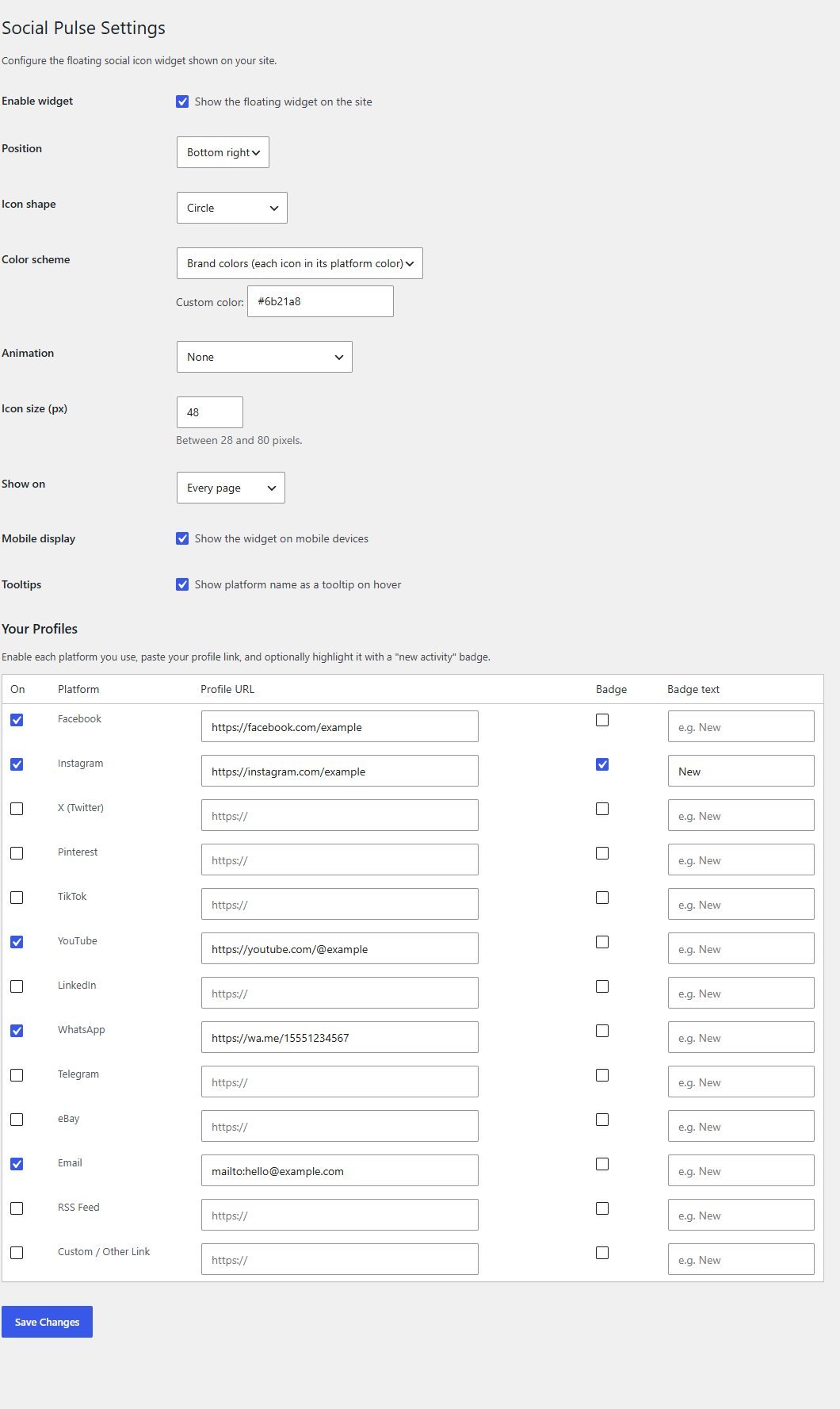
These are real screenshots of the plugin running on a test WordPress site, with example profile links.
1The floating widget
Five platforms are switched on here. The Instagram icon carries a "New" badge. The widget sits at the bottom right and stays in view as the visitor scrolls.
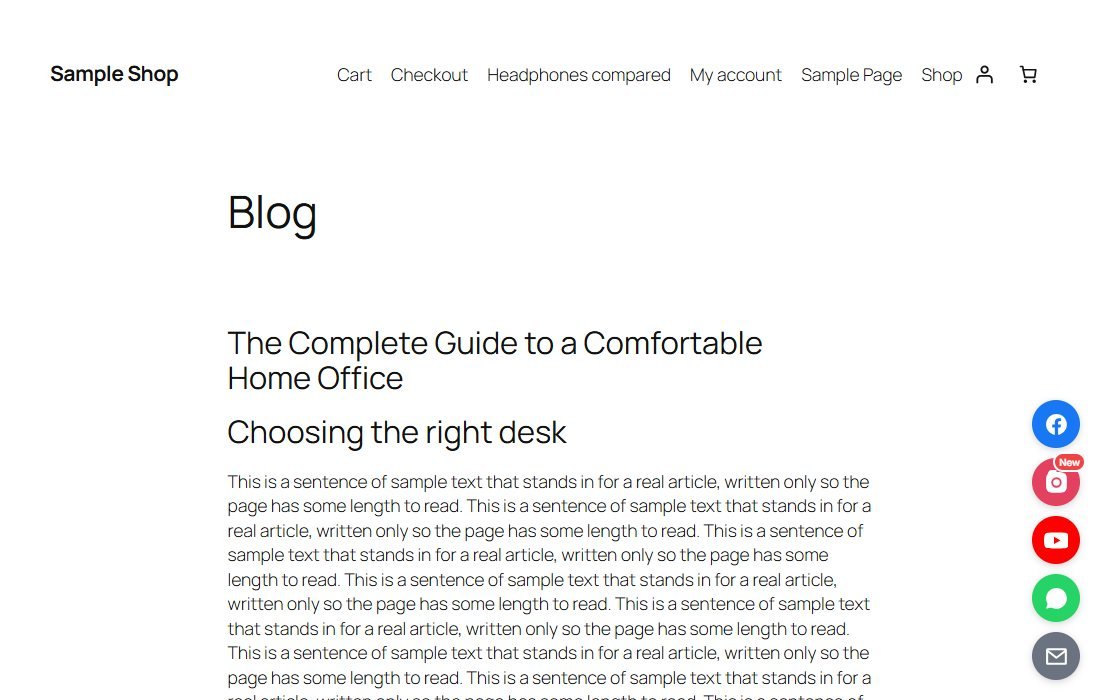
2Hover for the name
When tooltips are on, hovering over an icon shows the platform name.
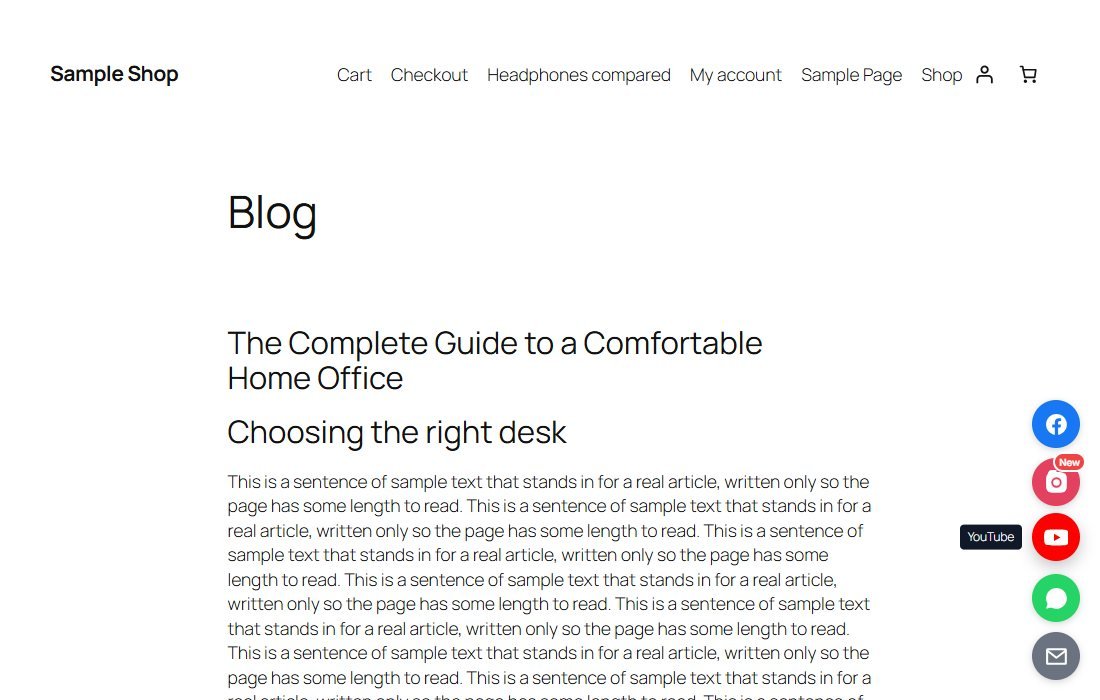
3Set it up in one screen
In Settings, Social Pulse choose the position, shape, colours, animation and size, then switch on each platform and paste its link.
These steps use only features that are in the plugin.
Install and set up
Installing it is the same as any WordPress plugin: upload a zip in the WordPress admin. Nothing shows until you switch on at least one platform and add its link.
What you need
- A self-hosted WordPress site (WordPress.org software) running version 5.6 or newer
- PHP 7.2 or newer
- Permission to install plugins on your site
- Your profile links
Running it on a real website
- Use full addresses starting with https:// for each profile
- For WhatsApp use a link such as https://wa.me/ followed by your number with the country code
- Choose a corner that does not clash with a chat or back-to-top button
Upload and activate
In WordPress go to Plugins, Add New, Upload Plugin, choose the zip, install it and press Activate.
Add your links
Open Settings, Social Pulse. Tick each platform you use and paste its profile address.
Style it
Pick the position, shape, colours, animation and size. Press Save Changes.
View your site
Open your site in a fresh window to see the widget.
What you receive after buying
You receive the plugin as a single zip download from Selar, straight after payment.
In the download
- The plugin, ready to upload to WordPress
- A readme with installation steps and common questions
- A clean uninstall routine
Not included
- Hosting or a WordPress site
- Social media accounts or profile links: you bring your own
- Installation or setup service
- Updates or new features are not promised. You get the current version, 1.0.0
Limits and honest notes
Better you know now than discover it after you install. These come from the plugin's own code.
- It links to your profiles, it does not share the page. There are no share buttons.
- One set of links for the whole site. The same icons appear everywhere the widget is shown.
- Fixed list of thirteen platforms. Anything else uses the single custom link.
- Icons only. No follower counts, feeds or share counts.
- No click statistics. The plugin does not track clicks.
- Position choices are fixed. Six positions on the screen edges, with no pixel-level placement.
- The widget sits above your content. On small screens with many icons it may cover part of the page, so use the mobile switch or fewer icons.
Questions
Does it track my visitors?
No. Settings are stored in your own database and the icons simply link to the addresses you provide.
Can I use a platform that is not in the list?
Yes, use the Custom / Other Link entry for one extra address.
Can I show it only on blog posts?
Yes. Choose Every page, Homepage only, Blog posts only or Pages only.
Can I hide it on phones?
Yes. Untick the mobile display option.
Does it slow my site down?
Its style sheet and script are small, are served from your own site and only load on pages where the widget appears.
Can I change the icon colours?
Yes. Use each platform's brand colour, one colour of your own, or a dark or light single-colour set.
How do I add a WhatsApp button?
Switch on WhatsApp and paste a link such as https://wa.me/ followed by your number with the country code.
Can I have different icons on different pages?
No. One set applies to the whole site, though you can choose which kinds of page show it.
Make it easy to find you.
One payment, and one tidy row of links on every page.
Buy Social Pulse · £19All our tools are listed on the tools catalogue. Free browser tools are in the tools hub.