Shiplog: a public roadmap and changelog you host yourself
Shiplog is a self-hosted web app for software makers who want to tell customers what is planned, what is being built and what has shipped. It gives you a public roadmap where visitors vote on ideas and suggest their own, a changelog for your release notes, a "What's new" button you can add to any website with one script tag, and an email to your subscribers when you publish an update. You buy the source code once and run it yourself: no per-user or per-visitor billing.
What Shiplog does
Customers keep asking "is that feature coming?" and "what changed?". Shiplog answers both in public. The roadmap has three columns (Planned, In Progress and Live). Visitors upvote the ideas they want and can add their own, so you can see what matters most. The changelog is a clean feed of release notes written in Markdown.
When you publish a new changelog entry, Shiplog can email everyone who subscribed. And a one-line script tag adds a floating What's new button, with an unread-count badge, to your own website or app so customers see updates without leaving it.
Who it is for
- Indie developers, small SaaS teams and agencies who want a public roadmap and release notes without paying per tracked user.
- Anyone who wants customer feedback and updates on their own domain, in a database they control.
- Developers who want a small, readable starting point for a feedback board.
Who it is not for
- People who want a ready-made website to sign up to: this is software you install and host yourself.
- Teams that need several admins with separate logins, or several products on one install: it has one shared admin token and one board.
- Anyone who needs moderation tools for incoming ideas, comments on ideas, an unsubscribe link in emails or customer segments: none of those are built in.
How it works
There are three public parts and one private admin page.
Visitors see your roadmap
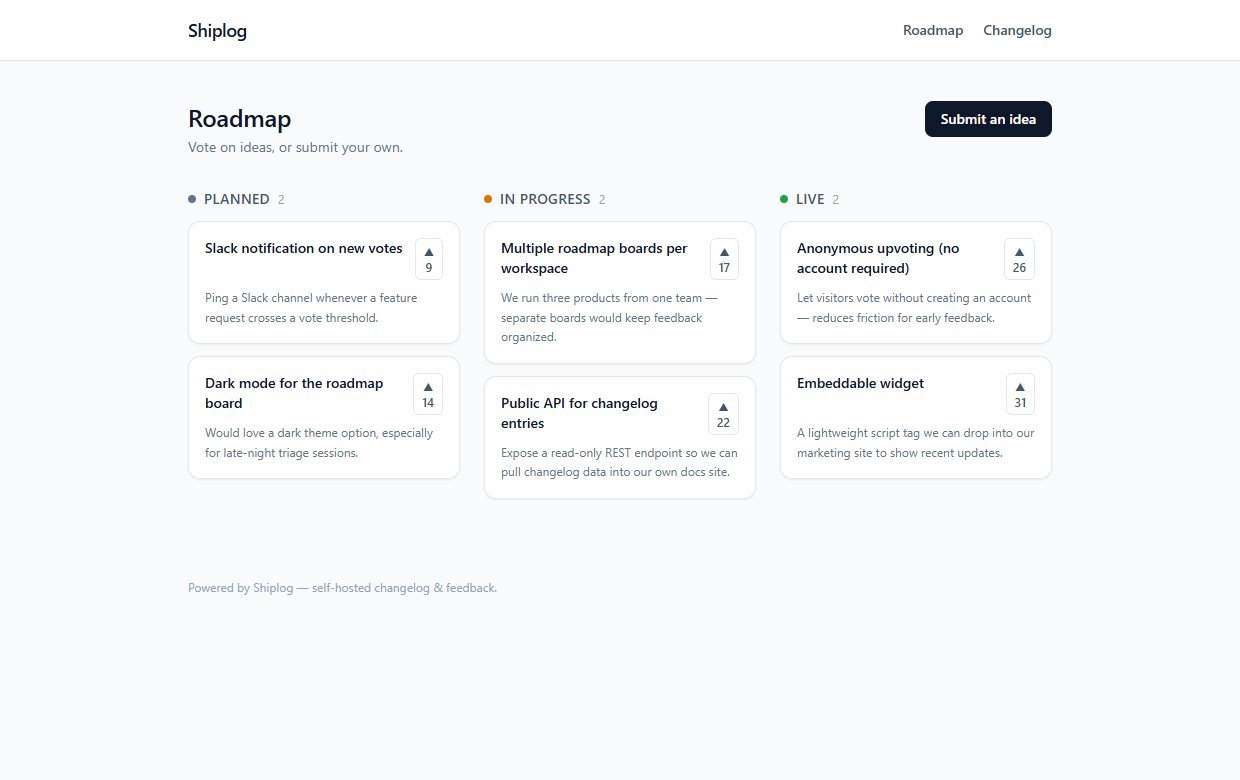
The home page shows every idea in three columns. Visitors press the up-arrow to vote (one vote per visitor per idea) and can use Submit an idea to add a title and description.
You write release notes
In the admin page you write an entry in Markdown, with optional tags and a cover image address. Save it as a draft, or publish it.
Subscribers are notified
The first time you publish an entry, everyone on your subscriber list gets an email with the title, a short excerpt and a link to the full entry. People join the list with the form on the changelog page.
Customers see it in your own app
Paste one script tag into any page of your website or product. It adds a "What's new" button that lists your latest updates, with a red unread count for anything the visitor has not opened yet.
You sign in to the admin page with one secret token that you set in your settings file. Shiplog refuses the placeholder token that ships in the example file, so the admin stays locked until you choose your own.
Features
This is the complete list of what version 1.0.1 does. Nothing here is a roadmap item.
Public roadmap board
Planned, In Progress and Live columns showing every idea with its vote count.
Anonymous upvoting
Visitors vote without creating an account. A cookie ties one vote to one visitor per idea, and a second press removes it.
Idea submission
Anyone can submit an idea (title and description). It appears at once in the Planned column.
Admin roadmap control
From the admin page you move any idea between Planned, In Progress and Live with a drop-down.
Markdown changelog
Write release notes in Markdown with tags and an optional cover image. Published entries appear on a public feed and on their own pages.
Drafts
Save an entry as a draft and publish it later. Drafts are not shown publicly.
Email subscribers
A subscribe form on the changelog page collects emails. Publishing a new entry emails the subscribers. The admin page shows the subscriber count.
Embeddable What's new widget
One dependency-free script tag adds a floating button and panel with your latest eight updates and an unread-count badge.
Token-protected admin
A single secret token protects the admin page and its API. Without it, nobody can change statuses, write entries or read subscribers.
Full source code
Next.js, React, TypeScript, Tailwind and Prisma with SQLite by default. Emails go out through Resend, or are written to a local log file while you test.
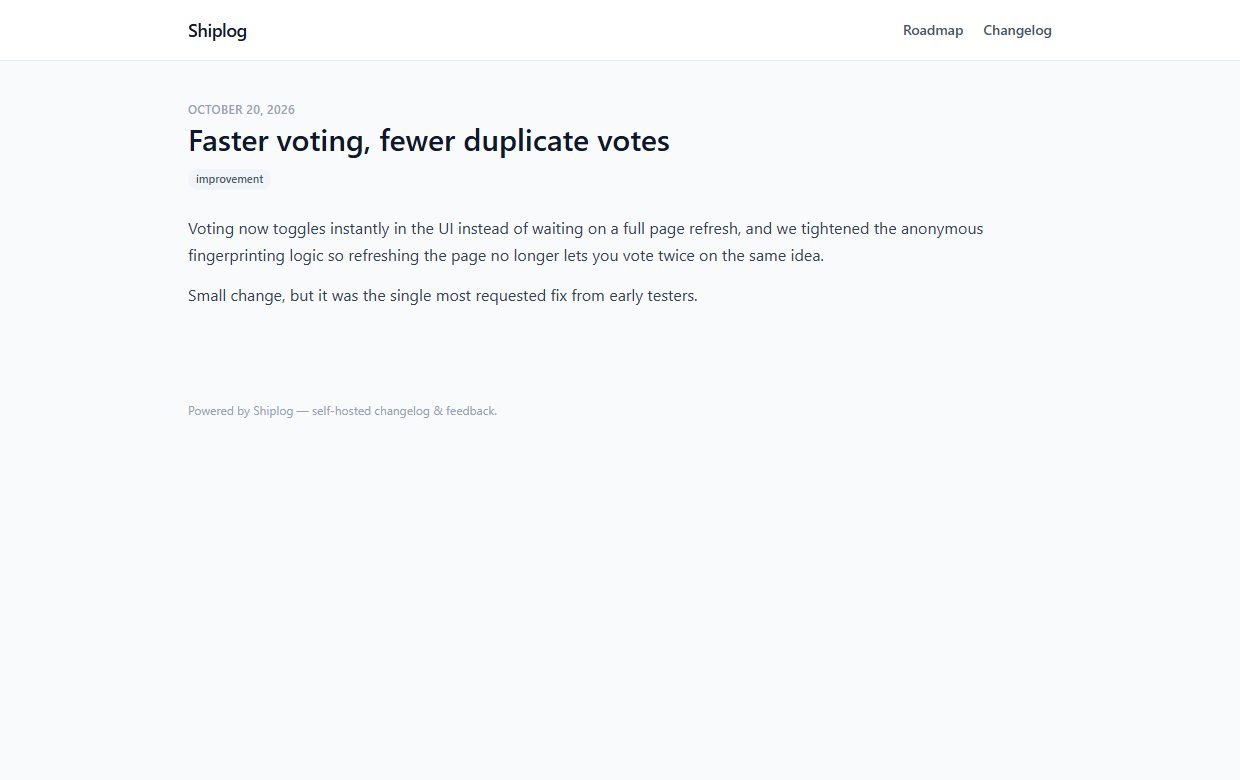
Walkthrough: suggest an idea, publish an update, show it in your app
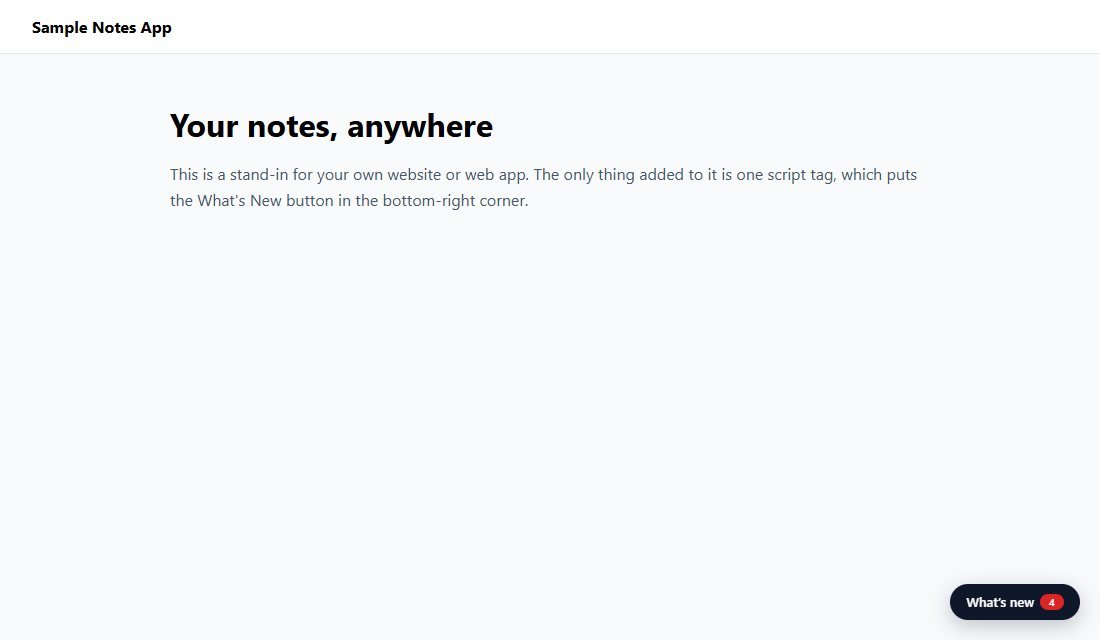
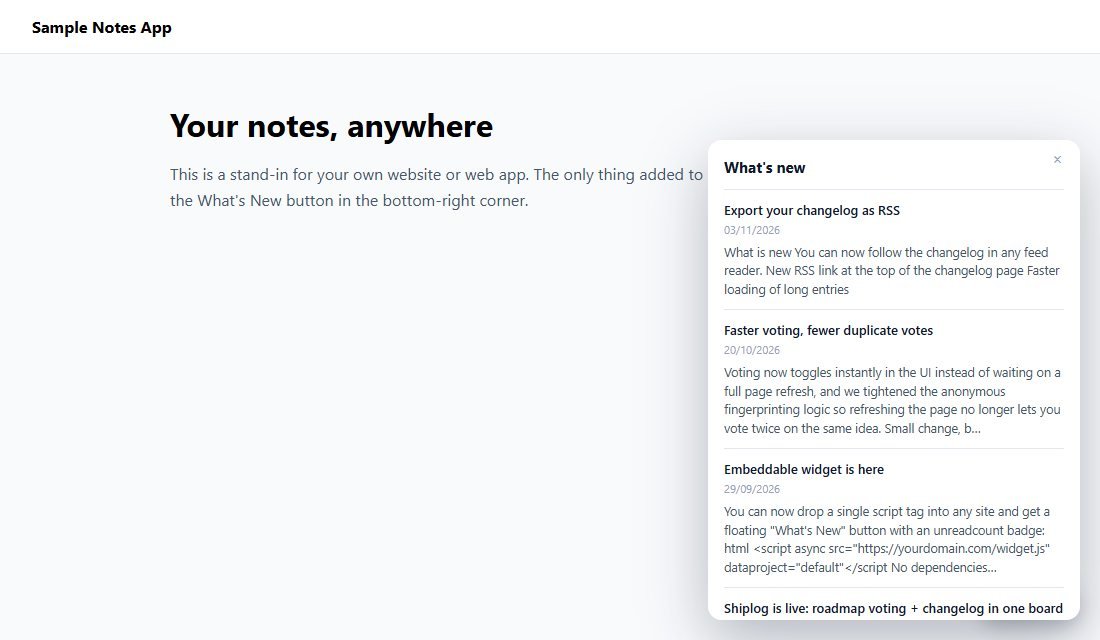
These are real screenshots from Shiplog running with the sample data it ships with. The "Sample Notes App" in the last two pictures is a stand-in page I made, to show where the widget appears on a customer's site.
1The public roadmap
Visitors see what is planned, in progress and live, and vote with the arrow on each card.
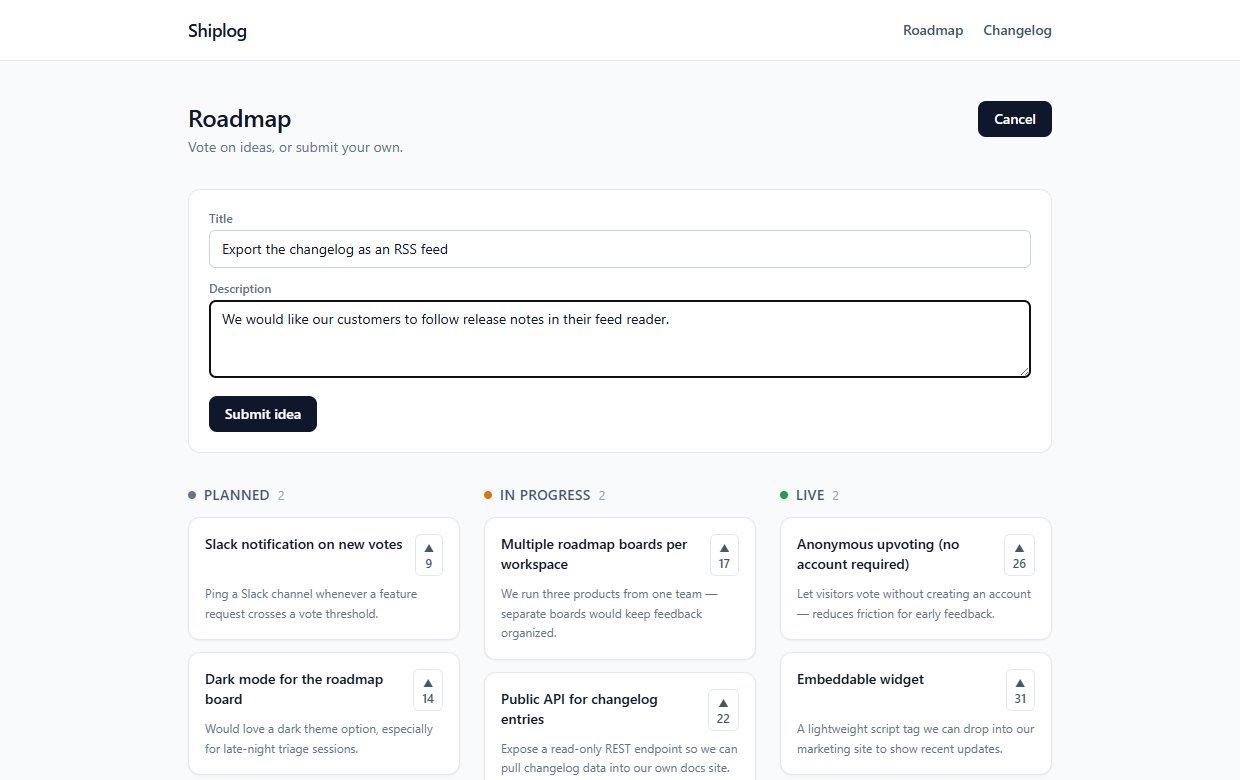
2Anyone can suggest an idea
Press Submit an idea, type a title and describe the problem it would solve.
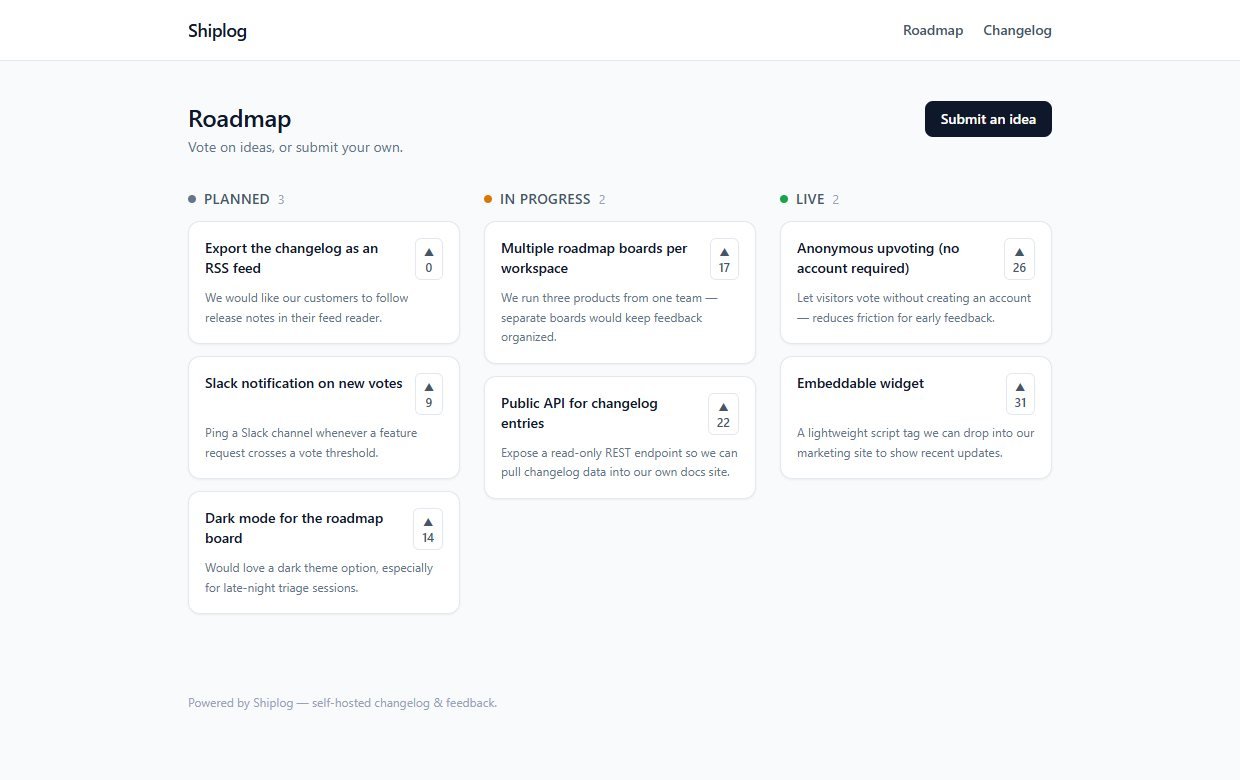
3It lands in Planned
The new idea shows up straight away at the top of the Planned column with zero votes.
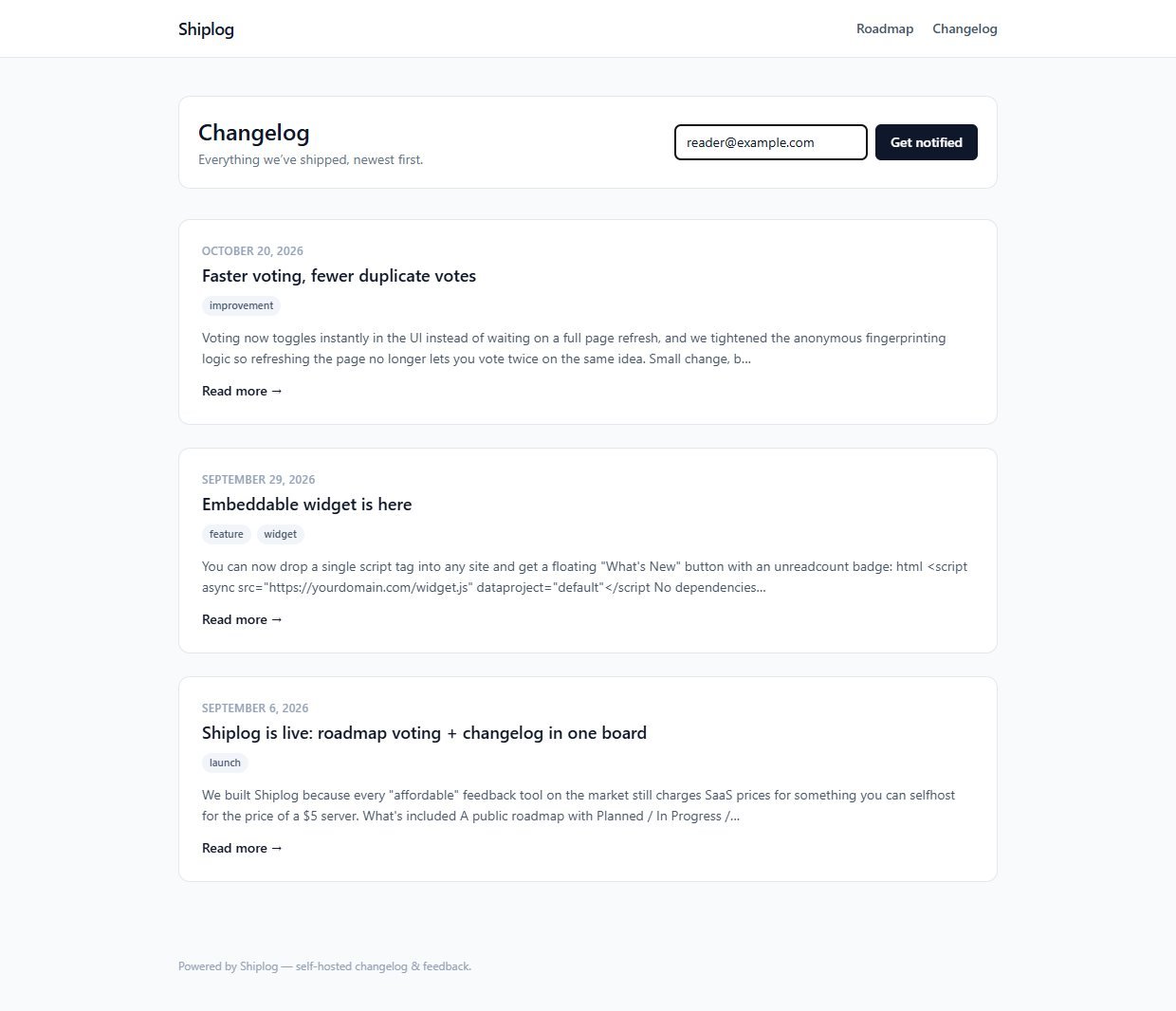
4A public changelog
The changelog page lists your release notes, newest first, and has the form where visitors subscribe by email.
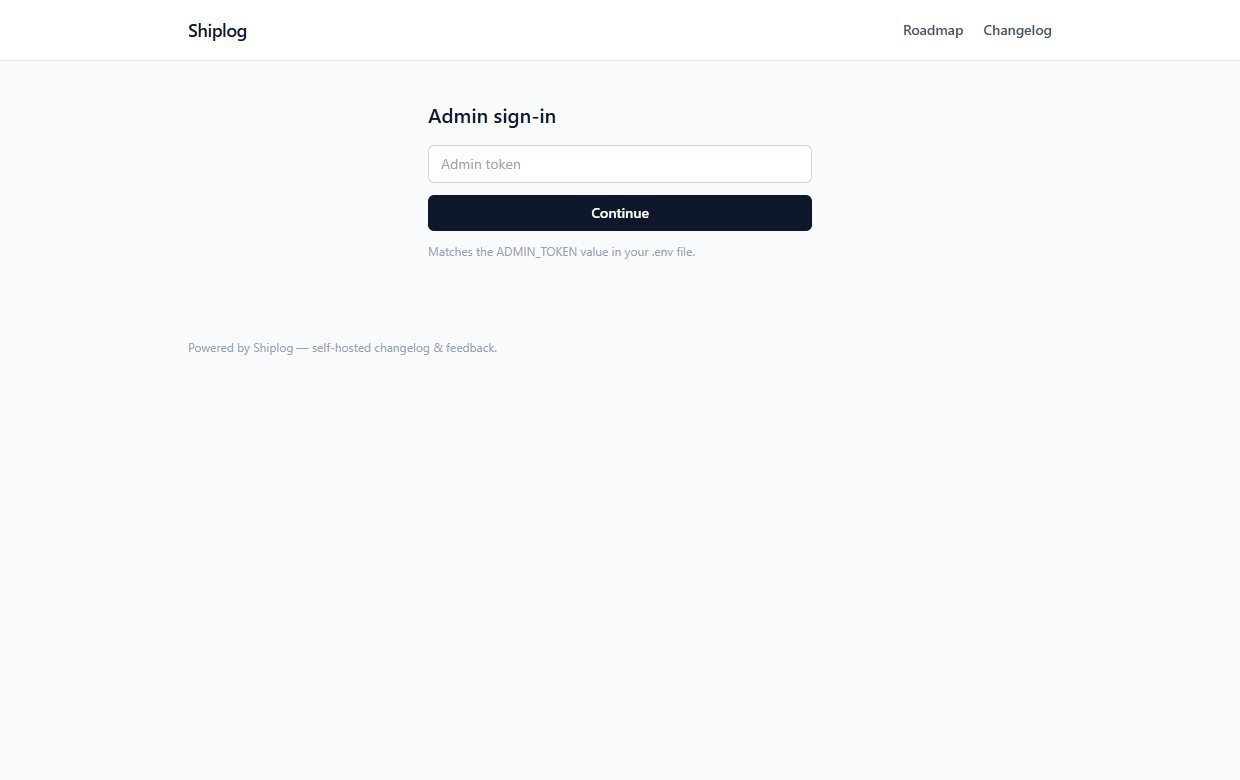
5Sign in as admin
The admin page is behind your secret token.
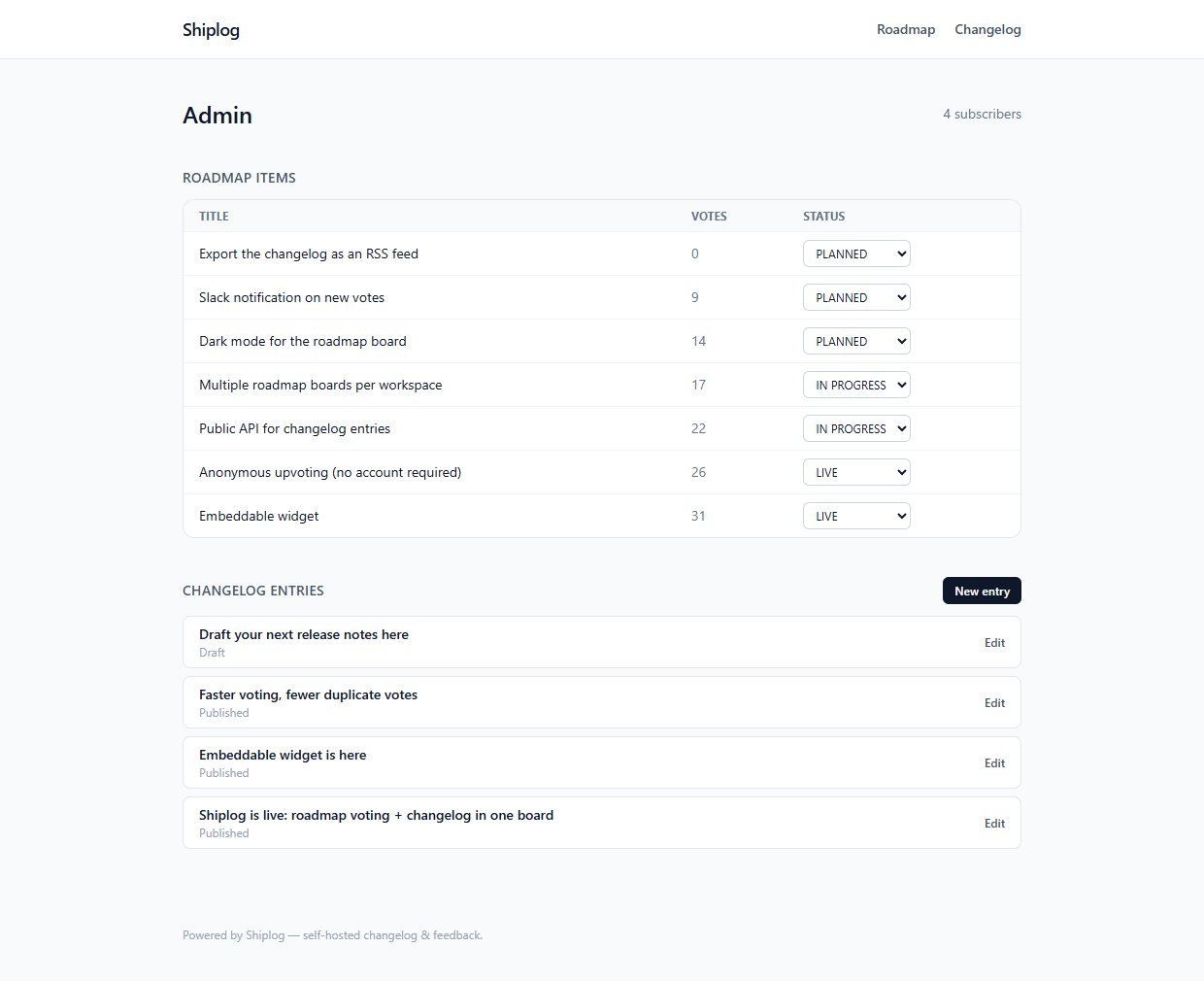
6Manage the roadmap and your entries
Change an idea's status with its drop-down, see your subscriber count, and open or create changelog entries. Drafts are marked as such.
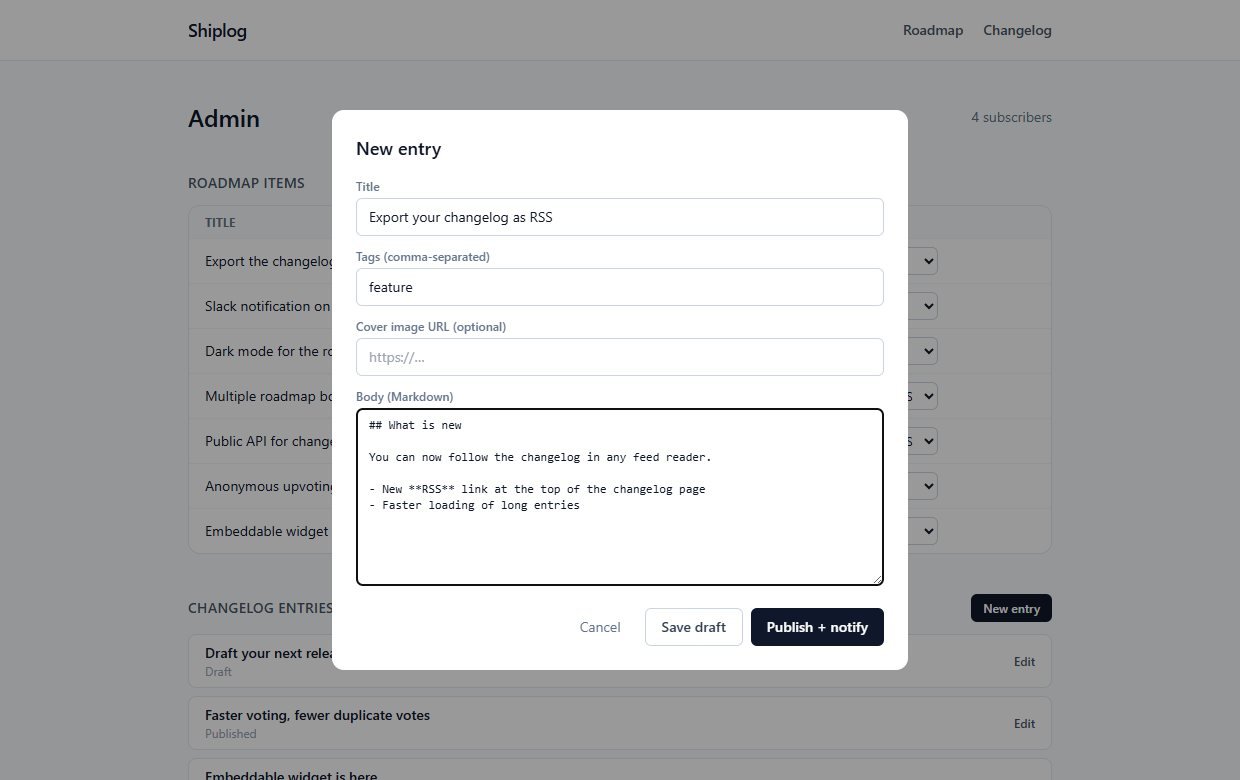
7Write an entry in Markdown
Give it a title, tags and Markdown text. Save draft keeps it private; Publish + notify publishes it and emails your subscribers.
8Show updates inside your own site
After you add the script tag, a What's new button appears in the corner of your page.
9Customers open the panel
Pressing it lists your latest updates. The unread badge disappears once they have looked.
These steps use only features that are in the product. While you test, emails are written to a log file instead of being sent.
Install and set up
Shiplog is a standard Next.js project. If you have deployed a Node.js site before, this will feel familiar. If you have not, ask a developer or hosting support to do the install once: after that, using it needs no technical skill.
What you need
- Node.js 18.17 or newer and npm
- A place to run a Node.js web app, with a domain or subdomain that you control
- A terminal to run a handful of commands
- For real emails: a Resend account with a verified sending domain, and its API key
Running it on a real website
- Set
ADMIN_TOKENto a long random value, for example fromopenssl rand -hex 32 - Set
NEXT_PUBLIC_SITE_URLto your real address, so links in emails are correct - Set
EMAIL_PROVIDER="resend",RESEND_API_KEYandEMAIL_FROMto send real email - Run
npm run buildandnpm run starton a normal Node server, with the SQLite file on a disk that survives restarts, or switch to Postgres as the README describes - Serve it over HTTPS
Unzip and install
Unzip the download, open a terminal in the folder and install the packages.
Set your settings
Copy the example settings file, then set your own ADMIN_TOKEN, site name and site address.
Create the database
Create the tables.
Add sample data (optional)
This adds sample ideas, release notes and subscribers so you can see how it looks. Skip it for a clean start, or delete the samples afterwards.
Start it
Run it locally to try it, or build and start it on your server.
Add the widget to your site
Paste this one line into any page where you want the What's new button, using your own address.
Before you go live: set your own admin token. The admin stays locked while the placeholder from the example file is in place. Anyone who has the token can write and publish entries and read your subscriber count.
What you receive after buying
You receive the complete source code as a single zip download from Selar, straight after payment.
In the download
- The full Shiplog source code (Next.js, React, TypeScript, Tailwind)
- The embeddable widget script
- The Prisma database schema, the first migration and a seed script with sample data
- A README with setup steps, the project structure and the known limits
- An example settings file (
.env.example) and the package list - No node_modules folder: you install the packages yourself with npm
Not included
- Web hosting, a domain name or an installation service
- A Resend account or any email-sending credit: you bring your own
- A hosted copy to sign in to: you run your own
- Updates or new features are not promised. You get the current version, 1.0.1
- A single-buyer licence file (LICENSE.txt) is included: you may run and modify the code for your own business or hosted clients, but not resell or share the source
Limits and honest notes
Better you know now than discover it after you start. These come from the project's own README and code.
- One board per install. One roadmap, one changelog and one admin token. The widget has a
data-projectsetting, but the data is not separated by project. - One shared admin token. No individual logins, roles or two-step sign-in. Anyone with the token has full admin power.
- No moderation tools. Anyone can post an idea and it appears immediately. From the admin page you can change an idea's status, but you cannot edit, hide or delete an idea, or delete a changelog entry, without touching the database. There is no rate limiting either, so spam is possible on a busy public site.
- No unsubscribe link in the emails. Subscribers cannot remove themselves. Many countries require an unsubscribe option in marketing email, so add one before you email real customers.
- Emails go out one at a time, inside the publish request. That is fine for hundreds of subscribers. For thousands, move sending to a background job.
- Only the first publish emails people. Editing and re-publishing an entry later does not email subscribers again. Emails show a short plain-text excerpt, not the full entry.
- Resend only. Real email goes through Resend, which needs its own account and a verified sending domain. Other providers need a small code change.
- No image upload. Cover images and pictures in entries are web addresses of images hosted elsewhere.
- No comments, attachments or tags filtering on roadmap ideas. Votes are anonymous and tied to a cookie, so a determined visitor could vote more than once from different browsers.
- SQLite by default. Fine for low-traffic sites on a normal server. Switch to Postgres for serverless hosting, as the README describes.
Questions
Do I need to be a programmer?
You need to be comfortable installing a Node.js project and running a few terminal commands once. After it is installed, you manage everything from the admin page.
How do I add the widget to my site?
Paste the one-line script tag from the install section into any page, with your own address. It adds the What's new button. It needs no other code or libraries.
Do visitors need an account to vote?
No. Votes are anonymous. A cookie in the visitor's browser makes sure one browser gets one vote per idea.
Can I stop people from adding ideas?
Not with a setting. Anyone can submit an idea. If you need moderation, a developer would need to add it.
Does it send real emails?
Yes, through Resend, once you add a key and a verified sending address. While you test, the emails are only written to a log file.
Can I use it for more than one product?
Not on one install. Run a separate copy for each product.
Can several people sign in to the admin page?
They can all use the same admin token, but there are no separate accounts or roles.
Is there a limit on ideas, entries or subscribers?
Shiplog does not count or limit them and there are no per-user fees. Capacity depends on the server you run it on, and email sending is best for hundreds, not tens of thousands, of subscribers.
Tell customers what is coming. Show them what shipped.
One payment, full source code, and your roadmap, changelog and subscribers stay on your own server.
Buy Shiplog · £49All our tools are listed on the tools catalogue. Free browser tools are in the tools hub.