
Shopping for laptops under £300 used to mean settling for a sluggish, storage-starved machine that struggled to open more than two browser tabs at once. That’s no longer the case in 2026. Thanks to more efficient processors, cheaper SSD storage, and fierce competition between Windows and Chrome OS manufacturers, the sub-£300 laptop category has genuinely matured.
Below, we break down 10 specific Laptops worth considering in 2026, what each one gets right (and wrong), and finish with a side-by-side comparison table so you can weigh them at a glance before you buy.
⚡ Quick Answer: What are the Best Laptops Under £300 in 2026?
- Best overall: S15 N2 15.6″ Full HD Laptop — 8GB RAM, 512GB SSD, Windows 11
- Best value Chromebook: Acer Chromebook Spin 312 — touchscreen convertible, all-day battery
- Best build quality: Microsoft Surface Laptop 3 (Renewed) — premium aluminium chassis
- Best for cloud-based work: HP Chromebook 14 — fastest boot and longest battery life in this guide
- Best big screen: ACEMAGIC 17.3″ — massive display with 16GB RAM for multitaskers
- Best ultra-budget student pick: Lenovo 100e Chromebook — rugged, light, and dependable
- Best for spreadsheets on a budget: HP 15.6-inch Budget Laptop — full Windows 11 at a low price
Full details on each model, plus honest pros and cons, below.
Jump to a section
The 10 Best Laptops Under £300 in 2026 — Full Breakdown
1. S15 N2 15.6″ Full HD Laptop (Windows 11)
This is the strongest all-rounder in this price bracket. It pairs 8GB of RAM with a genuine 512GB M.2 SSD, which is unusually generous storage at this price. The 15.6″ Full HD display is sharp enough for everyday browsing, streaming, and document work, and dual-band WiFi keeps connections stable. It runs Windows 11 Home out of the box, so it’s ready for Office, browser-based work, and most everyday desktop software immediately.
- Best for: Everyday productivity, students, home use
- ✅ Pros: Generous SSD storage, sharp FHD screen, solid RAM for the price
- ❌ Cons: Integrated graphics only — not built for gaming or editing
2. Acer Chromebook Spin 312
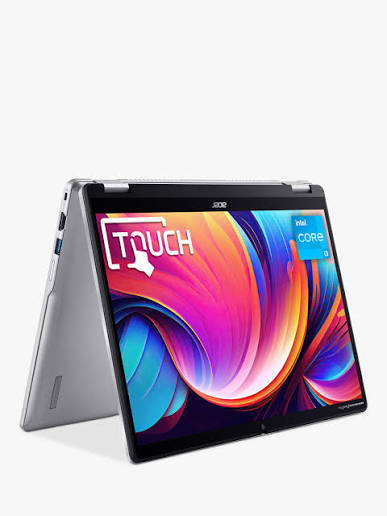
A touchscreen 2-in-1 convertible with 128GB of storage, running Chrome OS. It’s simple to set up, lightweight, and well suited to anyone who lives inside a browser and Google Workspace. The touchscreen and flip-and-fold hinge make it useful for note-taking as well as typing.
📺 See more on Acer’s official YouTube channel
- Best for: Students, beginners, secondary/travel laptop
- ✅ Pros: Touchscreen flexibility, simple OS, strong battery life
- ❌ Cons: Chrome OS only — no native Windows software support
3. Microsoft Surface Laptop 3 (Renewed)
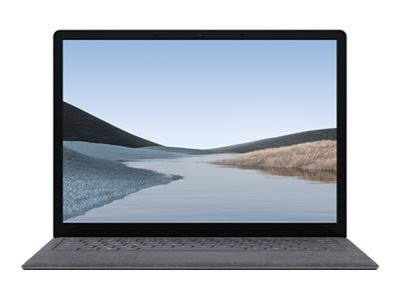
A certified-renewed premium ultrabook with a full aluminium chassis that still feels modern in 2026. This is the pick for anyone who wants a laptop that looks and feels more expensive than it is. Being a renewed unit, it typically ships with Windows already installed and a manufacturer-refurbished warranty.
📺 Official: Introducing Microsoft Surface Laptop 3
- Best for: Buyers who prioritise build quality and design over raw specs
- ✅ Pros: Premium metal build, comfortable keyboard, established brand reliability
- ❌ Cons: Older hardware generation; storage can be tighter than newer budget rivals
4. HP Chromebook 14
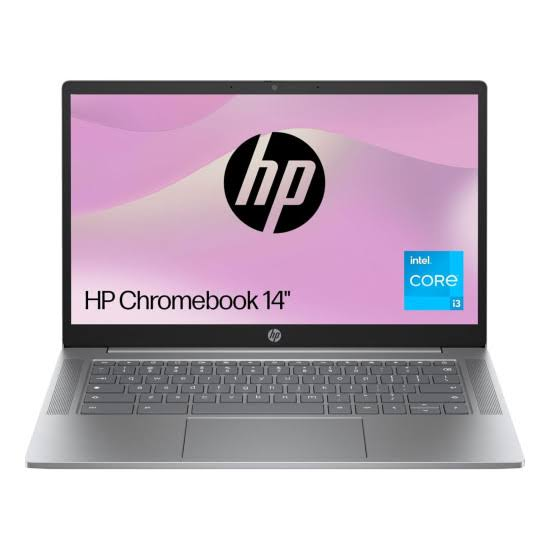
The fastest-booting, longest-lasting laptop in this guide, with real-world battery life stretching to 10–11 hours. It’s built for cloud-based work — Google Docs, Gmail, Zoom — and handles Android apps reasonably well through the Play Store.
📺 See more on HP’s official YouTube channel
- Best for: Remote workers and students who live in the browser
- ✅ Pros: Exceptional battery life, fast performance for web tasks, affordable
- ❌ Cons: Limited offline software; not for Windows-dependent workflows
5. HP 15.6-inch Budget Laptop
A genuine Windows 11 machine with 8GB RAM and an Intel N-series processor, priced right at the top of the sub-£300 bracket. It won’t win speed benchmarks, but it handles everyday multitasking — browser tabs, Office, video calls — without constant lag.
- Best for: Buyers who need full Windows software without stretching budget
- ✅ Pros: Full Windows 11 experience, 8GB RAM as standard, solid everyday performance
- ❌ Cons: Intel N-series processor is modest under heavier workloads
6. HP 17″ Budget Laptop
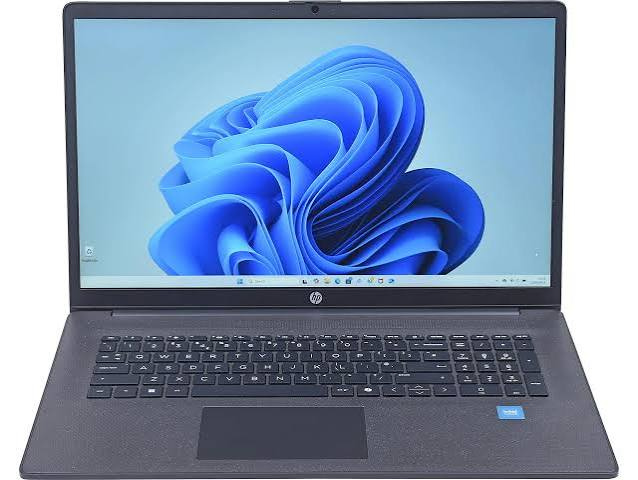
The biggest screen in this roundup at 17 inches, with a genuinely impressive Full HD display for the price — good brightness and sharpness for films, spreadsheets, and multi-window work. The catch is RAM: this model ships with only 4GB, which is a real limitation in 2026’s Windows 11 environment.
- Best for: Buyers who want maximum screen real estate for video and spreadsheets
- ✅ Pros: Large FHD display, great for media consumption
- ❌ Cons: 4GB RAM struggles with more than a handful of open tabs or Office running alongside a browser
7. ACEMAGIC 17.3″
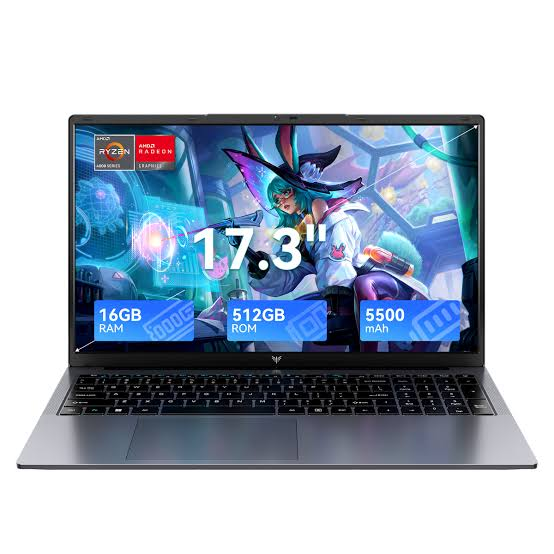
Another large-screen option, but with considerably more headroom: 16GB of RAM makes this the strongest multitasking machine in this guide. It suits users who want to keep several heavy applications and dozens of tabs open simultaneously without slowdown.
- Best for: Spreadsheet-heavy work, multitasking, home office use
- ✅ Pros: High RAM ceiling for the price, large FHD display
- ❌ Cons: Bulkier and heavier than 14″/15.6″ alternatives; shorter battery life
8. Lapbook S15 N2 15.6″ Full HD Laptop
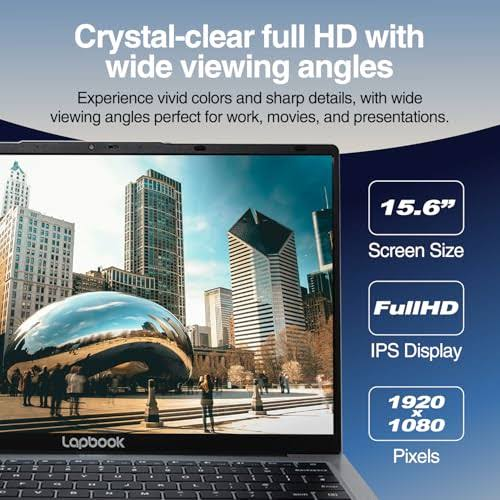
A close sibling to the S15 N2 above, with the same core spec sheet: 8GB RAM, 512GB SSD, Windows 11 Home, integrated webcam, and dual-band WiFi. A dependable, no-surprises complete system for buyers who want new hardware rather than upgrading an old machine.
- Best for: First-time buyers wanting a complete, ready-to-use Windows system
- ✅ Pros: Balanced spec sheet, generous storage, Windows 11 ready out of the box
- ❌ Cons: Design is functional rather than premium
9. Lenovo 100e Chromebook
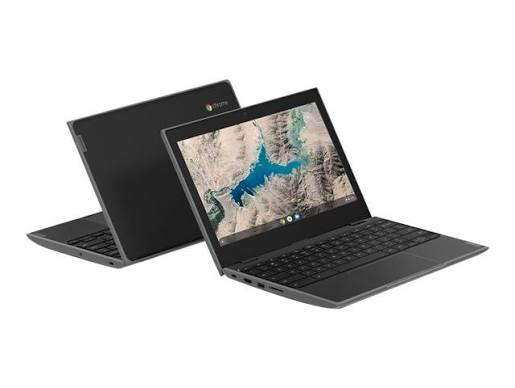
A rugged 11.6″ Chromebook built to MIL-STD-810G durability standards and drop-resistant up to 75cm — roughly desk height. It weighs just 1.25kg and pairs an entry-level Intel Celeron processor with 4GB RAM, which is perfectly adequate given Chrome OS’s light footprint. Battery life runs to around 10 hours.
📺 See more on Lenovo’s official YouTube channel
- Best for: Younger students, school use, anyone who wants a tough, low-maintenance laptop
- ✅ Pros: Excellent durability, long battery life, very portable
- ❌ Cons: Small 11.6″ screen; Chrome OS limits offline/desktop software use
10. ASUS Vivobook 15 E1504FA
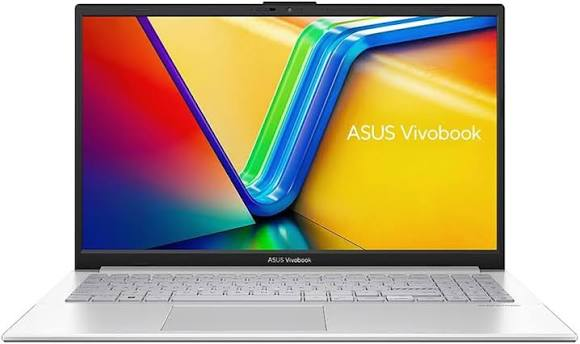
A 15.6″ Full HD laptop built around an AMD Ryzen 3 processor with 8GB RAM and 512GB of SSD storage. The AMD chip gives it slightly stronger integrated graphics performance than Intel-only rivals at this price, making it a reasonable pick if light gaming or media editing is on your list alongside everyday tasks.
📺 See more on ASUS’s official YouTube channel
- Best for: Buyers who want a bit more graphics headroom without leaving budget territory
- ✅ Pros: AMD Ryzen 3 with capable integrated graphics, generous SSD storage
- ❌ Cons: Battery life is average compared to Chromebook rivals in this guide
Full Comparison Table: Best Laptops Under £300 (2026)
| Model | OS | Processor Type | RAM | Storage | Screen | Battery Life | Best For |
|---|---|---|---|---|---|---|---|
| S15 N2 15.6″ Full HD Laptop | Windows 11 Home | Intel N-series | 8GB | 512GB SSD | 15.6″ FHD | 6–8 hrs | Best overall all-rounder |
| Acer Chromebook Spin 312 | Chrome OS | Intel Celeron | 4–8GB | 128GB | 12.2″ touchscreen | 9–10 hrs | Best value / beginners |
| Microsoft Surface Laptop 3 (Renewed) | Windows 11 | Intel Core i5 (older gen) | 8GB | 128–256GB SSD | 13.5″ FHD | 6–8 hrs | Best build quality |
| HP Chromebook 14 | Chrome OS | Intel Celeron | 4–8GB | 64–128GB | 14″ HD/FHD | 10–11 hrs | Best battery life |
| HP 15.6-inch Budget Laptop | Windows 11 Home | Intel N-series | 8GB | 128–256GB SSD | 15.6″ FHD | 6–7 hrs | Best full-Windows value |
| HP 17″ Budget Laptop | Windows 11 Home | Intel N-series | 4GB | 128GB SSD | 17″ FHD | 5–6 hrs | Best big screen (media) |
| ACEMAGIC 17.3″ | Windows 11 Home | Intel N-series/AMD | 16GB | 256–512GB SSD | 17.3″ FHD | 5–6 hrs | Best for multitasking |
| Lapbook S15 N2 15.6″ | Windows 11 Home | Intel N-series | 8GB | 512GB SSD | 15.6″ FHD | 6–8 hrs | Best complete new system |
| Lenovo 100e Chromebook | Chrome OS | Intel Celeron N3350 | 4GB | 32–64GB | 11.6″ HD | ~10 hrs | Best rugged student pick |
| ASUS Vivobook 15 E1504FA | Windows 11 Home | AMD Ryzen 3 | 8GB | 512GB SSD | 15.6″ FHD | 6–7 hrs | Best for light gaming/graphics |
Note: Availability and exact configurations for these models can shift, and retailers occasionally sell variant SKUs under the same product name. Always confirm current specs and check seller warranty terms (ideally 12 months minimum) before purchasing.
Windows vs Chromebook Under £300: Which Should You Choose?
| Factor | Windows Models (e.g. S15 N2, HP 15.6″, ASUS Vivobook 15) | Chromebook Models (e.g. HP Chromebook 14, Acer Spin 312, Lenovo 100e) |
|---|---|---|
| Software compatibility | Full desktop software, Office, most Windows apps | Web apps, Android apps via Play Store, limited offline software |
| Typical RAM | 8GB | 4GB–8GB (needs less due to lighter OS) |
| Typical storage | 128GB–512GB SSD | 32GB–128GB (cloud-focused) |
| Performance feel | Can slow with many open apps on N-series chips | Fast and responsive for browser-based tasks |
| Battery life | Good, typically 6–8 hours | Excellent, often 9–11 hours |
| Best for | Office/desktop software, remote work, general home use | Google Workspace users, students, secondary/travel laptop |
| Long-term support | Depends on manufacturer and Windows version | Chrome OS updates are typically reliable for several years |
What to Look For Before You Buy
1. RAM: 8GB Is the Sweet Spot
Anything under 8GB will feel cramped on Windows 11 in 2026. Chrome OS handles 4GB far more gracefully, which is why models like the Lenovo 100e and HP Chromebook 14 stay usable despite lower RAM.
2. Storage: SSD Over eMMC or Small Flash Storage
An SSD, especially M.2 NVMe like the 512GB drive in the S15 N2 and Lapbook S15 N2, will feel dramatically faster than smaller eMMC or flash storage, even if the raw capacity looks similar on paper.
3. Processor: Know What You’re Getting
- Intel N-series (N95/N100/N200): Efficient, adequate for everyday tasks — used in most Windows models above
- AMD Ryzen 3: Slightly stronger integrated graphics, as seen in the ASUS Vivobook 15
- Intel Celeron: Found in Chromebooks like the Spin 312 and Lenovo 100e — fine for browsing, not much else
- Older-generation Intel Core i5 (renewed units): Found in renewed premium models like the Surface Laptop 3 — strong build quality, dated raw performance
4. Screen Size and Resolution
15.6″ Full HD (S15 N2, HP 15.6″, ASUS Vivobook 15) is the most versatile all-round choice. 17″ and 17.3″ models (HP 17″, ACEMAGIC) suit media and multitasking but sacrifice portability. 11.6″–14″ models (Lenovo 100e, HP Chromebook 14) suit students prioritising portability and battery life.
Who Should Buy Which Model?
Students
The Lenovo 100e Chromebook or HP Chromebook 14 for portability and battery life; the S15 N2 if Windows/Office compatibility is required for coursework.
Remote Workers on a Budget
The HP 15.6-inch Budget Laptop or S15 N2 — both give full Windows 11 with 8GB RAM for video calls, spreadsheets, and browser-heavy multitasking.
Buyers Who Want Premium Feel on a Budget
The Microsoft Surface Laptop 3 (Renewed) — aluminium build quality well above its price point.
Big-Screen or Multitasking Needs
The ACEMAGIC 17.3″ for its 16GB RAM ceiling, or the HP 17″ Budget Laptop if screen size matters more than RAM headroom.
Light Gaming or Graphics-Adjacent Work
The ASUS Vivobook 15 E1504FA — its AMD Ryzen 3 chip offers more graphics headroom than Intel-only rivals in this guide.
Common Mistakes to Avoid When Buying a Sub-£300 Laptop
- Choosing storage size over storage type. A small eMMC drive will feel slower than a 128GB SSD, even with similar advertised capacity.
- Ignoring RAM in favour of processor branding. The HP 17″ above is a good example — a big, sharp screen paired with only 4GB RAM will still struggle with modern multitasking.
- Assuming all “budget” laptops are equal. Build quality varies significantly — the Surface Laptop 3 (Renewed) and the HP 17″ Budget Laptop sit at very different quality levels despite similar pricing.
- Overlooking battery life for portability needs. If you’re commuting daily, the HP Chromebook 14 or Lenovo 100e will serve you far better than a 17″ Windows machine.
- Buying an older Intel Mac as a “budget MacBook.” Apple’s software support for Intel-based Macs is narrowing each year — approach these renewed units cautiously in 2026. 🛒 SHOP LENOVO LAPTOPS
Frequently Asked Questions
Which is the single best laptop under £300 in 2026? For most buyers, the S15 N2 15.6″ Full HD Laptop offers the strongest balance of RAM, storage, and screen quality on Windows 11.
Windows or Chromebook — which is better under £300? It depends on your software needs. Chromebooks like the HP Chromebook 14 and Acer Chromebook Spin 312 offer better battery life and performance-per-pound for browser-based work, while Windows models like the S15 N2 offer broader software compatibility.
How much RAM do I need in a budget laptop? 8GB is the recommended minimum for Windows laptops in 2026. Chromebooks such as the Lenovo 100e perform well with 4GB thanks to Chrome OS’s lighter footprint.
Is the Microsoft Surface Laptop 3 (Renewed) a good buy under £300? Yes, if you prioritise build quality — its aluminium chassis outperforms every other laptop in this guide on design. Just confirm it comes with a manufacturer or seller warranty.
Can I use a £300 laptop for light gaming? Only older or low-demand titles. The ASUS Vivobook 15 E1504FA, with its AMD Ryzen 3 and Radeon graphics, is the strongest choice in this guide for that use case.
How long will a budget laptop under £300 last? With reasonable care, 3–5 years for everyday tasks is realistic across all the models above, though battery capacity will gradually decline over time.
For deeper dives into specific brands and models, check out our related buying guides on the blog, including our roundups of the best budget Windows laptops, top Chromebooks for students, and our picks for the best refurbished laptops for everyday use.
📥 Get Our Free 2026 Digital Tools Stack
A free guide to the best hosting, VPN, cybersecurity and AI tools for 2026 — delivered straight to your inbox.
ALSO SEE Dell XPS Laptops Are Back: The Complete Buyer’s Guide
💻 More Laptop & Computer Guides
You Might Also Like
 Best Student Laptops 2026: Back-to-School Picks Compared (£25–£250)
We compared Megastore76's current laptop stock — real prices, real specs, real condition notes — to find the best back-to-school picks from £25 to £250.
View Details Best Lenovo Laptops 2026: The Ultimate Buying Guide
Lenovo enters 2026 with one of the broadest, most confident laptop lineups on the market — from ultralight…
View Details Dell XPS Laptops Are Back: The Complete Buyer’s Guide
Fast forward to CES 2026, and Dell did something almost no major tech company ever does — it…
View Details Best Gaming Laptops. The Future of Gaming in High Speed
Gaming laptops have evolved into some of the most powerful and versatile devices in modern technology. What was…
View Details
[…] for specific budget picks? Check out our full Fire TV Stick 4K Review and Budget Laptops Under £300 Guide for detailed breakdowns of two of the categories covered […]
[…] Best Laptops Under £300: 10 Budget Picks […]
[…] Best Laptops Under £300: 10 Budget Picks […]
[…] Best Laptops Under £300: 10 Budget Picks […]