
Power, Performance, and Productivity at Your Fingertips.
In a world that’s rapidly shifting towards mobile devices and cloud computing, desktop computers still hold a unique and powerful place. Whether you’re a creative professional, a gamer, a student, or someone who just wants reliable performance, desktops offer unmatched customization, raw power, and value that laptops and tablets can’t easily match. In 2026, that’s truer than ever.
Jump to a section
Why Choose Desktop Computers?
- Superior performance and upgradeability — swap the GPU, add RAM, or increase storage to keep your machine future-proof.
- Bigger screens and ergonomic setups — larger or multiple monitors improve productivity and reduce eye strain.
- Better cooling and longevity — superior airflow keeps components running cooler for longer under heavy workloads.
Key Features to Consider
- Processor (CPU): opt for the latest generation Intel or AMD processors for top-notch performance.
- Memory (RAM): at least 8GB for general use, 16GB or more for gaming and professional applications.
- Storage: SSDs offer far faster boot and load times than traditional hard drives.
- Graphics Card (GPU): essential for gaming and creative work.
- Ports and Connectivity: enough USB ports, HDMI/DisplayPort outputs, and Wi-Fi 6 or Ethernet support.
Comparison at a Glance
| Model | Type | Best For | Standout Feature |
|---|---|---|---|
| ACEMAGIC Mini PC | Mini PC | Budget everyday computing | Compact, quiet, low power consumption |
| STGSivir All-in-One (24″) | All-in-one | Space-saving home office | i7 + 16GB RAM with a full accessory bundle |
| STGAubron Gaming PC | Gaming tower | Budget 1080p gaming | i7 + Radeon RX 580 with RGB peripherals included |
| MSI Codex Z2 | Gaming tower | 1080p/1440p gaming | Ryzen 7 8700F + RTX 5070, 32GB DDR5 |
| Reatan Mini PC Gaming | High-end mini PC | Creators & power users | Ryzen 9 7940HS, 64GB DDR5, 2TB SSD |
| HP 27″ Business All-in-One | All-in-one | Professional multitasking | Large 27″ FHD display, i7 processor |
| HP Envy 13th Gen i7 Tower | Tower | Creators & demanding workloads | i7-13700, 64GB RAM, 2TB PCIe SSD |
Shop desktop computers on Amazon
1. ACEMAGIC Mini PC
A compact, versatile computing solution ideal for users who need a portable yet capable device. It handles web browsing, office work, media streaming, and light gaming smoothly, with modern processors, ample RAM, and fast storage in a space-saving form factor. Multiple connectivity options, quiet operation, and low power consumption round out the package.
Pros: genuinely tiny footprint, quiet and energy-efficient, good value for everyday tasks.
Cons: not suited for heavy gaming or intensive professional workloads.
Best for: home offices, classrooms, or entertainment setups needing efficient, space-saving computing.
2. STGSivir All-in-One Desktop (24″ FHD)
A 24-inch Full HD LED display offers clear, vibrant visuals for photo and video editing, streaming, and general computing. An Intel Core i7 processor (3.1GHz, up to 3.9GHz), 16GB RAM, and a 512GB SSD ensure smooth multitasking and quick boot times, with WiFi 5 and Bluetooth 5.0 for wireless connections. It comes complete with an RGB keyboard, mouse, mouse pad, and built-in webcam.
Pros: genuinely complete out-of-box setup, strong i7 performance for the price, sharp 24″ display.
Cons: WiFi 5 rather than the newer WiFi 6, all-in-one design limits future upgrades.
Best for: home offices and study spaces wanting a stylish, clutter-free, ready-to-go setup.
3. STGAubron Gaming PC Desktop
An appealing entry point for gamers seeking a prebuilt system with a balance of performance and aesthetics. An Intel Core i7 processor paired with a Radeon RX 580 graphics card delivers smooth 1080p gameplay for titles like Fortnite, GTA V, and Valorant, while 16GB RAM and a 512GB SSD keep the system responsive. RGB lighting and bundled RGB peripherals add visual flair.
Pros: genuinely solid 1080p gaming performance for the price, complete RGB peripheral bundle included, visually striking design.
Cons: compact chassis can limit airflow under heavy loads, mixed user feedback on long-term component durability.
Best for: budget-conscious gamers wanting a prebuilt system for casual to mid-level 1080p gaming.
4. MSI Codex Z2 Gaming Desktop
An AMD Ryzen 7 8700F processor paired with an NVIDIA GeForce RTX 5070 delivers robust performance for 1080p and 1440p gaming, with 32GB DDR5 RAM ensuring smooth multitasking and a 2TB NVMe SSD providing fast boot times and ample storage. Efficient cooling keeps the system quiet even under load, and Wi-Fi 6E ensures stable online gaming.
Pros: genuinely strong 1080p/1440p gaming performance, quiet operation under load, minimal bloatware out of the box.
Cons: premium price relative to entry-level gaming PCs, compact chassis limits some upgrade paths.
Best for: gamers wanting a reliable, higher-performance prebuilt without building their own.
5. Reatan Mini PC Gaming (Ryzen 9 7940HS, 64GB DDR5, 2TB)
A powerhouse in a compact shell, built around the AMD Ryzen 9 7940HS processor with a massive 64GB of DDR5 RAM and a speedy 2TB SSD. It’s built for serious multitasking, demanding workloads, and smooth gaming, handling AAA titles, creative software, and virtualization with ease while staying surprisingly quiet.
Pros: exceptional specs for its compact size, genuinely quiet under heavy workloads, handles creative and gaming tasks equally well.
Cons: premium pricing reflects the high-end specs, integrated graphics won’t match a discrete GPU for demanding AAA titles.
Best for: gamers, creators, and professionals wanting high-end specs in a space-saving design.
6. HP 27″ Business All-in-One Desktop
A 27-inch Full HD display paired with an Intel Core i7 processor and typically 16GB RAM delivers fast, responsive computing for spreadsheets, media editing, and multitasking. Integrated speakers, a built-in webcam, and dual microphones support clear video calls, while business-grade security features like firmware protection and secure boot suit office environments.
Pros: generously sized 27″ display for multitasking, strong i7 performance, business-grade security features included.
Cons: all-in-one design limits future component upgrades, premium price for the size class.
Best for: business professionals and remote workers wanting a large, immersive all-in-one workstation.
7. HP Envy 13th Gen i7 Tower Desktop
A performance powerhouse built for serious multitaskers, creators, and professionals. The 13th Gen Intel Core i7-13700 brings impressive processing power for video editing, 3D rendering, and software development, while a massive 64GB RAM and 2TB PCIe SSD ensure effortless multitasking and rapid file access. Wi-Fi 6, Bluetooth, RJ45 Ethernet, an SD card reader, and HDMI cover every connectivity need.
Pros: genuinely future-proof specs for heavy workloads, quiet operation with room for GPU upgrades, comprehensive connectivity.
Cons: premium price reflects the high-end specs, no discrete GPU included by default for serious gaming.
Best for: content creators, developers, and power users who need a dependable, upgrade-ready desktop.
Verdict: Which Should You Buy?
For pure space-saving simplicity, the ACEMAGIC Mini PC and STGSivir All-in-One cover everyday computing well. Budget gamers should look at the STGAubron, while anyone wanting genuinely strong 1080p/1440p performance should step up to the MSI Codex Z2. The Reatan Mini PC is the standout if you want flagship specs in a tiny footprint, the HP 27″ Business AIO suits professionals wanting a big screen with zero clutter, and the HP Envy 13th Gen Tower is the strongest pick for creators and power users who need genuine future-proofing.
Frequently Asked Questions
Is a mini PC powerful enough to replace a full tower?
For everyday tasks and even demanding creative work, yes—models like the Reatan Mini PC pack flagship-level specs into a compact shell, though a full tower still offers more room for future GPU upgrades.
How much RAM do I actually need in a desktop?
8GB covers basic browsing and office work, 16GB handles most gaming and multitasking comfortably, and 32GB or more is worth it for serious content creation, as seen in the MSI Codex Z2 and HP Envy Tower.
Should I buy a prebuilt gaming PC or build my own?
Prebuilts like the STGAubron or MSI Codex Z2 save time and come with a warranty on the whole system, while building your own offers more control over component choice and potential cost savings if you’re comfortable with the process.
See Also: Smart Water Heaters | Smart Thermostats
Browse the latest desktop computers on Amazon
💻 More Laptop & Computer Guides
You Might Also Like
 <span class="mrx-read-time-wrap mrx-read-time-before"><span class="mrx-read-time-badge">7 min read</span></span> Finbike Review 2026: Are These Budget Electric Bikes Worth It?
Finbike's electric bike range reviewed honestly — folding commuters through to long-range fat-tyre models, a strong 4.4/5 Trustpilot average, and the quality-control and safety concerns worth knowing before you buy.
View Details <span class="mrx-read-time-wrap mrx-read-time-before"><span class="mrx-read-time-badge">5 min read</span></span> Best Student Laptops 2026: Back-to-School Picks Compared (£25–£250)
We compared Megastore76's current laptop stock — real prices, real specs, real condition notes — to find the best back-to-school picks from £25 to £250.
View Details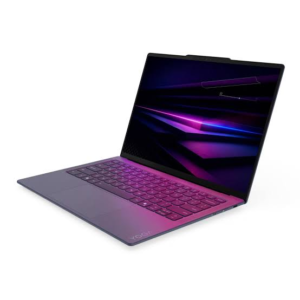 <span class="mrx-read-time-wrap mrx-read-time-before"><span class="mrx-read-time-badge">9 min read</span></span> Best Lenovo Laptops in India 2026: Which One Should You Buy? (Full Comparison)
Confused by Lenovo's huge India lineup? We compare the 7 best Lenovo laptops of 2026 — Yoga, IdeaPad, Legion, and ThinkPad — so you pick the right one the first time.
View Details <span class="mrx-read-time-wrap mrx-read-time-before"><span class="mrx-read-time-badge">11 min read</span></span> Nature’s Generator Review 2026: Solar & Wind Power Stations, Honestly Reviewed
Nature's Generator makes solar and wind-powered generators from the portable Elite 3600W up to the whole-home MyGrid 10,000W. We compare it against Jackery, EcoFlow, Bluetti, and Goal Zero on battery chemistry, weight, and warranty — plus what its BBB record and independent reviews actually say.
View Details
[…] See Also Desktop Computers […]
[…] Best Desktop Computers 2026 […]
[…] Best Desktop Computers 2026 […]