
If you’ve used NordVPN for a while, you’ve probably noticed a setting called “Threat Protection” tucked into the app. As of August 2026, NordVPN has rebranded and expanded it into what it calls next-generation antivirus (NGAV) — the Threat Protection Lite/Pro naming has been retired in favor of built-in scam, phishing, and malware protection that goes further than the original feature did. It’s still not a separate app you download; it’s a built-in shield, and it still works whether or not your VPN connection is active.
Here’s exactly what it protects against, how it compares to running a full antivirus, and whether it’s worth relying on.
⚡ Quick Answer: NordVPN’s next-gen antivirus (formerly Threat Protection Pro) is a solid extra layer of malware, phishing, and scam blocking — NordVPN cites independent testing showing 96% of phishing sites detected with zero false positives, and says it blocks close to 150,000 threats a day across its user base. Genuinely useful if you don’t already run a full antivirus suite, though still not a complete replacement for one if you need continuous real-time file-system scanning.
Jump to a section
DNS-Based Blocking vs. Full Antivirus Mode
The old “Lite vs. Pro” split is gone. NordVPN now distinguishes between two modes instead:
| Feature | DNS-Based Threat Blocking | Full Antivirus Mode |
|---|---|---|
| Blocks malicious/phishing sites | ✅ | ✅ |
| Ad and tracker blocking | ✅ | ✅ |
| Requires active VPN connection | ✅ Yes | ❌ No |
| Scans downloaded files for malware | ❌ | ✅ |
| Email protection | ❌ | ✅ |
| Crypto wallet checking | ❌ | ✅ |
What It Actually Blocks
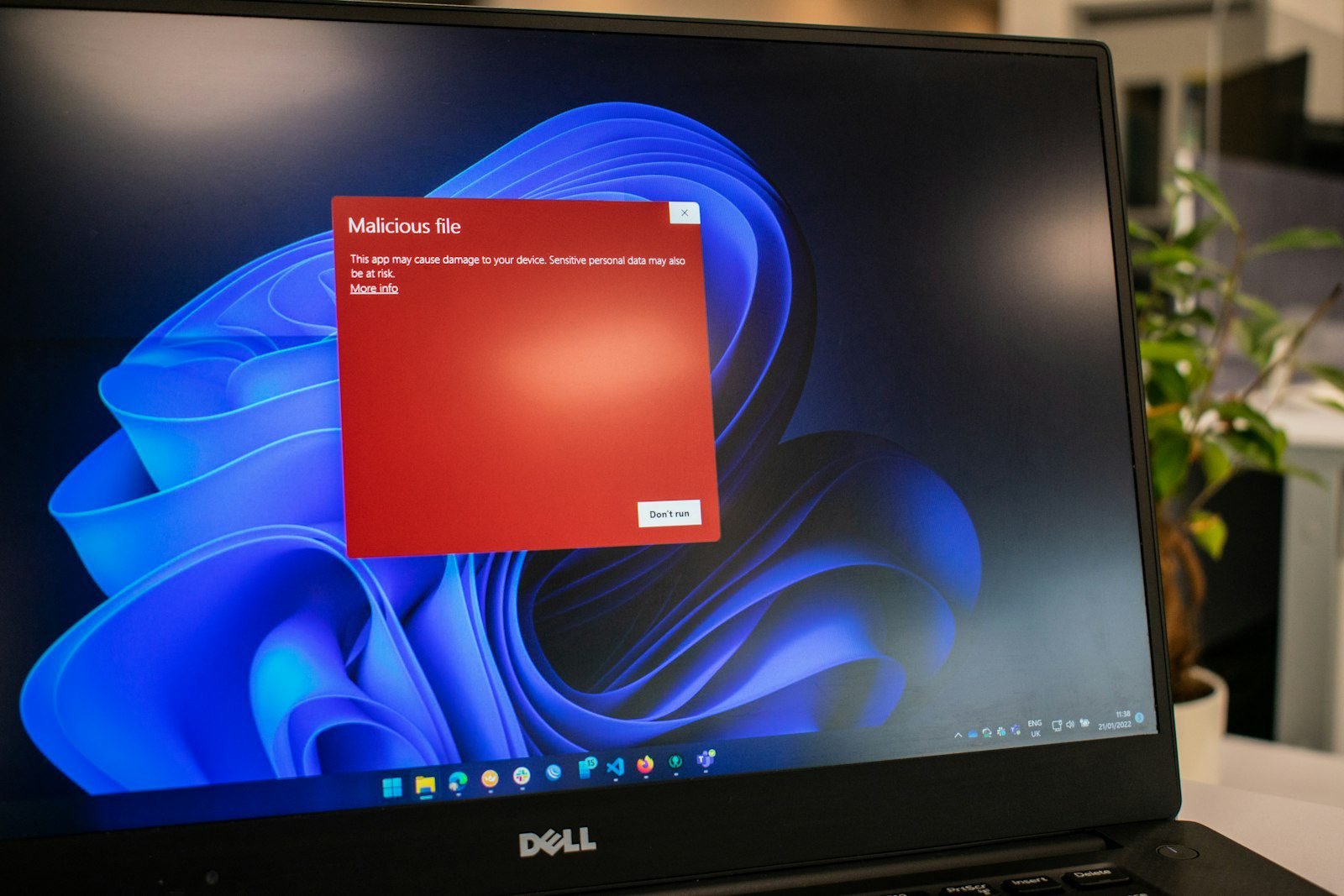
The DNS-based layer works at the network level, intercepting dangerous connections before they even reach your browser — known malicious and phishing domains, plus intrusive ads and trackers. Switch on the full antivirus mode and you also get file-download malware scanning, email protection, and crypto wallet checks, all running independently of whether the VPN itself is connected.
NordVPN’s Antivirus vs. a Dedicated Antivirus Suite
This is where expectations matter. NordVPN’s antivirus is excellent at stopping threats before they reach you online — malicious links, tracking scripts, phishing pages, and now file, email, and crypto-wallet-level scanning too. However, it still isn’t designed to continuously scan your entire hard drive the way a dedicated, full-time antivirus suite does. If you want that deeper layer, pairing it with a standalone antivirus (see our Best Cybersecurity Software guide) still makes sense.
Pros
- ✅ Blocks malicious sites and phishing before they load
- ✅ Cuts down on ad clutter noticeably while browsing
- ✅ Works even when the VPN itself is switched off
- ✅ Low system resource usage compared to full antivirus scanners
Cons
- ❌ Not a substitute for real-time, full-system antivirus protection
- ❌ Some overlap if you already run a strong ad blocker
Best for: NordVPN users who want an easy, low-maintenance layer of malware and ad protection without paying for and installing a second security app.
Curious how this fits alongside NordVPN’s other tools? See our full NordVPN Ecosystem Review 2026 for the complete lineup.
FAQ
Do I need NordVPN’s antivirus if I already have one installed?
You can still benefit from it — the DNS-based layer blocks threats at the network level before they ever reach your device, a different layer of defense than a file-scanning antivirus.
Does it work without the VPN turned on?
The full antivirus app runs independently of the VPN connection, so yes — malware, email, and crypto wallet protection stay active either way. Only the lighter DNS-based blocking requires an active VPN connection.
What happened to Threat Protection Pro?
NordVPN retired the Lite/Pro naming in August 2026 in favor of a next-generation antivirus, which adds file-download scanning, email protection, and crypto wallet checks on top of the original site and ad blocking.
You Might Also Like
 <span class="mrx-read-time-wrap mrx-read-time-before"><span class="mrx-read-time-badge">6 min read</span></span> Pyramyd Air Review 2026: Is This the Best Online Airgun & Archery Retailer?
Pyramyd Air's airgun, archery, and optics catalog reviewed — a specialist retailer since 1996 with a strong 4.3/5 Trustpilot record. What it sells, who it's for, and what to check before buying.
View Details <span class="mrx-read-time-wrap mrx-read-time-before"><span class="mrx-read-time-badge">7 min read</span></span> Rewarx Studio AI Review 2026: Is This the Best AI Product Photography Tool for E-Commerce?
Rewarx Studio AI turns basic product photos into 4K, studio-quality e-commerce images using AI — here's what it actually does, who it's built for, and how it compares to PhotoRoom, Canva, and Flair AI.
View Details <span class="mrx-read-time-wrap mrx-read-time-before"><span class="mrx-read-time-badge">10 min read</span></span> Doba Review 2026: Is This AI-Powered Dropshipping Platform Worth It?
Doba pairs a 2M+ product catalog with a new AI assistant, Doba Pilot, and one-click listing to Walmart and TikTok Shop. We look past the homepage claims at what independent reviews and customer complaints actually say — plus how it stacks up against Spocket, Zendrop, SaleHoo, and AutoDS.
View Details <span class="mrx-read-time-wrap mrx-read-time-before"><span class="mrx-read-time-badge">8 min read</span></span> Lightsaber.com Review 2026: Is This Custom Saber Store Legit?
Lightsaber.com sells RGB and Neopixel dueling-grade sabers with app-based customization and a 1-year warranty. We look at what's verifiable versus self-reported before you buy — including why an old domain doesn't automatically mean a proven track record — and how it compares to established names like Ultrasabers, Sabertrio, and Vader's Vault.
View Details


[…] This one catches people off guard because it’s not a separate app — it’s a feature layer that either comes bundled with certain NordVPN plans or can be activated as an add-on. Full details in our NordVPN Threat Protection Review 2026. […]