
When it comes to getting work done on a Mac, you’re spoiled for choice. Apple’s sleek hardware, combined with powerful productivity software, makes for a work experience that’s both efficient and enjoyable. Heading into 2026, “Apple and Mac Office” covers three real paths: Apple’s free iWork suite (Pages, Numbers, Keynote), Microsoft’s one-time-purchase Office for Mac (now up to the 2024 release), and the subscription-based Microsoft 365 for Mac. Here’s how they compare and which one fits your workflow.
Jump to a section
Apple’s iWork Suite – Sleek Simplicity
Apple’s iWork apps are free for all Mac users, and they embody Apple’s signature design: clean, intuitive, and elegant.
- Pages makes document creation effortless, with beautiful templates and smart layout features.
- Numbers brings spreadsheets to life with flexible formatting, charts, and interactive elements.
- Keynote is a presentation powerhouse, offering stunning animations and cinematic transitions.
iWork integrates seamlessly with iCloud, meaning you can start a project on your Mac and finish it on your iPhone or iPad without missing a beat. Since it comes free with every Mac, there’s nothing to buy — it’s the easiest starting point for anyone who doesn’t need deep Microsoft file compatibility.

Microsoft Office for Mac – The Business Standard
For those who need industry-standard tools, Microsoft Office for Mac offers the full suite — Word, Excel, PowerPoint, Outlook, and more — optimized for macOS. As of 2026, buyers choose between three one-time-purchase versions (2019, 2021, and the newer 2024 release) or a Microsoft 365 subscription for continuous AI-powered updates.
- Word delivers robust document editing, perfect for everything from quick memos to complex reports.
- Excel remains the spreadsheet king, with advanced formulas, pivot tables, and data visualization tools.
- PowerPoint makes it easy to design professional presentations that impress.
- Outlook organizes your email, calendar, and contacts in one place.
Office for Mac now features cloud integration via OneDrive, real-time collaboration, and a macOS-friendly interface that feels natural on Apple devices.
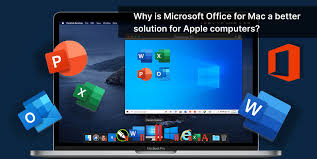
Why Mac Users Have the Best of Both Worlds
The beauty of working on a Mac is choice. You can use iWork for its simplicity and elegance, switch to Microsoft Office when you need heavy-duty compatibility, or even mix and match depending on the task. With Apple’s hardware power, Retina displays, and macOS performance, every app feels responsive and sharp.
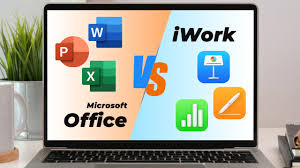
Apple and Mac Office Compared: Which One Should You Choose?
| Suite | Type | Released | Best For |
|---|---|---|---|
| Apple iWork (Pages, Numbers, Keynote) | Free, built-in | Ongoing updates | Mac-only users who want simplicity and iCloud sync |
| Office 2019 for Mac | One-time purchase | 2018 | Budget buyers who don’t need the newest features |
| Office 2021 for Mac | One-time purchase | 2021 | Apple Silicon optimization without a subscription |
| Office 2024 for Mac | One-time purchase | 2024 | The newest perpetual-license option, no subscription |
| Microsoft 365 for Mac | Subscription | Continuously updated | Real-time collaboration, AI tools, always-current apps |
Discover Apple and Mac Office Software:
1. Mac Office 2019.
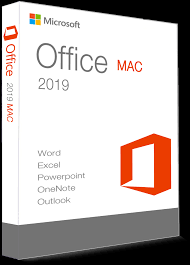
Microsoft Office 2019 for Mac is a powerful productivity suite designed for users who prefer a one-time purchase option over Microsoft 365’s subscription model. It offers all the essential tools — Word, Excel, PowerPoint, and Outlook — with enhancements that improve performance, compatibility, and usability on macOS.
One of the standout improvements is the refined interface, which adopts the modern “Ribbon” design for easier navigation while blending well with macOS aesthetics. Word 2019 introduces a Focus Mode to minimize distractions, while Excel gains new data analysis features, such as Funnel Charts, 2D Maps, and enhanced PowerQuery. PowerPoint benefits from new visual effects like Morph transitions and the ability to insert and manage SVG graphics for more dynamic presentations.
Performance on macOS is generally smooth, and the software takes advantage of Retina display support for crisp visuals. However, it lacks the cloud-powered AI features found in Microsoft 365, meaning real-time collaboration and certain smart editing tools are limited. By 2026 it’s fully out of mainstream feature updates, but it still receives security patches and runs fine on modern Macs.
Pros:
- One-time purchase with no subscription fees
- Enhanced Word, Excel, and PowerPoint features
- Retina display optimization
- Good macOS integration
Cons:
- Missing Microsoft 365 cloud and AI features
- No further feature updates — security patches only
- Limited real-time collaboration tools
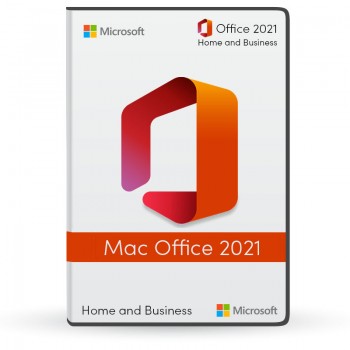
2. Mac Office 2021.
Microsoft Office 2021 for Mac is a perpetual-license version of Microsoft’s flagship productivity suite, aimed at users who prefer a one-time purchase over the ongoing cost of Microsoft 365. It brings updated versions of Word, Excel, PowerPoint, and Outlook, along with improvements that make the suite faster and more in sync with modern macOS standards.
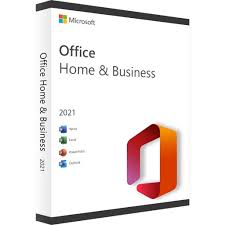
Visually, Office 2021 has a cleaner, refreshed look that blends well with modern macOS versions. Word includes co-authoring on locally saved or OneDrive-stored files. Excel introduces dynamic arrays, the XLOOKUP function, and improved data visualization for advanced users. PowerPoint gains video export capabilities and the Morph transition for more engaging presentations.
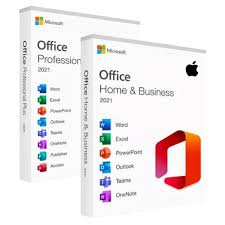
Performance is smooth, with optimizations for Apple Silicon (M1 and later) giving a noticeable speed boost in opening and processing large documents. As a one-time purchase, Office 2021 doesn’t receive major feature updates beyond security patches — cloud-powered AI features remain exclusive to Microsoft 365.
Pros:
- One-time purchase, no subscription fees
- Optimized for Apple Silicon (M1, M2, etc.)
- Modern interface with macOS integration
- Useful functions in Excel and PowerPoint
Cons:
- Lacks Microsoft 365-exclusive AI tools
- No further feature updates
- Collaboration features not as advanced as Microsoft 365
3. Mac Office 2024.
Microsoft Office 2024 for Mac is the newest perpetual-license release, launched in October 2024 as the direct successor to Office 2021. Like its predecessors, it’s a one-time purchase for a single Mac, with no subscription and no ongoing feature updates after release — just the classic apps, refreshed.
Office 2024 for Mac brings faster performance in Excel, new text and array functions, an IMAGE function for inserting pictures directly into cells without disrupting formatting, and dynamic arrays in charts that update automatically. Outlook gains improved search, scheduled sends, and customizable swipe gestures, while OneNote adds a full-screen, pen-focused view for inking. It requires a Microsoft account and an internet connection for setup, and runs natively on Apple Silicon.
What it still doesn’t include is the cloud-backed, AI-driven side of Microsoft 365 — there’s no Copilot, and real-time co-authoring is more limited than in the subscription apps. For anyone who’s happy with the classic Office apps and simply wants the newest one-time-purchase version rather than 2019 or 2021, this is the one to get.
Pros:
- Newest one-time-purchase version available for Mac
- Native Apple Silicon performance
- Refreshed Excel, Outlook, and OneNote features
Cons:
- No Copilot or Microsoft 365 AI features
- Requires a Microsoft account and internet connection to set up
- No upgrade path — the next version will be a full repurchase
4. Microsoft 365 for Mac.
For Mac users who want the full modern experience, Microsoft 365 is the subscription option: Word, Excel, PowerPoint, Outlook, and OneNote, always kept current, plus 1TB of OneDrive storage and access to Microsoft Teams. It’s the only option here with real-time AI features like Copilot, Editor in Word, and Ideas in Excel.
Pros:
- Always up to date with the latest features and security patches
- Real-time collaboration and AI-powered tools
- 1TB OneDrive storage and Microsoft Teams included
Cons:
- Ongoing subscription cost instead of a one-time fee
- Some features depend on a stable internet connection
Final Thoughts
Whether you lean towards Apple’s free iWork, a one-time Office for Mac purchase, or a Microsoft 365 subscription, the combination of macOS stability and top-tier productivity software ensures you can work smarter, faster, and more creatively. In the world of “Apple and Mac Office,” your workflow is only limited by your imagination — and with these tools, your possibilities are endless.
Frequently Asked Questions About Apple and Mac Office
What’s the difference between iWork and Microsoft Office for Mac?
iWork (Pages, Numbers, Keynote) is free, built into every Mac, and syncs through iCloud. Microsoft Office for Mac is a paid suite — either a one-time purchase (2019, 2021, 2024) or a Microsoft 365 subscription — built for maximum compatibility with .docx, .xlsx, and .pptx files used in business settings.
Is Office 2024 for Mac worth buying over Microsoft 365?
If you just need the core Word, Excel, and PowerPoint apps without AI features or cloud collaboration, Office 2024 for Mac’s one-time fee can work out cheaper long-term than an ongoing Microsoft 365 subscription. If you want Copilot, real-time co-authoring, and continuous updates, Microsoft 365 is the better fit.
Can I open Microsoft Office files in iWork?
Yes. Pages, Numbers, and Keynote can open and export .docx, .xlsx, and .pptx files, though very complex formatting (advanced Excel macros, for example) may not convert perfectly in either direction.
Is Office 2021 for Mac still supported in 2026?
Yes, Office 2021 for Mac still receives security updates, though it no longer gets new features. Microsoft’s newer one-time-purchase option is Office 2024 for Mac, which will get its own security-only support cycle going forward.
Do I need Microsoft Office if I already have iWork on my Mac?
Not necessarily. Many users get by entirely on free iWork apps. Microsoft Office becomes worth adding when you regularly exchange files with Windows users or need advanced Excel/PowerPoint features that iWork doesn’t fully replicate.
Learn Also Video Game Consoles
You Might Also Like
 <span class="mrx-read-time-wrap mrx-read-time-before"><span class="mrx-read-time-badge">6 min read</span></span> Pyramyd Air Review 2026: Is This the Best Online Airgun & Archery Retailer?
Pyramyd Air's airgun, archery, and optics catalog reviewed — a specialist retailer since 1996 with a strong 4.3/5 Trustpilot record. What it sells, who it's for, and what to check before buying.
View Details <span class="mrx-read-time-wrap mrx-read-time-before"><span class="mrx-read-time-badge">7 min read</span></span> Rewarx Studio AI Review 2026: Is This the Best AI Product Photography Tool for E-Commerce?
Rewarx Studio AI turns basic product photos into 4K, studio-quality e-commerce images using AI — here's what it actually does, who it's built for, and how it compares to PhotoRoom, Canva, and Flair AI.
View Details <span class="mrx-read-time-wrap mrx-read-time-before"><span class="mrx-read-time-badge">10 min read</span></span> Doba Review 2026: Is This AI-Powered Dropshipping Platform Worth It?
Doba pairs a 2M+ product catalog with a new AI assistant, Doba Pilot, and one-click listing to Walmart and TikTok Shop. We look past the homepage claims at what independent reviews and customer complaints actually say — plus how it stacks up against Spocket, Zendrop, SaleHoo, and AutoDS.
View Details <span class="mrx-read-time-wrap mrx-read-time-before"><span class="mrx-read-time-badge">8 min read</span></span> Lightsaber.com Review 2026: Is This Custom Saber Store Legit?
Lightsaber.com sells RGB and Neopixel dueling-grade sabers with app-based customization and a 1-year warranty. We look at what's verifiable versus self-reported before you buy — including why an old domain doesn't automatically mean a proven track record — and how it compares to established names like Ultrasabers, Sabertrio, and Vader's Vault.
View Details



[…] See Apple and Mac Office: Power, Productivity, and Perfect Harmony. […]