QRForge: QR codes you can edit after they are printed
QRForge is a self-hosted web app for making dynamic QR codes. The code you print points at a short address on your own website, and that address sends people on to wherever you choose. Change the destination later and every printed copy follows, with no reprinting. It also counts the scans. There is no subscription and no per-scan fee: you buy the source code once and run it yourself.
What QRForge does
Print a QR code on a menu, a shop window, a flyer, a business card or a poster and it normally has to stay the same forever, because the web address is built into the picture. If the page moves, the printed code breaks.
QRForge avoids that. Each code you create gets a short random address on your domain, such as https://links.yourbusiness.com/r/k7m2q9xa. The printed picture only contains that short address. When someone scans it, your server looks up the code, notes the scan and sends the visitor on to the current destination. You can change that destination from the dashboard whenever you like.
Who it is for
- Small businesses, cafes, shops and event organisers who print QR codes and want to correct or update them later.
- Agencies and freelancers who look after QR codes for a client and want to host them on their own domain.
- Anyone who is comfortable running a small Node.js website and wants to avoid a monthly QR subscription.
Who it is not for
- People who want a ready-made website to sign up to: this is software you install and host yourself.
- Teams that need several users, roles or separate customer accounts: it has one business account.
- Anyone who needs fancy styling (colours, logos), QR codes for Wi-Fi or contact cards, bulk import, or location-level analytics: those are not built in.
How dynamic QR codes work
A normal (static) QR code holds the final web address. A dynamic code holds a short address that you control, and that address forwards the visitor. That one extra hop is what makes the destination editable and the scans countable.
You create a code
Give it a label and a destination page. QRForge makes an 8-character short code and draws the QR image for your-domain/r/shortcode.
You print the image
Download the PNG and use it anywhere. The picture never needs to change.
Someone scans it
Their phone opens your short address. Your server finds the code, records the scan (time, device type and referrer) and redirects the visitor.
You change your mind
Edit the destination in the dashboard. The next person to scan the same printed code lands on the new page.
| Static QR code | QRForge dynamic code | |
|---|---|---|
| Destination | Fixed in the printed picture | Editable any time, no reprint |
| Scan counts | None | Counted per code, with a daily chart |
| Switch it off | Not possible | Deactivate it and scanners see a clear "no longer active" page |
| Where the redirect lives | Nowhere | On your own domain and server |
Because every printed code contains your short address, your server has to stay online for the codes to keep working, and the domain you choose must be one you plan to keep.
Scan analytics: see which codes people actually use
Every scan is logged by your own server and shown on the dashboard and on each code's page. It is deliberately simple and privacy-friendly: enough to tell which printed code is working, without tracking individuals.
What you can see
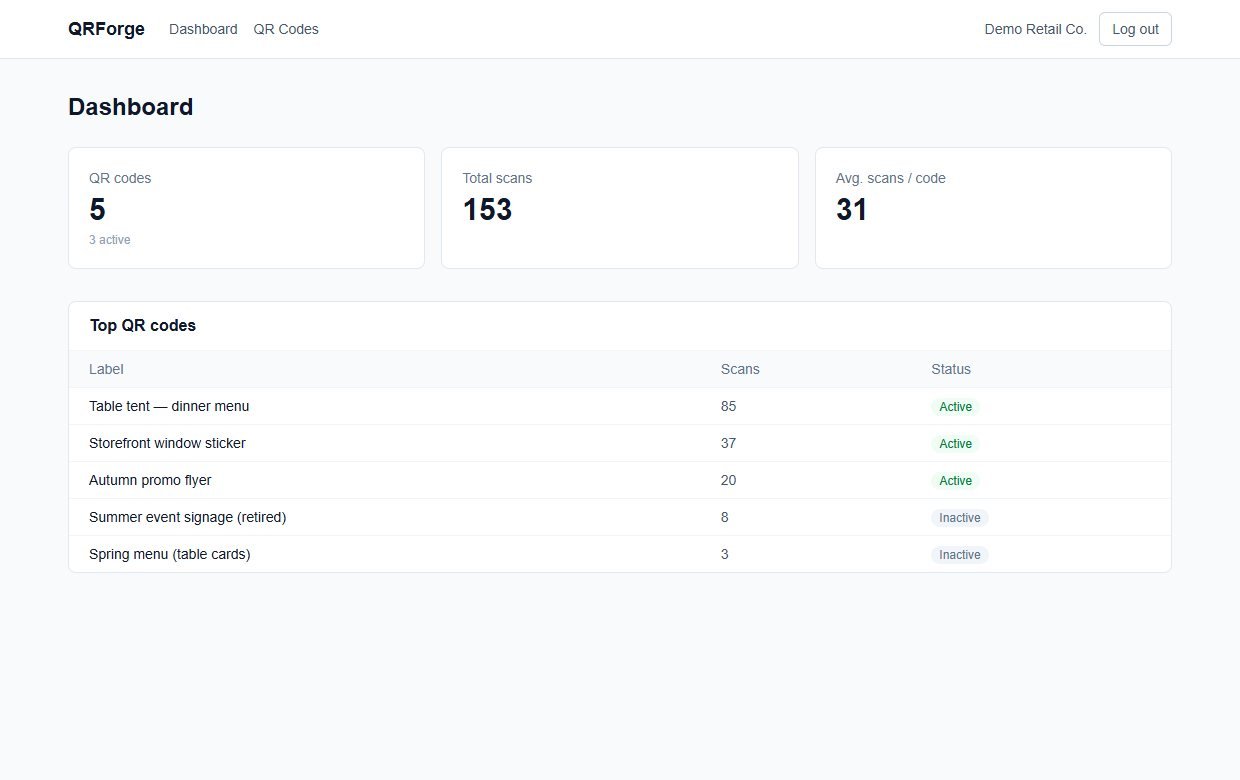
- Total scans for each code, and across all codes, plus the average per code
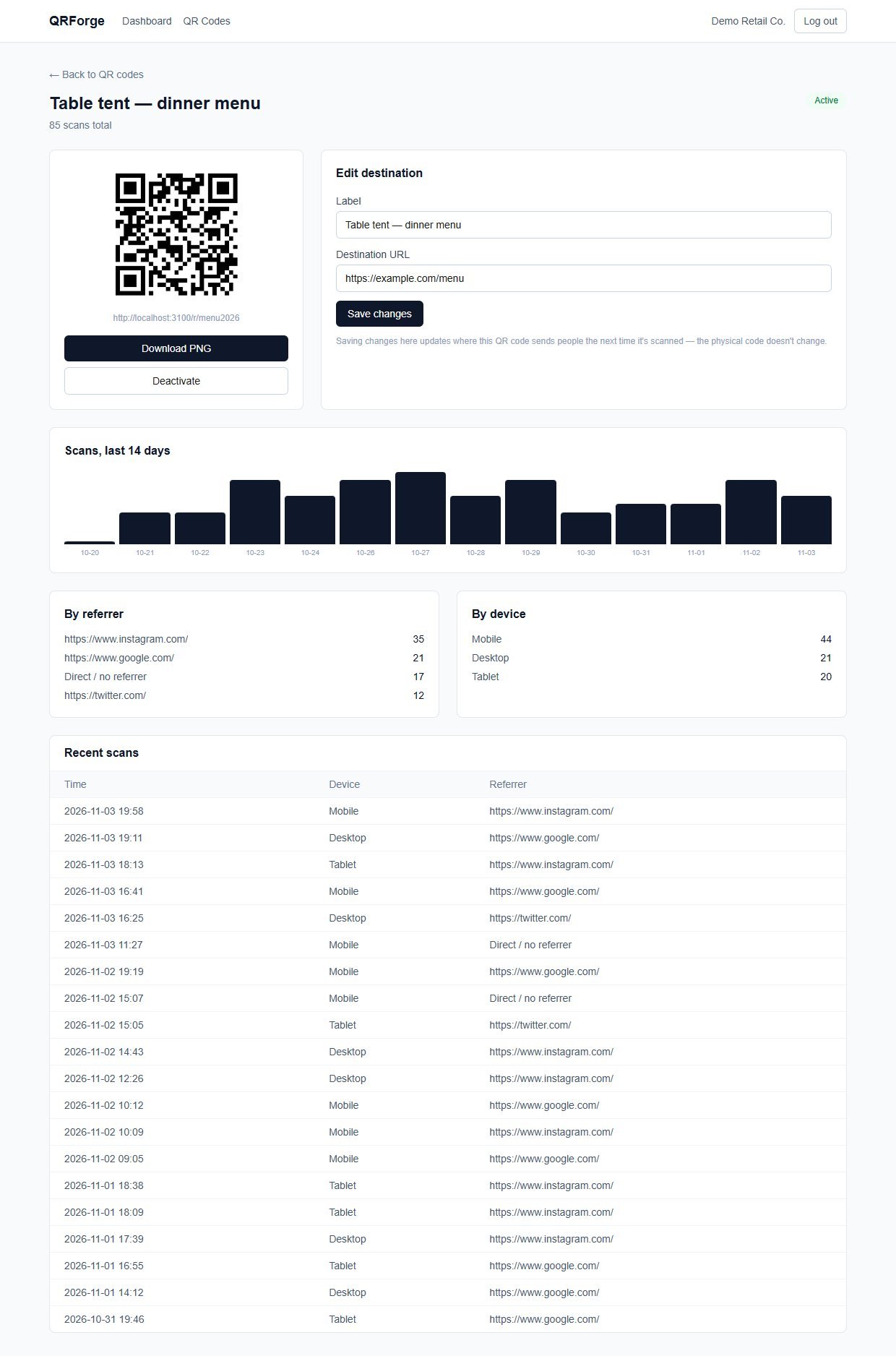
- A bar chart of scans per day for the last 14 days
- A breakdown by device type: Mobile, Tablet, Desktop, Bot or Unknown
- A breakdown by referrer, which is whatever the scanning app sent. Many phone camera apps send none, so expect plenty of "Direct / no referrer"
- The 20 most recent scans, with time, device and referrer
- Your top five codes on the dashboard, with Active or Inactive status
What it does not record
- No IP addresses are stored
- No city, country or other location
- No names, emails or cookies for the people who scan
- No fingerprinting: device type comes only from the browser's User-Agent text
- Crawlers and link-preview bots that follow the link are counted too, in their own "Bot" group, so totals can include some non-human visits
Features
This is the complete list of what version 1.0.1 does. Nothing here is a roadmap item.
Editable destinations
Change a code's label and destination page at any time from the code's detail page.
Create and manage codes
Create codes one at a time (label and destination; https:// is added if you leave it off), list them with a small preview, open, deactivate, reactivate or delete them.
PNG download
Download each code as a 640-pixel PNG with a quiet-zone margin, ready for print or a design tool.
Deactivate a code
Switch a code off and scanners see a clean "No longer active" page (HTTP 410). A code that was deleted shows "Code not found" (HTTP 404). Neither shows an error screen.
Scan dashboard
Totals, average scans per code, your top five codes and a 14-day chart, all computed from your own data.
Per-code analytics
Daily chart, device breakdown, referrer breakdown and a recent-scans table on every code's page.
Login-protected admin
Email and password login (passwords stored hashed with bcrypt, session in a signed httpOnly cookie). The dashboard and code pages are protected; the redirect that scanners hit is public on purpose.
Hard-to-guess short codes
Random 8-character codes from an alphabet without look-alike characters (no 0, 1, o, l or i), about 40 bits of randomness.
Your database, your data
Prisma with SQLite by default. Everything is in a file or database you control, with a documented schema of three tables.
Full source code
Next.js, React, TypeScript and Tailwind. A production build is one command, and the code is small enough to read in an afternoon.
Walkthrough: create a code, change it, watch the scans
These are real screenshots from QRForge running with the sample data it ships with. The address shown in the QR is localhost because this copy ran on my own computer; on your site it will be your domain.
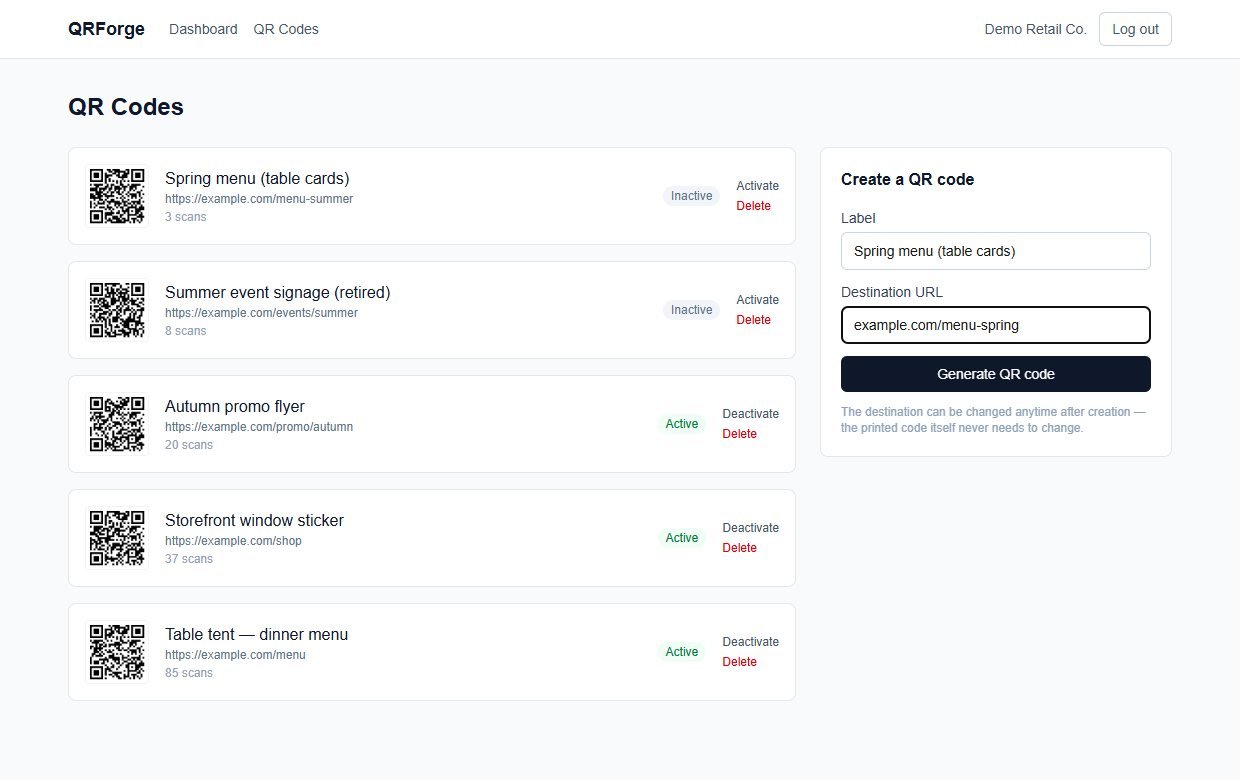
1Create a code
Open QR Codes, type a label and the page it should open, and press Create. You can leave off https://.
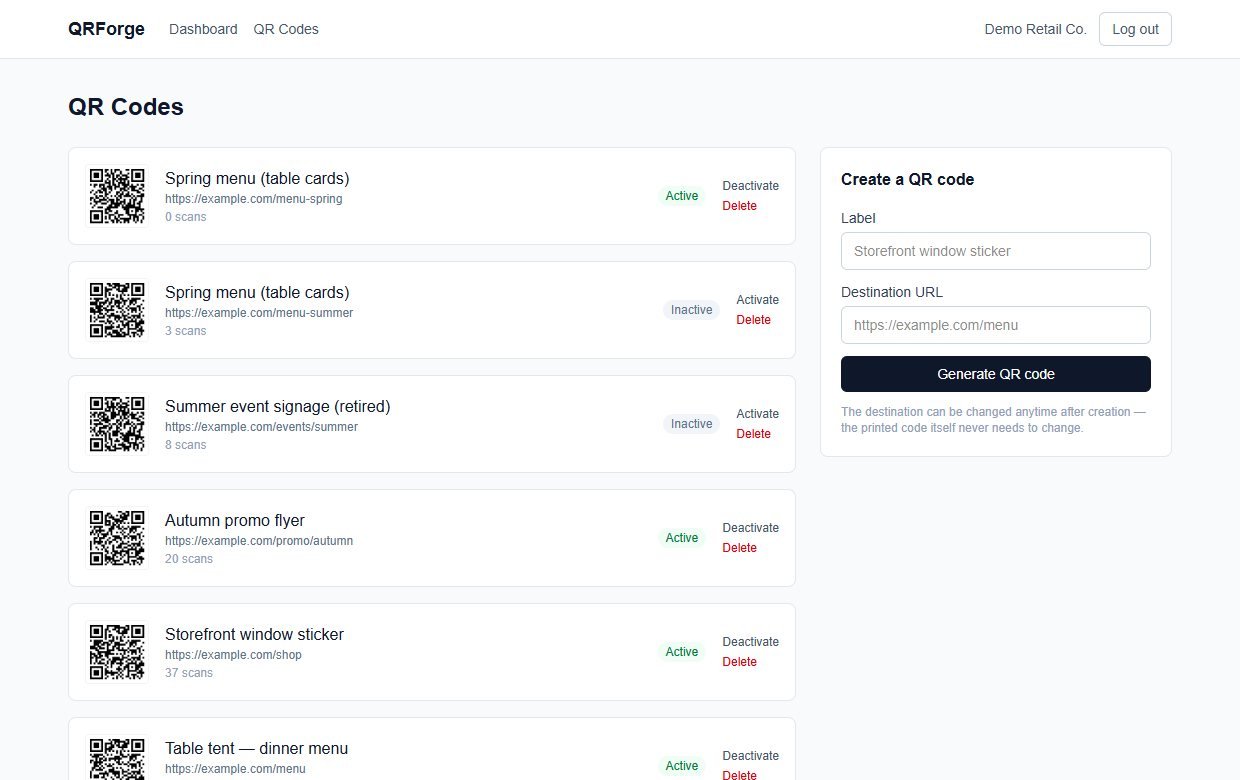
2It appears with its QR image
The new code is added to your list with a small preview, a scan count and an Active badge. You can deactivate or delete a code from the list.
3Open it and download the PNG
The code's page shows the larger QR image, the short address it contains, and a Download PNG button. Print that image.
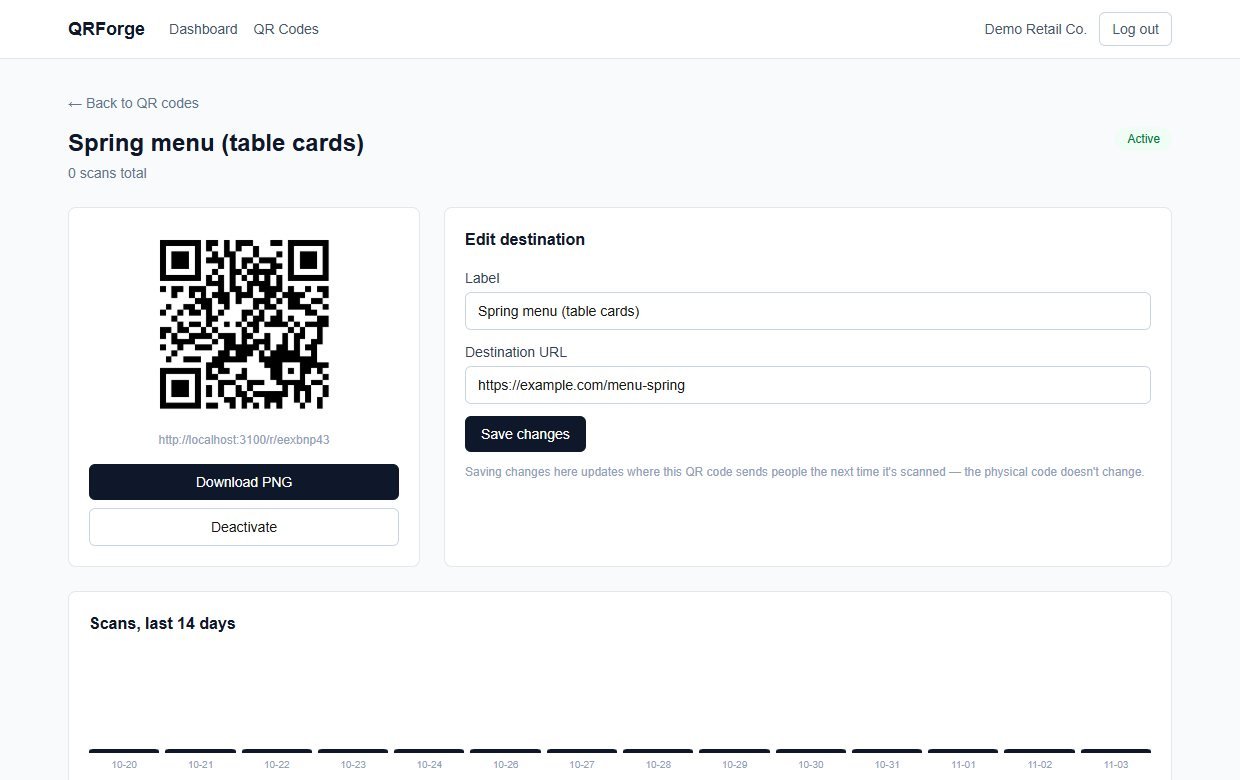
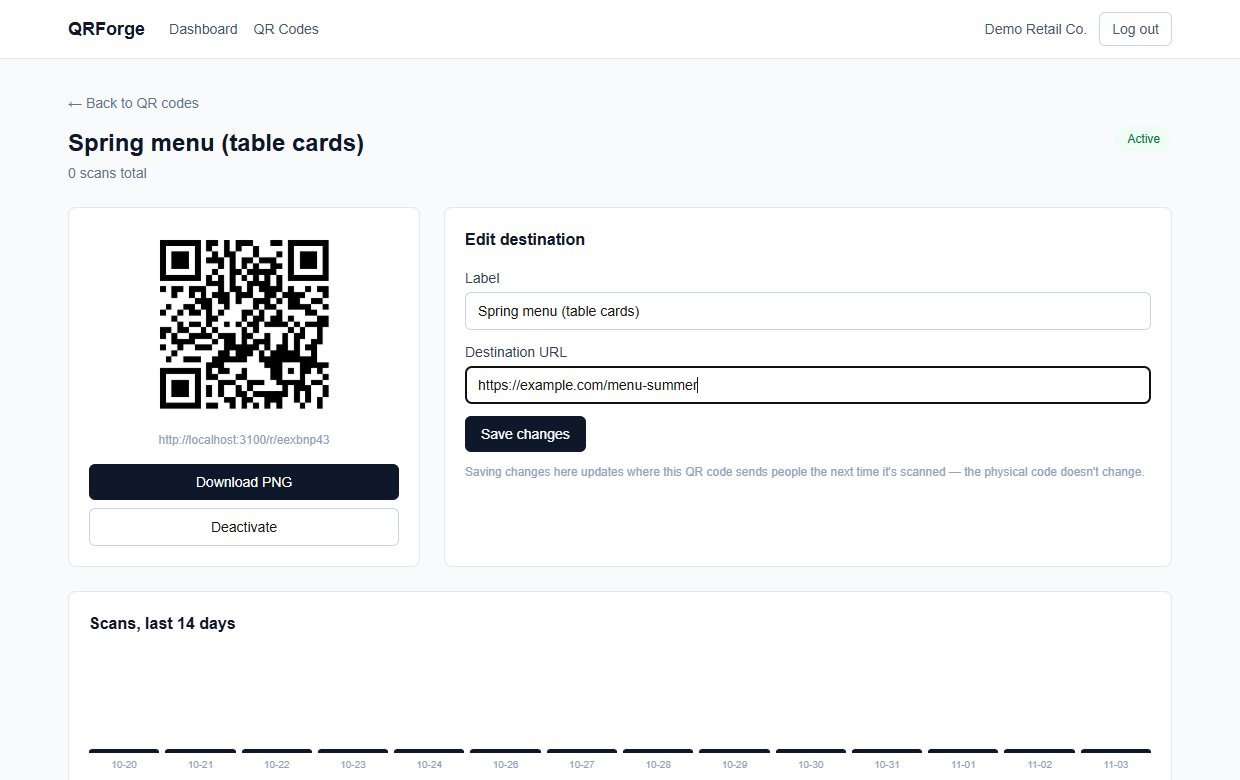
4Change where it points
Edit the destination and save. The printed code does not change; the next scan goes to the new page. Here the menu link was updated from spring to summer.
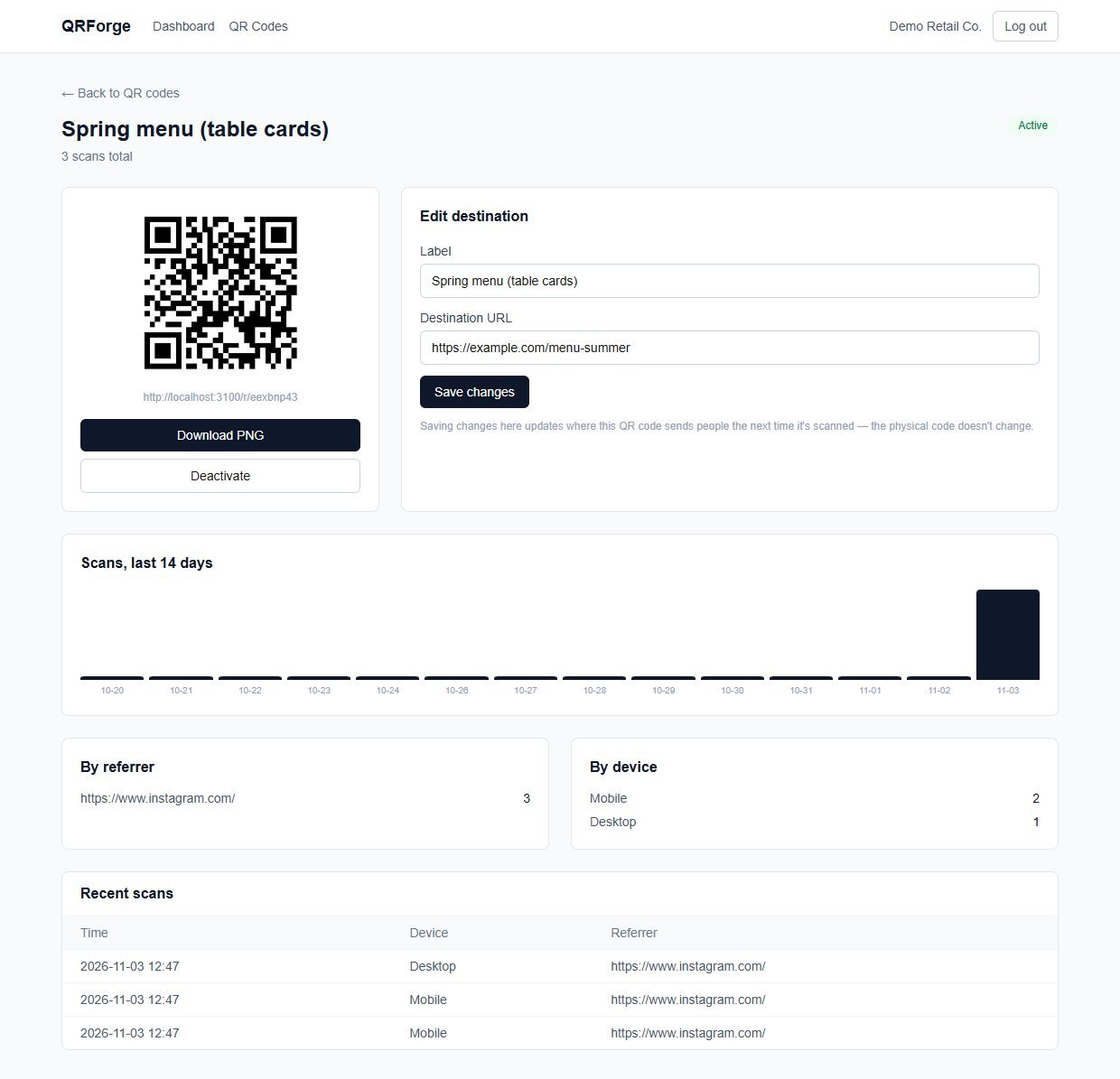
5Scan it and read the results
After three test scans (two phones and a computer, from an Instagram link) the page shows the daily chart, the device and referrer breakdowns and each scan in the recent-scans table.
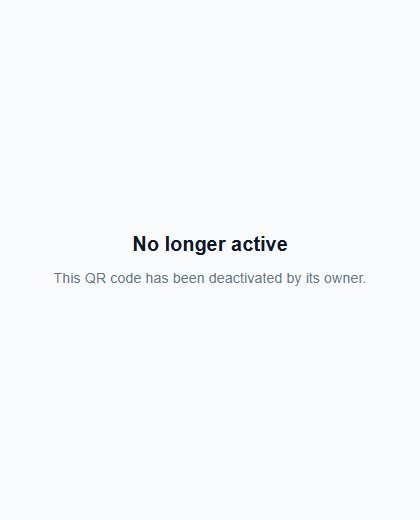
6Switch it off when a campaign ends
Deactivate the code and anyone scanning the old printed copy sees this clear message instead of an error. You can reactivate it later.
These steps use only features that are in the product. If you want to try it before buying, you can run the free QR code generator in your browser: it makes ordinary static codes, which is the simpler tool when you never need to edit or count anything.
Install and set up
QRForge is a standard Next.js project. If you have deployed a Node.js site before, this will feel familiar. If you have not, ask a developer or hosting support to do the install once: after that, using it needs no technical skill.
What you need
- Node.js 20.9 or newer (the project was built and tested on Node 24) and npm
- A place to run a Node.js web app, with a domain or subdomain that you control
- A terminal to run a handful of commands
- A long random text string for the session secret
Running it on a real website
- Set
BASE_URLto your real public address before you create codes you will print. It is built into every QR image - Run
npm run buildandnpm run starton a normal Node server, with the SQLite file kept on a disk that survives restarts - On serverless hosts such as Vercel there is no permanent disk, so switch the Prisma database to Postgres as the README describes (change the provider and
DATABASE_URL) - Serve it over HTTPS so scans and logins are encrypted
Unzip and install
Unzip the download, open a terminal in the folder and install the packages.
Set your settings
Copy the example settings file, then set BASE_URL to your domain and SESSION_SECRET to a long random string.
Create the database
Apply the schema. The README uses migrate dev; on a live server use migrate deploy, Prisma's production version.
Create your account
There is no sign-up page. The seed script creates the account and some sample codes. Edit the email, password and business name in prisma/seed.ts first, then run it.
Start it
Run it locally to try it, or build and start it on your server.
Before you go live: the seed creates a demo account (demo@example.com) with a sample password. The sign-in form is not pre-filled, but anyone who reads this page could try the sample password, so change the seeded account in prisma/seed.ts before you run the seed, or skip the seed and create your own account.
What you receive after buying
You receive the complete source code as a single zip download from Selar, straight after payment.
In the download
- The full QRForge source code (Next.js, React, TypeScript, Tailwind)
- The Prisma database schema, the first migration and a seed script with sample data
- A README with setup steps, the project structure and the known limits
- An example settings file (
.env.example) and the package list - No node_modules folder: you install the packages yourself with npm
Not included
- Web hosting, a domain name or an installation service
- A hosted copy to sign in to: you run your own
- Updates or new features are not promised. You get the current version, 1.0.1
- A single-buyer licence file (LICENSE.txt) is included: you may run and modify the code for your own business or hosted clients, but not resell or share the source
Limits and honest notes
Better you know now than discover it after printing. These come from the project's own README and code.
- The domain in your printed codes is permanent. You can edit where a code goes, but not the domain that is encoded in the picture. Decide on the address first.
- Your server must stay online. If it is down or the domain lapses, every printed code stops working.
- One business account. There is no sign-up, no multiple users and no password-change screen: the account comes from the seed script.
- Plain black-and-white codes. No colours, logos, SVG or PDF export. The QR image comes from one small file (
src/lib/qr.ts) that a developer can extend. - Website addresses only. Codes open a web page. There are no Wi-Fi, contact-card, text or app-store code types.
- No bulk tools. Codes are created one at a time. There is no CSV import or export.
- No location analytics, by design. It does not store IP addresses, so it cannot show cities or countries. Adding that needs an IP lookup service and a privacy-policy update.
- No short-domain manager. To use a short domain such as
yourbrand.link, deploy QRForge on that domain. - SQLite by default. That is fine for one business on a normal server. A very high-volume or multi-customer setup should move to Postgres and a different ID strategy, as the README notes.
- Bots are counted. Anything that follows the link, including link-preview crawlers, is logged as a scan (grouped as "Bot").
Questions
Do I need to be a programmer?
You need to be comfortable installing a Node.js project and running a few terminal commands once. After it is installed, creating and managing codes is point-and-click in the dashboard.
Can I use my own short domain?
Yes, by deploying QRForge on that domain or subdomain and setting BASE_URL to it. QRForge has no built-in domain manager.
What happens to old printed codes if I change BASE_URL later?
They keep pointing at the old domain, because the domain is part of the printed picture. Only the destination behind a code can be edited later, so choose your domain before you print.
Does it store my visitors' IP addresses?
No. Each scan records only the time, a coarse device category from the browser's User-Agent text, and the referrer if the scanning app sent one.
Is there a limit on scans or codes?
QRForge does not count or limit them and there are no per-scan fees. Capacity depends on the server and database you run it on.
Can I change the colour of the QR code or add my logo?
Not out of the box. The images are plain black and white. The QR image is generated in one small file with the open-source qrcode library, so a developer can add options.
Can several people sign in?
No. It has one business account, created by the seed script.
Is it better than a free static QR generator?
Only if you need to edit the destination after printing, switch codes off, or count scans. If a code will never change and you do not need numbers, a static code from the free generator is simpler.
Print once. Change it whenever you need to.
One payment, full source code, and the codes live on your own domain.
Buy QRForge · £29All our tools are listed on the tools catalogue. Free browser tools are in the tools hub.