Free QR Code Generator: no sign-up, no watermark
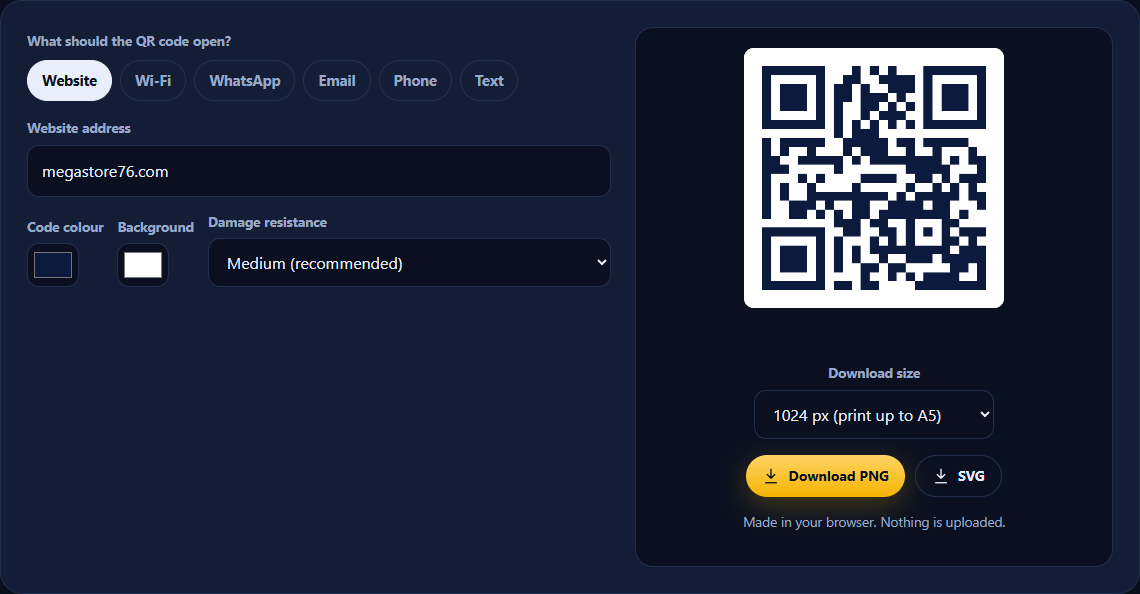
Create a QR code for a website, Wi-Fi network, WhatsApp chat, email, phone number or text in seconds. Pick your colours, then download a print-ready PNG or SVG. The codes never expire.
- Codes never expire
- Nothing uploaded
- PNG & SVG
- Free for business use
QR code generator
Made in your browser. Nothing is uploaded.
Need to change the link after printing? Get dynamic QR codes.
QRForge is your own dynamic QR code system: change where a printed code points at any time, and see scans by day, device and source. Full source code, host it yourself, no monthly fee.
How to use the QR Code Generator
- Choose what the code should open: a website, Wi-Fi, WhatsApp, email, phone or plain text.
- Fill in the details. The QR code updates as you type.
- Optional: change the colours. Keep the code dark on a light background so every phone can read it.
- Pick a download size and click Download PNG, or SVG for large print.
- Test it with your phone camera before you print or share it.
What can you use a QR code for?
- Shop windows and flyers: send people straight to your website, menu or price list.
- Guest Wi-Fi: let customers or visitors join your network without asking for the password.
- WhatsApp orders: open a chat with your number and a message already typed, which is ideal for small businesses.
- Business cards and packaging: link to your contact details, reviews or social profiles.
- Events: link to tickets, a programme or a sign-up form.
Static vs dynamic QR codes
This tool makes static QR codes: free, permanent and private, because the information is stored inside the code. The trade-off is that you can't change a static code once it's printed, and you can't see how many people scanned it.
A dynamic QR code points to a short link that you control, so you can change where it goes at any time without reprinting, and you can see scan statistics. Many services charge a monthly fee for this. QRForge gives you your own dynamic QR system for a one-time price.
Frequently asked questions
Is this QR code generator really free?
Yes. There is no sign-up, no watermark and no limit on how many codes you make. You can use the codes for personal or business use.
Do these QR codes expire?
No. These are static QR codes: the link or text is stored inside the code itself, so it keeps working for as long as the destination exists. There is no account that can lapse.
Can I change the link after I print the QR code?
Not with a static code. The address is fixed inside the pattern, so changing it means printing a new code. If you need to change destinations later, or want to count scans, you need a dynamic QR code, which is what QRForge does.
Is my information sent anywhere?
No. The code is generated in your own browser. Your links, Wi-Fi passwords and messages are never uploaded to our servers.
PNG or SVG: which should I download?
PNG works everywhere: documents, websites, social media and most printing. SVG is a vector file that stays perfectly sharp at any size, which designers and print shops prefer for large posters and banners.
How big should I print my QR code?
A good rule is at least 2 cm (about 0.8 in) wide for something held in the hand, and roughly one tenth of the scanning distance for signs, so a code read from 2 metres away should be about 20 cm wide. Always test a printed copy with a couple of phones.
How does the Wi-Fi QR code work?
Guests point their phone camera at the code and tap to join your network, without typing the password. It works with the camera app on modern iPhones and Android phones.
Why won’t my QR code scan?
The usual causes are low contrast (a light code on a dark background, or similar colours), printing too small, or a shiny surface reflecting light. Keep a dark code on a light background, leave the white border around it, and print it larger.