
“Ever wished your coffee maker could talk to your alarm clock? Welcome to the world of smart devices.” In 2026, that world isn’t a novelty anymore — it’s the default. From the moment your smart alarm nudges the thermostat awake to the voice assistant that reads your calendar while you make coffee, connected technology has quietly rewired how millions of households run their day. This guide breaks down what smart devices actually are, the categories worth investing in, real product picks with honest pros and cons, and the security habits that separate a smart home from a hacked one.
⚡ Quick Answer: Best hub to start with is the Amazon Echo (5th Gen). Best smart thermostat is the Google Nest Learning Thermostat. Best smart lock is the August Wi-Fi Smart Lock.
Jump to a section
🧠 A Cautionary Tale Before We Start
Jake loved his smart home — lights, locks, even his fridge were voice-controlled. One morning he casually asked his smart speaker to read out his bank balance. Unknown to him, an unprotected smart camera in his living room had been compromised days earlier. A hacker eavesdropping through that camera captured his login details, and within hours his account was drained.
Jake’s setup was missing three basics: two-factor authentication, unique passwords per device, and a rule against speaking sensitive information out loud to a voice assistant. Every one of those gaps is avoidable, and we’ll cover exactly how to close them below. Smart doesn’t always mean safe — unless you’re smarter about how you set it up.
What Is a Smart Device?
A smart device is any electronic gadget that connects to other devices or networks — typically via Wi-Fi, Bluetooth, Zigbee, or cellular — and uses that connection to automate tasks or make decisions on your behalf.
Most smart devices share the same basic anatomy: sensors that gather data (motion, temperature, sound), a small processor that interprets that data, and a communication layer that lets it act on it or report back to an app. A smart thermostat, for example, senses room temperature, compares it against your preferences, and adjusts automatically — or you simply tell it what to do through an app or a voice assistant like Alexa or Google Assistant. Over time, many of these devices also learn your habits, dimming lights when a room is empty or pre-heating water before your usual shower time.
See also: Smart Watches | Smart Televisions
Smart Home Categories at a Glance (2026)
| Category | What It Does | Popular Ecosystems | Best For |
|---|---|---|---|
| Smart Lighting | Voice/app-controlled bulbs, switches, scenes | Alexa, Google Home, Apple HomeKit | Ambience, energy savings |
| Smart Thermostats | Learns schedules, auto-adjusts temperature | Google Home, Alexa | Lowering energy bills |
| Smart Plugs | Turns any appliance into a “smart” one | Alexa, Google, Matter | Budget automation |
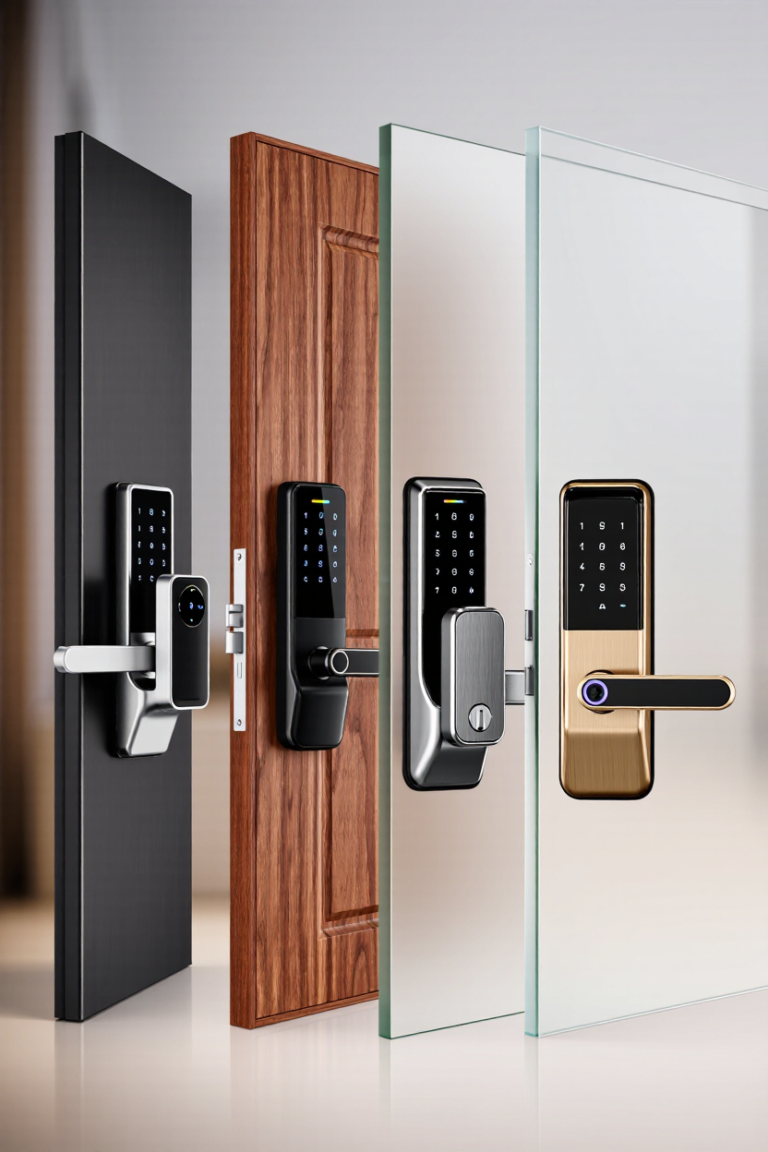
| Smart Locks | Keyless entry, remote locking, auto-unlock | Apple HomeKit, Alexa, Google | Convenience & security |
| Smart Security Cameras | HD monitoring, motion alerts, night vision | Alexa, Google, standalone apps | Home & package security |
| Smart Speakers & Displays | Voice control hub, music, visual info | Alexa, Google Assistant | Central home control |
| Smart Kitchen Appliances | Connected fridges, ovens, coffee makers | SmartThings, ThinQ | Meal planning & convenience |
| Smart Cleaning | Robot vacuums/mops, air purifiers | App-based, Alexa/Google | Hands-off chores |
Standout Picks by Category
🔌 Smart Plugs
TP-Link Kasa Smart Plug Mini
✅ Pros: reliable, compact, works with Alexa and Google Assistant, very easy setup.
❌ Cons: no Apple HomeKit support out of the box.
Amazon Smart Plug
✅ Pros: near-instant Alexa pairing, dead simple app.
❌ Cons: locked into the Alexa ecosystem — no Google or Apple support.
🎥 Amazon Alexa Official YouTube Channel: https://www.youtube.com/@AmazonAlexa
💡 Smart Lighting
Philips Hue Smart Bulbs
✅ Pros: rich, accurate colour range, mature automation rules, works across Alexa, Google, and HomeKit.
❌ Cons: a hub is recommended for full functionality, adding to the setup.
🎥 Philips Hue Official YouTube Channel: https://www.youtube.com/channel/UCWUmAKsTQOJE-pZb7VOzVLw
Wyze Bulb Color
✅ Pros: budget-friendly, 16 million colours, solid voice control.
❌ Cons: app can feel less polished than Hue’s.
🎥 Wyze Official YouTube Channel: https://www.youtube.com/channel/UCeMXXZCPez2yOSYBceHWm-Q
🛒 Shop Smart Lighting on Amazon
🌡️ Smart Thermostats
Google Nest Learning Thermostat
✅ Pros: learns your schedule within days, detailed energy reports, sleek design.
❌ Cons: premium price point relative to basic smart thermostats.
🎥 Made by Google Official YouTube Channel: https://www.youtube.com/channel/UCIG1k8umaCIIrujZPzZPIMA
Ecobee Smart Thermostat Premium
✅ Pros: built-in Alexa, includes a remote sensor for room-by-room accuracy, air quality monitoring.
❌ Cons: bulkier on the wall than Nest.
🎥 Introducing the ecobee Smart Thermostat Premium (Official): https://www.youtube.com/watch?v=wkUOuQUfbp4
🛒 Shop Smart Thermostats on Amazon
🚪 Smart Locks
August Wi-Fi Smart Lock
✅ Pros: retrofits over most existing deadbolts, auto-unlock as you approach, works with all three major ecosystems.
❌ Cons: still needs the original deadbolt hardware in place.
🎥 August Home Official YouTube Channel: https://www.youtube.com/c/AugustHome
Level Lock+
✅ Pros: looks like a normal lock from outside, supports Apple Home Key for tap-to-unlock.
❌ Cons: pricier, and setup is fiddlier than August’s.
📷 Smart Security Cameras
Arlo Pro 5S
✅ Pros: 2K HDR with colour night vision, fully wireless placement, strong Alexa/Google integration.
❌ Cons: subscription needed for full cloud storage features.
🎥 Arlo Smart Home Official YouTube Channel: https://www.youtube.com/ArloSmartHome
Wyze Cam v4
✅ Pros: sharp 2K video and motion tracking at a fraction of premium camera pricing.
❌ Cons: fewer advanced AI detection features than Arlo.
🎥 Wyze Official YouTube Channel: https://www.youtube.com/channel/UCeMXXZCPez2yOSYBceHWm-Q
🛒 Shop Smart Security Cameras on Amazon
🎙️ Smart Speakers & Displays
Amazon Echo (5th Gen)
✅ Pros: Alexa built in, solid room-filling audio, Matter support for cross-brand smart home control.
❌ Cons: best experience stays inside the Amazon ecosystem.
🎥 Amazon Alexa Official YouTube Channel: https://www.youtube.com/@AmazonAlexa
Google Nest Hub
✅ Pros: visual display doubles as a smart home control panel, useful sleep-tracking feature.
❌ Cons: camera-free, so it can’t be used for video calls or home monitoring.
🎥 Made by Google Official YouTube Channel: https://www.youtube.com/channel/UCIG1k8umaCIIrujZPzZPIMA
🛒 Shop Smart Speakers on Amazon
Smart Devices by Room and Use Case
| Space | Typical Devices |
|---|---|
| Kitchen | Smart fridge, smart oven/microwave, smart coffee maker, smart dishwasher |
| Living Room | Smart TV, smart speaker/display, smart lighting, streaming devices |
| Bedroom | Smart plugs, smart lighting, sleep-tracking display |
| Entryway | Smart lock, smart doorbell camera |
| Home Office | Smart monitor, smart desk, smart printer, smart lighting |
| Garage/Car | Smart garage door controller, dash cam, OBD-II scanner |
Keeping Your Smart Home Actually Safe
Going back to Jake’s story: none of what happened to him required a sophisticated attack — just an unsecured device and a habit of speaking sensitive information out loud. A few non-negotiable habits will keep the average smart home well protected:
- Change every device’s default password before first use
- Turn on two-factor authentication for your smart home app and any linked financial accounts
- Never ask a voice assistant to read out banking details, passwords, or one-time codes
- Keep firmware updated — most smart home breaches exploit known, already-patched vulnerabilities
- Put cameras and locks on a separate guest Wi-Fi network from your personal devices where possible
Verdict: Where to Start
If you’re building a smart home from scratch in 2026, start small and layer up: a smart speaker as your control hub, a couple of smart plugs or bulbs to get a feel for automation, then a smart lock or camera once you’re comfortable with the app ecosystem. Stick to one or two ecosystems (Alexa, Google, or Apple HomeKit) rather than mixing freely, since cross-compatibility — even with Matter’s growing support — still isn’t perfect. Security should be part of the shopping list from day one, not an afterthought once something goes wrong.
Frequently Asked Questions
What’s the difference between a smart device and a regular one?
A regular device performs a fixed function with no connectivity. A smart device connects to Wi-Fi, Bluetooth, or another network, and can be controlled remotely, automated, or made to react to sensor data.
Do I need a hub to run a smart home?
Not always. Many devices connect directly to Wi-Fi and are controlled through their own app or a voice assistant. A dedicated hub becomes useful once you own several devices from different brands and want them working together seamlessly.
Are smart home devices safe from hacking?
They can be, provided you use unique passwords, enable two-factor authentication, and keep firmware updated. Most smart home security incidents trace back to default passwords or outdated software rather than sophisticated attacks.
Which smart home ecosystem should I choose?
Choose based on the phone you already use: iPhone owners generally get the smoothest experience with Apple HomeKit, while Android users tend to prefer Google Home. Alexa remains the broadest third-party device support regardless of phone brand.
🛒 Browse the Latest Smart Home Devices on Amazon
📥 Get Our Free 2026 Digital Tools Stack
A free guide to the best hosting, VPN, cybersecurity and AI tools for 2026 — delivered straight to your inbox.
Compare These Picks Side by Side
[megastore76_smartbuy category=”Smart Devices”]You Might Also Like
 <span class="mrx-read-time-wrap mrx-read-time-before"><span class="mrx-read-time-badge">9 min read</span></span> Best Smart Devices for Back to School 2026: 4 Picks Compared
Beyond the desk lamp and the laptop: the best smart devices for back to school 2026 — an AirTag for never losing your keys, a personal safety alarm, a hydration-tracking bottle, and a light-based alarm clock that's actually hard to sleep through.
View Details <span class="mrx-read-time-wrap mrx-read-time-before"><span class="mrx-read-time-badge">1 min read</span></span> 3 New Digital Guides Now Live in the Store
Three practical, instantly-downloadable PDF guides just went live: smart home setup without the headaches, a subscription audit and cancellation playbook, and an AI tool declutter guide.
View Details <span class="mrx-read-time-wrap mrx-read-time-before"><span class="mrx-read-time-badge">2 min read</span></span> Stop Chasing Late Invoices Manually — Meet Invoice Chaser
A complete, working source-code SaaS that automatically chases late invoices for freelancers, agencies, and small service businesses — now available on Megastore76.
View Details <span class="mrx-read-time-wrap mrx-read-time-before"><span class="mrx-read-time-badge">5 min read</span></span> Christmas Gift Guide 2026: The Complete MegaStore76 Tech Gift Finder
The complete MegaStore76 Christmas gift-finder for 2026 — shop by who you're buying for or by budget, with links straight to our tested picks for earbuds, smartwatches, robot vacuums, smart home gadgets and more.
View Details
[…] Smart Devices and how they work? […]
[…] for more smart home essentials? Check out our guide to Smart Devices for a Connected Home and our full Smart Speaker Buying Guide for more tips on choosing the right device for your […]