Back-to-school shopping isn’t one purchase anymore, it’s four separate decisions happening at once: what goes on the desk, what powers the actual schoolwork, what makes the room liveable, and what actually helps you take in a lecture. We’ve spent the last few weeks building out dedicated guides for each of those on Megastore76, working from real August 2026 search-trend data rather than guesswork. This page pulls all of it together in one place, so instead of bouncing between four separate articles, you can see the whole picture, compare categories side by side, and jump straight to the full deep-dive for whichever one matters most to you right now.
⚡ Quick Answer
If you’re starting from nothing, buy in this order: a working laptop first (everything else is secondary to this), then a wireless-charging LED desk lamp to sort out lighting and phone charging in one plug, then an 8-in-1 USB-C hub if your laptop is short on ports. AI note-taking devices and dorm LED strips are both genuine upgrades, not essentials — add them once the core setup works, based on whether you’re a handwriting-first note-taker (a digital notebook), a lecture-heavy student who falls behind while writing (an AI voice recorder), or you just want the room to feel like yours (LED strips, mounted the renter-safe way).
Jump to a section
How This Guide Is Organized
We’ve grouped everything into four categories, each with its own full comparison guide already published on the site. This page is the map, not a replacement for those — every section below links straight to the full write-up with pros, cons, and buy links for that category.
- Desk Setup & Charging — the physical desk itself: lighting, power, ports, and cable chaos
- Student Laptops — the one purchase almost everything else depends on
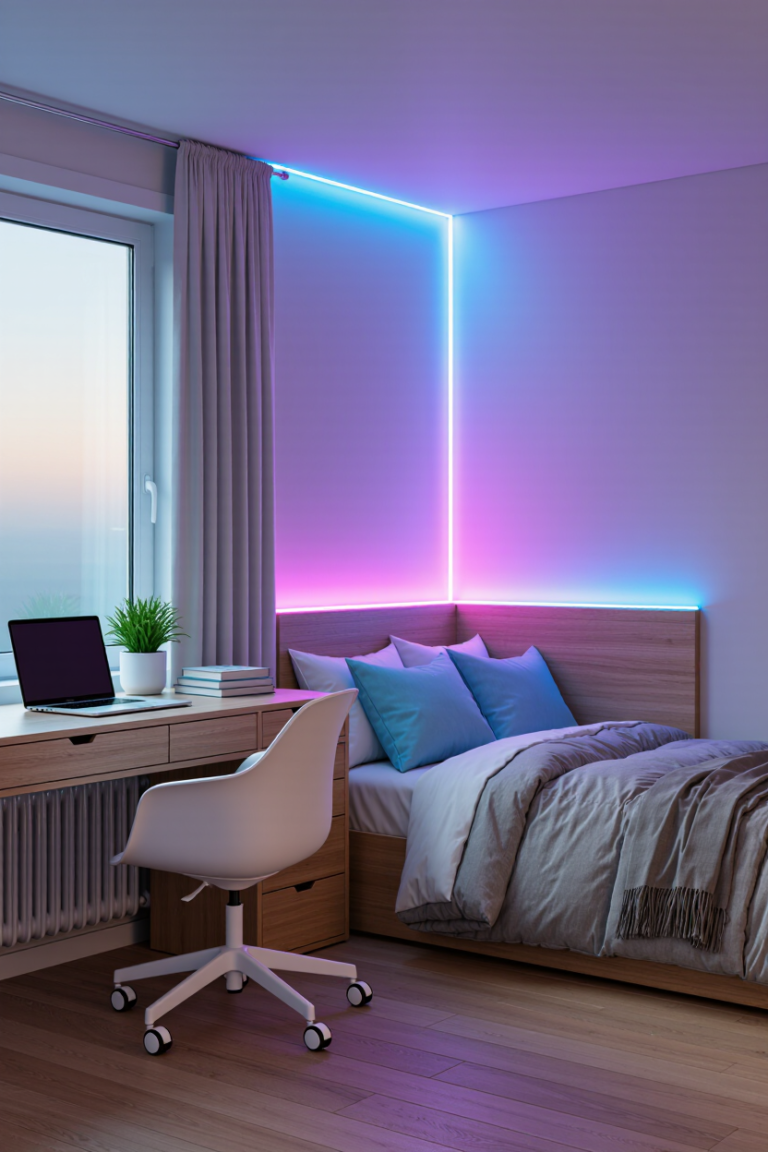
- Dorm Room Lighting — making a rented room feel like yours without losing your deposit
- AI Note-Taking — digitizing handwriting or capturing spoken lectures automatically
- Smart Everyday Devices — never losing your keys, staying safe walking home, staying hydrated, and actually waking up
Why Now: The 2026 Back-to-School Trend Data
None of the categories below were picked at random. A wireless-charging desk lamp is the single fastest-growing “back to school” search category as of August 2026. Searches for foldable Bluetooth keyboards are up more than 8,000% over five years. Interest in AI-powered digital notebooks has surged over 7,000% in two years, and one AI voice-recorder brand crossed $100 million in annual revenue this June alone. RGB LED strips remain one of the biggest dorm “room glow-up” trends on TikTok this season. Put together, that’s a genuine shift in what students are actually buying, not just a list of gadgets we think are neat.
The Complete Back-to-School Picture: Comparison Table
| Category | Solves | Our Top Pick | Best For | Full Guide |
|---|---|---|---|---|
| Desk Setup & Charging | Cramped desk, too few laptop ports, cable chaos | Wireless-charging LED desk lamp | Every student desk — the most broadly useful category here | Read the full guide |
| Student Laptops | Choosing between refurbished and new stock without overpaying or under-speccing | Dell Latitude 5300 (best all-round value) | Most students, secondary school through university | Read the full guide |
| Dorm Room Lighting | Room glow-up without risking a rental deposit | KSIPZE LED Strip (budget-safe starting point) | First-time buyers and anyone in a rented room | Read the full guide |
| AI Note-Taking | Digitizing handwriting, or capturing a lecture you can’t write fast enough to keep up with | Viwoods AiPaper (writing) or Plaud Note Pro (lectures) | Handwriting-first students and lecture-heavy courses | Read the full guide |
| Smart Everyday Devices | Losing things, walking home safely, forgetting water, sleeping through alarms | Apple AirTag (2nd Gen) | Anyone living away from home for the first time | Read the full guide |
1. Desk Setup & Charging
This is the category most people underestimate until move-in day, when a dorm desk turns out to have one plug socket, a laptop with barely enough ports for its own charger, and a phone with no clean way to charge overnight. Our full guide covers four picks built entirely around 2026 trend data: a wireless-charging LED desk lamp that replaces two purchases with one, an 8-in-1 USB-C hub for laptops that run out of ports the moment a monitor and a mouse join the charger, a foldable Bluetooth keyboard for anyone typing long essays on a tablet, and a reusable cable management kit for the tangle that builds up behind every desk within a week.
✅ Why it matters
- Fixes real, physical constraints of a small desk rather than adding clutter
- Everything here is portable enough to move between home, dorm, and library
- The cheapest item on the list (cable management) is also genuinely useful on day one
2. Student Laptops
Everything else on this page is an accessory to this one decision. We went through Megastore76’s live laptop stock — real listings, real condition notes, no inflated “was” pricing — and sorted picks by what they’re actually good for: the cheapest Chromebook and Windows-mini options for browser-only schoolwork, a genuinely capable all-rounder for most students juggling research, writing, and streaming lecture recordings, and a higher-spec machine for coursework that needs real power like coding, design, or video editing. Condition is clearly flagged throughout — refurbished business laptops routinely outperform a cheap new machine at the same price point.
✅ Why it matters
- Covers the full range from absolute-lowest-budget to genuinely powerful coursework machines
- Every listing is real, in-stock Megastore76 inventory, not a generic recommendation
- Explains exactly what to check (RAM, storage type, condition grading, screen size) before comparing prices
3. Dorm Room Lighting
A general LED strip buying guide assumes you own the walls you’re sticking things to — a dorm or shared student house doesn’t give you that luxury. Our dedicated dorm guide narrows the entire market down to what actually survives a rented room: budget picks that don’t sting if you have to take them down early, shorter runs sized for a single desk wall or headboard instead of a whole living room, and — most importantly — how to mount any of them with removable Command-strip clips instead of the stock adhesive that can pull paint off cinderblock walls at move-out.
✅ Why it matters
- The single biggest cause of a lost deposit here isn’t the lights, it’s the adhesive — and it’s an easy fix
- Sized for one dorm wall, not a full-room installation you don’t need
- Includes roommate-friendly, silent app control instead of a fumbled-for remote at 1am
4. AI Note-Taking Devices
This is the fastest-growing corner of back-to-school tech in 2026, and also the easiest category to buy the wrong product in — “AI note-taking device” actually covers two genuinely different tools. A digital notebook (like the Viwoods AiPaper or reMarkable) converts handwriting into searchable text and only pays off if you actually write by hand. An AI voice recorder (like the Plaud Note Pro) solves a completely different problem: capturing and summarizing a lecture you couldn’t write fast enough to keep up with. Our full guide splits the two apart with an honest look at where the AI still falls short on both sides, since neither handwriting recognition nor voice transcription is perfect yet.
✅ Why it matters
- Prevents the single most common mistake in this category: buying a writing tablet to fix a listening/transcription problem, or vice versa
- Covers both a full open-ecosystem option and a closed, distraction-free alternative
- Honest about AI accuracy limits on both sides — treat the output as a first draft, not a finished transcript
5. Smart Everyday Devices
The first four categories cover the room and the coursework. This one covers everything that goes wrong once you’re actually living independently for the first time: losing your keys with no one else around to help look, walking home alone after a late library session, forgetting to drink water through back-to-back lectures, and sleeping through a phone alarm you silenced half-asleep. Our full guide covers a Bluetooth tracker for your keys and bag, a 140dB personal safety alarm, a hydration-tracking water bottle, and a light-based wake-up alarm clock that needs no app or phone at all.
✅ Why it matters
- None of these are essentials like the laptop, but each fixes a genuinely predictable problem of living away from home
- Most need no ongoing setup or subscription once you’ve bought them
- Covers safety and daily habits that the desk-setup and laptop categories don’t touch at all
Budgeting a Full Back-to-School Setup
Rather than thinking in prices, it helps to think in what each purchase unlocks. A working laptop unlocks everything else — coursework, research, lecture streaming — so it comes first regardless of how tight the budget is. A desk lamp with wireless charging solves two problems (lighting and charging) with one purchase, which makes it unusually efficient per pound spent even though it’s not strictly essential. Ports and cable management are cheap fixes for real friction, worth adding early. AI note-taking devices and dorm LED strips are both genuine quality-of-life upgrades rather than necessities — they’re the right things to add once the core setup is solid, not the first things to buy when money is tight.
A Simple Timeline: What to Buy When
- Before term starts: laptop, desk lamp with wireless charging, USB-C hub if your laptop is port-light — these need to be sorted before you’re relying on them daily
- Move-in week, once you’ve seen the actual room: cable management kit (you’ll know exactly how many cables you’re dealing with), and dorm LED strips if you’re doing a room glow-up — measure the wall first
- A few weeks into term, once your study habits are clear: AI note-taking devices — by this point you’ll genuinely know whether you’re a handwriting note-taker, a lecture-recording type, or neither, which makes it a much safer purchase than guessing on day one
What’s Not Covered Here (Yet)
We’re deliberately not padding this page with categories we haven’t properly researched. Backpacks with built-in charging, student-friendly printers, and budget smartphones are all on our radar for this cluster, but we’d rather ship a guide once we’ve done the same trend-data-and-live-stock work behind it than rush out a thin placeholder. If one of those is what you actually came here for, check back — we’ll link it from this page the moment it’s published rather than starting a new, disconnected post.
Verdict: The One-Page Back-to-School Checklist
If you only take one thing from this page, it’s the buying order: laptop first, since nothing else matters if the core machine doesn’t work; a wireless-charging desk lamp next, since it’s the single most efficient purchase on this list; a USB-C hub if you’re laptop-only and short on ports; then dorm lighting and an AI note-taking device once you’ve actually settled into the room and your study habits for the term. Each of the five full guides linked above goes deeper with specific picks, pros and cons, and buy links — this page is just the map connecting them.
Related reading: if audio gear is next on your list, see our Best Wireless Earbuds 2026 roundup, content creators recording lectures or their own videos may want our Best Budget Microphones Under £50 guide, fitness- or health-tracking students can check our Best Smartwatches 2026 comparison, and if you’re deliberately holding off on a purchase for a discount, our Black Friday & Prime Big Deal Days UK 2026 guide has the key dates.
Back to School 2026: FAQ
What’s the single most useful back-to-school tech purchase?
After a working laptop, it’s a wireless-charging LED desk lamp — it’s the fastest-growing search category this season because it solves two problems (study lighting and phone charging) with one plug and one purchase.
Do I need both a laptop and an AI note-taking device?
Not necessarily. A laptop covers most students’ needs on its own. Only add a digital notebook or AI voice recorder if you specifically handwrite your notes or genuinely struggle to keep up with fast-paced lectures — otherwise it’s an upgrade you don’t need yet.
How should I prioritize spending across all these categories?
Buy for functional gaps before comfort upgrades. A laptop and enough ports to actually use it come first; lighting and charging come next since they’re cheap relative to the problem they solve; dorm decor and AI devices are the last things to add, once the essentials are sorted.
Is this guide only relevant for university or college students?
No — everything covered here applies just as well to secondary school students setting up a home study space, since none of the problems (too few ports, poor desk lighting, cable clutter, a room that needs to feel like yours) are unique to university halls.
When should I actually start buying?
Stagger it. Sort your laptop, lighting, and charging before term starts since you’ll rely on them daily from day one. Save room-decor purchases like LED strips until you’ve actually seen the space, and hold off on an AI note-taking device until a few weeks into term, once you know your real study habits.
📥 Get Our Free 2026 Digital Tools Stack
A free guide to the best hosting, VPN, cybersecurity and AI tools for 2026 — delivered straight to your inbox.
Get My Free Copy →Related reading: Best Clear Backpacks for School 2026: Policy-Compliant Picks Compared
You Might Also Like
 Best Smart Devices for Back to School 2026: 4 Picks Compared
Beyond the desk lamp and the laptop: the best smart devices for back to school 2026 — an AirTag for never losing your keys, a personal safety alarm, a hydration-tracking bottle, and a light-based alarm clock that's actually hard to sleep through.
View Details Stop Chasing Late Invoices Manually — Meet Invoice Chaser
A complete, working source-code SaaS that automatically chases late invoices for freelancers, agencies, and small service businesses — now available on Megastore76.
View Details 3 New Digital Guides Now Live in the Store
Three practical, instantly-downloadable PDF guides just went live: smart home setup without the headaches, a subscription audit and cancellation playbook, and an AI tool declutter guide.
View Details Christmas Gift Guide 2026: The Complete MegaStore76 Tech Gift Finder
The complete MegaStore76 Christmas gift-finder for 2026 — shop by who you're buying for or by budget, with links straight to our top picks for earbuds, smartwatches, robot vacuums, smart home gadgets and more.
View Details