If you’re already using a computer or phone every day, there’s a good chance you’re leaving free points — and eventually free gift cards — on the table. Microsoft Rewards has quietly become one of the easiest “earn while you already browse” programs out there, and in 2026 it’s more useful than ever, especially if you’re already inside the Microsoft/Edge ecosystem.
Here’s everything you need to know about Microsoft Rewards 2026 before you sign up — how it works, what it pays out, and whether it’s actually worth your time compared to other reward and cashback apps.
Quick Answer: Microsoft Rewards is a free points program where you earn credits for searching on Bing, browsing with Microsoft Edge, completing short daily quizzes, and shopping through partner retailers. Points are redeemable for gift cards (Amazon, Xbox, Starbucks, and more), Xbox Game Pass, Skype credit, charity donations, and sweepstakes entries. It costs nothing to join and takes about two minutes to set up.
Jump to a section
What Is Microsoft Rewards?
Microsoft Rewards is Microsoft’s free loyalty program tied to your Microsoft account. Instead of paying you cash, it pays you in points, which build up passively through things you’re probably already doing — searching the web, checking email, browsing news, or playing games on Xbox and PC.
Once you’ve collected enough points, you redeem them in the Rewards dashboard for real rewards. It’s not going to replace an income, but as a “get something back for habits you already have” tool, it’s one of the lowest-effort options around.
How to Earn Points in 2026
- Bing searches — points for daily searches on Bing via desktop and mobile, up to a daily cap
- Microsoft Edge activity — bonus points for using Edge as your default browser and search engine
- Daily set & quizzes — short trivia, polls, and “this or that” quizzes refreshed daily
- Punch cards — multi-day streak challenges that pay out a lump of bonus points on completion
- Shop and earn — points for purchases made through Microsoft Rewards’ partner shopping portal
- Xbox and PC gaming — points tied to certain achievements, Game Pass activity, and quests
- Refer a friend — earn points when someone you invite joins and starts searching on Bing
The referral piece is worth calling out on its own, since it’s changed a few times over the years. As of 2026, when someone signs up using your personal referral link, you earn 1 point for each qualifying Bing search they make (Microsoft periodically runs limited-time multiplier promotions, sometimes 4x or 5x). Referral points are capped daily, and only count for new members or accounts with a low existing points balance — so it rewards genuine new sign-ups, not points recycling.
If you want to try it, join Microsoft Rewards using this link — it’s free, takes about two minutes, and we both pick up points once you start searching.
What You Can Redeem Points For
- Gift cards — Amazon, Xbox, Starbucks, Target, Uber, and dozens more depending on your region
- Xbox Game Pass subscriptions and Xbox digital content
- Skype credit
- Charitable donations to a range of causes
- Sweepstakes entries for bigger prizes
Microsoft Rewards vs. Other Reward & Cashback Apps (2026)
| Program | How You Earn | Redemption Options | Best For |
|---|---|---|---|
| Microsoft Rewards | Bing searches, Edge use, daily quizzes, gaming, shopping | Gift cards, Xbox/Game Pass, Skype credit, charity, sweepstakes | Anyone already using Bing, Edge, or Xbox |
| Swagbucks | Surveys, watching videos, shopping, searching | Gift cards, PayPal cash | People wanting cash payouts, not just gift cards |
| Rakuten | Cashback on purchases through partner retailers | PayPal cash or check | Regular online shoppers |
| TopCashback | Cashback on purchases through partner retailers | PayPal, bank transfer, gift cards | Shoppers who compare cashback rates across sites |
Pros and Cons
Pros:
- Completely free to join, no purchase required to start earning
- Points build up passively from searches you’d do anyway
- Wide range of redemption options, including well-known gift cards
- Daily quizzes and punch cards make it easy to earn a little extra with minimal effort
Cons:
- Points, not cash — you can’t withdraw a balance directly
- Daily and program-wide caps limit how fast you can earn
- Some rewards require a meaningful points balance, so smaller redemptions take patience
- Availability of specific rewards varies by country
Microsoft Rewards 2026: Verdict
Microsoft Rewards isn’t going to make you rich, and it was never designed to. What it does well is turn browsing habits you already have into small, steady rewards with zero cost and almost no extra effort. If you’re already using Edge, Bing, or Xbox, it’s a genuinely free bonus. If cash payouts matter more to you than gift cards, pairing it with something like Rakuten or Swagbucks for shopping cashback is a reasonable combo rather than picking just one.
Frequently Asked Questions
Is Microsoft Rewards free?
Yes. There’s no cost to join or use — you only need a Microsoft account.
How fast do points add up?
It depends on how much you search and complete daily activities, but most people build up a redeemable balance within a few weeks of regular use.
Can I lose my points?
Inactive accounts can have points expire after an extended period of no activity, so it’s worth checking in periodically.
Does the referral program still work in 2026?
Yes, though the exact points-per-search rate and any limited-time multiplier bonuses can change, so it’s worth checking your dashboard for the current terms.
Is it available everywhere?
Core features are available in most countries, but specific reward options and shopping partners vary by region.
You Might Also Like
 <span class="mrx-read-time-wrap mrx-read-time-before"><span class="mrx-read-time-badge">6 min read</span></span> Pyramyd Air Review 2026: Is This the Best Online Airgun & Archery Retailer?
Pyramyd Air's airgun, archery, and optics catalog reviewed — a specialist retailer since 1996 with a strong 4.3/5 Trustpilot record. What it sells, who it's for, and what to check before buying.
View Details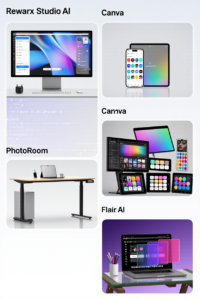 <span class="mrx-read-time-wrap mrx-read-time-before"><span class="mrx-read-time-badge">7 min read</span></span> Rewarx Studio AI Review 2026: Is This the Best AI Product Photography Tool for E-Commerce?
Rewarx Studio AI turns basic product photos into 4K, studio-quality e-commerce images using AI — here's what it actually does, who it's built for, and how it compares to PhotoRoom, Canva, and Flair AI.
View Details <span class="mrx-read-time-wrap mrx-read-time-before"><span class="mrx-read-time-badge">10 min read</span></span> Doba Review 2026: Is This AI-Powered Dropshipping Platform Worth It?
Doba pairs a 2M+ product catalog with a new AI assistant, Doba Pilot, and one-click listing to Walmart and TikTok Shop. We look past the homepage claims at what independent reviews and customer complaints actually say — plus how it stacks up against Spocket, Zendrop, SaleHoo, and AutoDS.
View Details <span class="mrx-read-time-wrap mrx-read-time-before"><span class="mrx-read-time-badge">8 min read</span></span> Lightsaber.com Review 2026: Is This Custom Saber Store Legit?
Lightsaber.com sells RGB and Neopixel dueling-grade sabers with app-based customization and a 1-year warranty. We look at what's verifiable versus self-reported before you buy — including why an old domain doesn't automatically mean a proven track record — and how it compares to established names like Ultrasabers, Sabertrio, and Vader's Vault.
View Details