
Phone Care
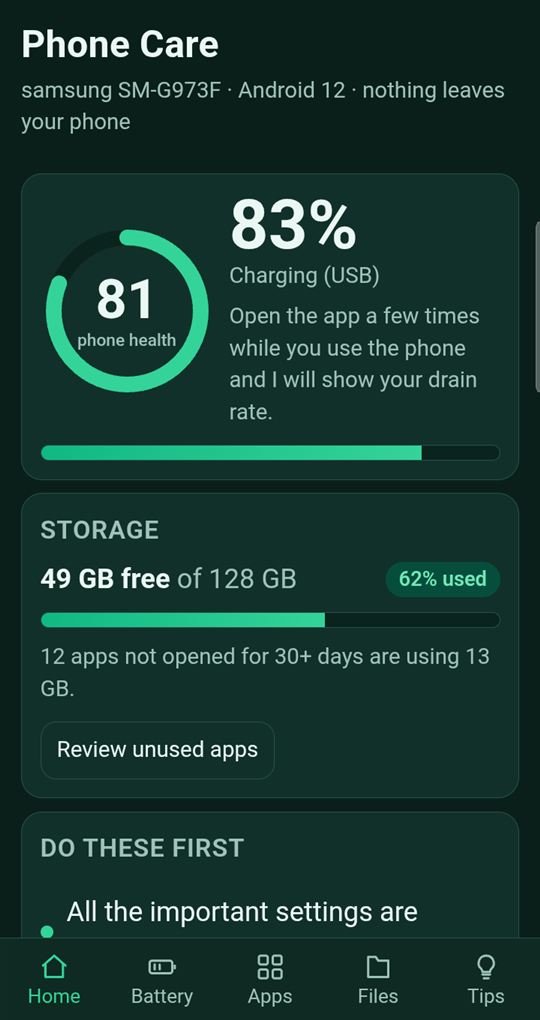
See what is draining your battery and filling your storage, with real readings from your own phone. No boosting tricks, no ads, nothing leaves the phone.
Who it is for
Anyone whose phone feels slow, is nearly out of storage, or loses battery too fast, and who would rather see the facts than install another “booster”.
What you can do
Battery
Charge level, battery health, temperature and voltage, plus the apps you have used the most over the last 7 days. Open it a few times while you use the phone and it shows your drain rate.
Apps
Apps you have not opened for 30 days or more, the biggest apps, and the ones holding the most cache. Uninstalling goes through Android’s own confirmation, and there is a shortcut to each app’s settings.
Files
The biggest videos and photos on the phone, so you can decide what to remove. Android asks you to confirm every deletion.
Tips
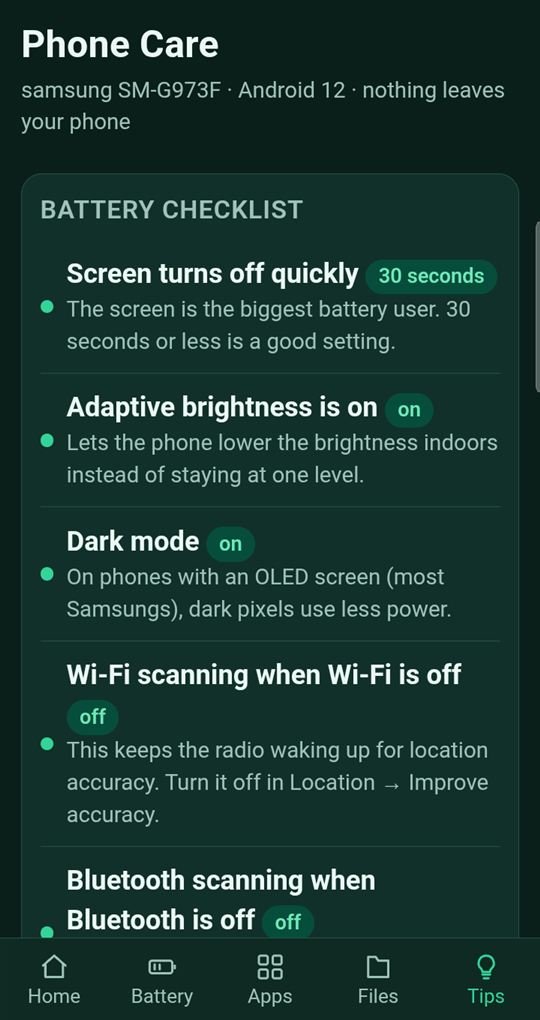
A live checklist of the settings that affect battery life: screen timeout, adaptive brightness, dark mode, and Wi-Fi and Bluetooth scanning, with a shortcut to the right Android setting for each.
How it works
- Open Phone Care and read your phone health score and storage summary.
- Check Battery and Apps to see what is using the most.
- Follow the Tips checklist, or review big files, and decide what to change.
Your data and privacy
Phone Care reads information about your own phone and shows it to you. It has no internet permission, so nothing can leave the phone. It asks for usage access (which you grant in Android Settings) to show which apps you use most, and for access to your photos and videos only to list large files.
Read our apps privacy policy.
Questions
Does it make my phone faster?
It does not claim to. It shows real readings and gives you the information to free storage and reduce battery use yourself.
Does it delete anything on its own?
No. Every uninstall or deletion needs your confirmation through Android.
Does it need an internet connection?
No. It has no internet permission.
Which phone was it tested on?
It was built and tested on a Samsung Galaxy S10 running Android 12.
Availability
Phone Care is built and being prepared for Google Play, where it will be free to install when approved. Want to help test it before then? Tell us which app you would like to try.