Subscription Cost Calculator: see what they really cost per year
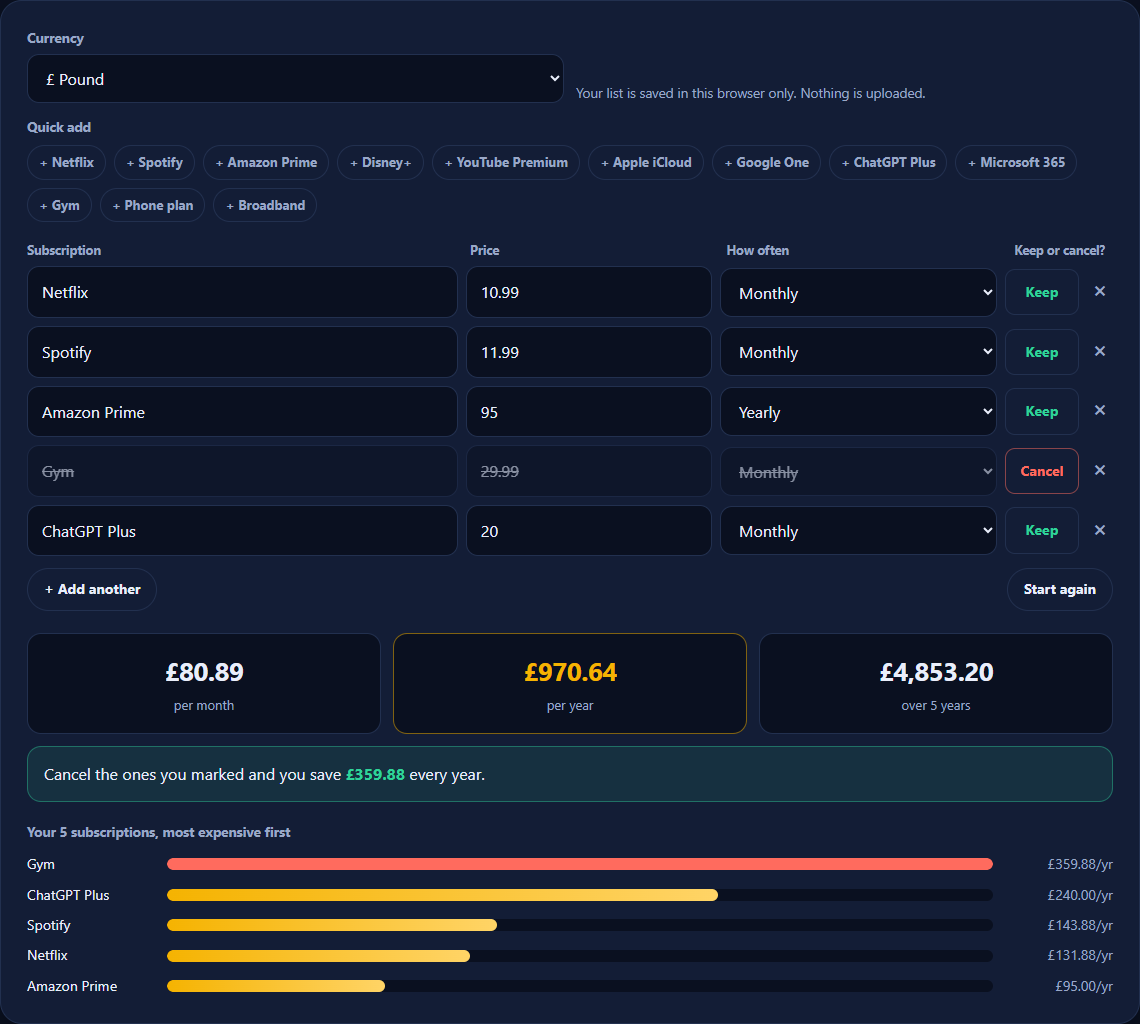
Add your subscriptions (streaming, music, cloud storage, apps, gym, phone) and see the total per month, per year and over five years. Mark the ones you could cancel to see your yearly saving.
- Monthly, yearly & 5-year totals
- Private: stays in your browser
- £, $, €, CFA or ₦
Subscription cost calculator
Your list is saved in this browser only. Nothing is uploaded.
Find the subscriptions you’ve forgotten, and cancel them for good.
The Subscription Audit & Cancellation Playbook is a 12-page guide: a 4-place audit to find every recurring charge, a keep/pause/cancel framework, how to get past retention offers, and a renewal calendar.
How to use the Subscription Cost Calculator
- Choose your currency.
- Click a quick add button, or type the name of a subscription yourself.
- Enter the price and choose how often you pay: weekly, monthly, quarterly or yearly.
- Repeat for every subscription. Your totals and the ranked list update as you type.
- Click Keep to switch any you could live without to Cancel, and see your yearly saving.
Why small subscriptions add up
Subscriptions are designed to be easy to start and easy to forget. A free trial turns into a monthly charge, an annual plan renews quietly, and a price rise arrives in an email you never open. Each one feels small on its own.
Added together, they often come to hundreds of pounds a year, and many households pay for at least one service they no longer use. Writing them all down in one place, as yearly figures, is the quickest way to spot what isn't earning its place.
What to do next
- Cancel anything you haven't used in the last month.
- Pause seasonal services, such as a sports streaming service out of season, instead of paying all year.
- Share family plans where the terms allow it.
- Switch to yearly billing for services you'll definitely keep, which is often cheaper.
- Set a reminder a few days before each renewal date.
Frequently asked questions
Is my subscription list stored anywhere?
Only in your own browser, so it is still there if you come back on the same device. It is never sent to Megastore76 or anyone else. Click "Start again" to clear it.
Why show the yearly and 5-year cost?
Monthly prices look small, which is exactly why they are easy to ignore. Seeing £12.99 a month as £155.88 a year, or nearly £780 over five years, makes it much easier to decide whether something is worth keeping.
How do I find all my subscriptions?
Check four places: your bank and card statements for the last two or three months, the subscriptions page in your phone’s app store (Apple or Google Play), PayPal’s automatic payments, and your email inbox (search for "receipt", "renewal" or "subscription").
Does the calculator include tax or price rises?
It uses exactly the prices you enter. If a service has announced a price rise, enter the new price to see the real cost.
What does "Keep or cancel" do?
It marks a subscription you are thinking of cancelling. The calculator then shows how much you would save per year if you cancelled everything you marked, so you can compare options before you act.
Can I use it for business software too?
Yes. It works for any recurring cost: software, hosting, memberships, phone plans or insurance. Choose weekly, monthly, quarterly or yearly for each one.