AI Tool Picker: find the few AI tools you actually need
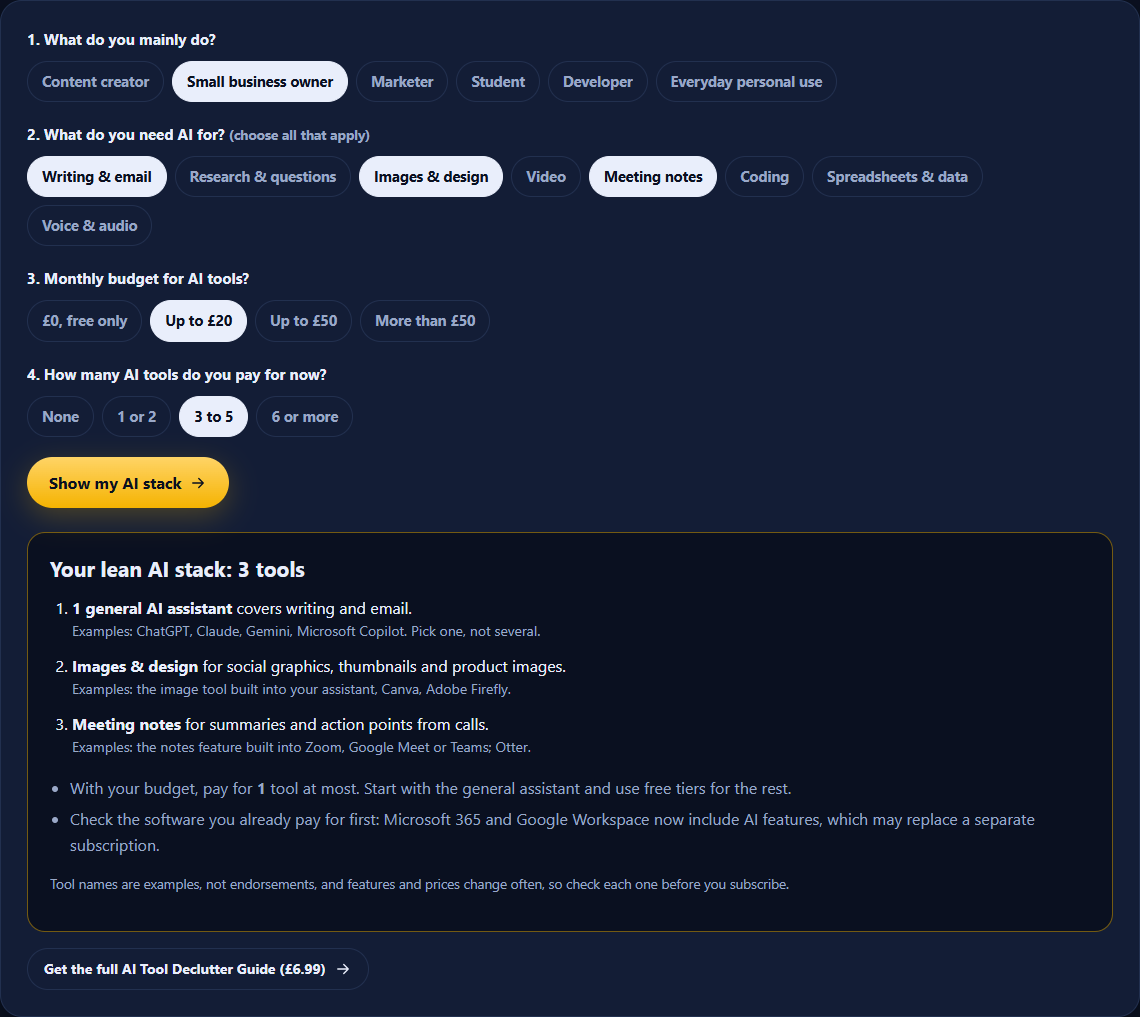
Answer 4 quick questions about your work, the jobs you need help with and your budget. You’ll get a lean AI stack and find out whether you’re paying for tools that overlap.
- Takes 30 seconds
- Nothing saved or sent
- Budget-aware
AI tool picker quiz
Cut your AI subscriptions down to what earns its place.
The AI Tool Declutter Guide gives you a 4-question keep-or-cut framework, lean stacks by use case, red flags to check before adding any AI tool, and a fillable audit worksheet. 11 pages, instant PDF download.
How to use the AI Tool Picker
- Pick what you mainly do: creator, business owner, marketer, student, developer or personal use.
- Select every job you want AI to help with.
- Choose your monthly budget and how many AI tools you pay for now.
- Click Show my AI stack to see the tools you need, what each one is for, and whether you have overlap.
Why fewer AI tools is usually better
New AI tools launch every week, and it's easy to end up paying for several that do the same job: two writing assistants, an image tool your assistant already includes, a meeting recorder your video-call app now provides for free.
A lean stack, meaning one general assistant plus a specialist only where you really need one, costs less, and you'll get better results because you learn one tool properly instead of switching between five.
Signs you have too many AI tools
- You pay for more than one general chat assistant.
- You can't remember the last time you opened one of them.
- You copy the same text between tools to get one job done.
- A free trial turned into a subscription you never decided to keep.
Frequently asked questions
Which AI tool should I use?
For most people, one general AI assistant (such as ChatGPT, Claude, Gemini or Microsoft Copilot) handles writing, research, everyday questions and light spreadsheet or coding help. Add a specialist tool only for a job the assistant can’t do well, such as video editing or meeting notes.
Do I need to pay for AI tools?
Not always. The free versions of the big assistants cover a lot of everyday work. Paying makes sense once you hit usage limits regularly or need a specific feature, and even then, one paid tool is usually enough to start.
Why not use several AI assistants?
They overlap heavily. Paying for two or three general assistants usually means paying two or three times for the same features. Pick the one you like using and learn it well.
Are the tools named in my result recommendations?
They are examples of each type of tool, not endorsements, and we are not paid to list them. Features and prices change often, so check the current details before you subscribe.
Is my quiz data saved or sent anywhere?
No. The quiz runs entirely in your browser and nothing is stored or uploaded.
How often should I review my AI tools?
Every three months is a good habit. New features arrive constantly, and a tool you pay for separately may now be included in something you already have.